



先利用清华大学镜像网加快所需pip下载速度,pip install jieba -i https://pypi.tuna.tsinghua.edu.cn/simple
pip install wordcloud -i https://pypi.tuna.tsinghua.edu.cn/simple
pip install matplotlib -i https://pypi.tuna.tsinghua.edu.cn/simple
结果:
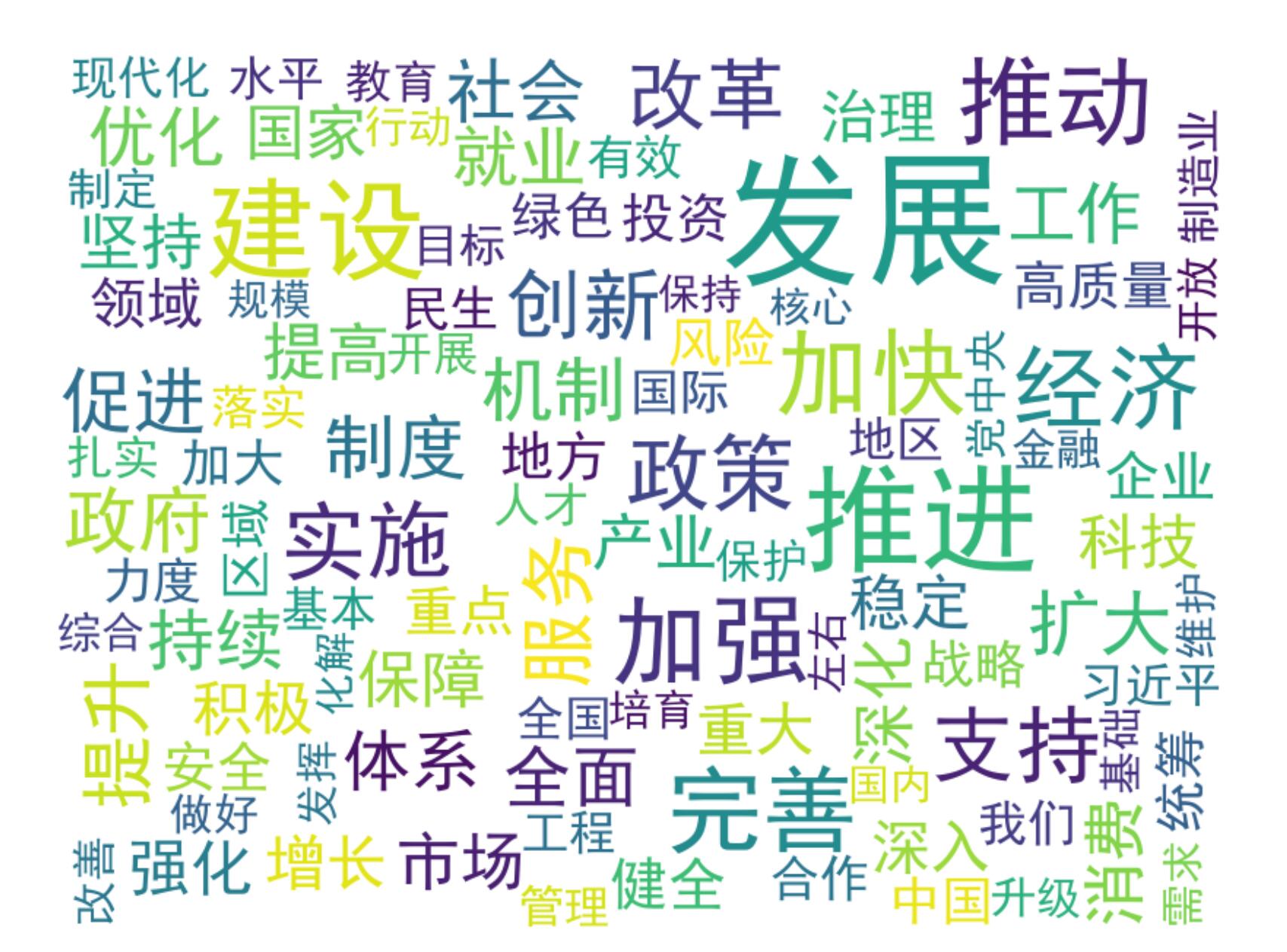
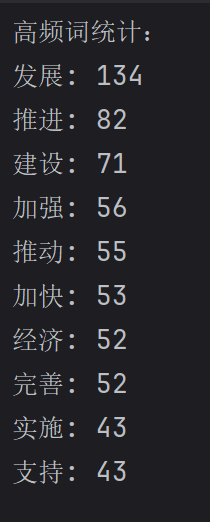
代码:
import jieba
from collections import Counter
from wordcloud import WordCloud
import matplotlib.pyplot as plt
# 读取政府工作报告文本
def read_text(file_path):
with open(file_path, 'r', encoding='utf-8') as file:
text = file.read()
return text
# 分词并统计词频
def count_words(text):
# 使用jieba进行分词
words = jieba.lcut(text)
# 过滤单个字符的词
words = [word for word in words if len(word) > 1]
# 统计词频
word_counts = Counter(words)
return word_counts
# 生成词云
def generate_wordcloud(word_counts):
# 将词频转换为字符串形式
word_freq = {word: freq for word, freq in word_counts.items()}
# 创建词云对象
wordcloud = WordCloud(
font_path='simhei.ttf', # 指定中文字体
width=800,
height=600,
background_color='white', # 背景颜色
max_words=100, # 最大显示的词数
max_font_size=100, # 最大字体大小
).generate_from_frequencies(word_freq)
return wordcloud
# 显示词云
def display_wordcloud(wordcloud):
plt.figure(figsize=(10, 8))
plt.imshow(wordcloud, interpolation='bilinear')
plt.axis('off') # 关闭坐标轴
plt.show()
# 主程序
if __name__ == "__main__":
# 政府工作报告文本文件路径
report_path = 'report.txt'
# 读取文本
report_text = read_text(report_path)
# 统计词频
word_counts = count_words(report_text)
# 打印前10个高频词
print("高频词统计:")
for word, freq in word_counts.most_common(10):
print(f"{word}: {freq}")
# 生成词云
wordcloud = generate_wordcloud(word_counts)
# 显示词云
display_wordcloud(wordcloud)





 扫一扫
扫一扫


 2980
2980

 被折叠的 条评论
为什么被折叠?
被折叠的 条评论
为什么被折叠?
 到【灌水乐园】发言





