



儿子访问父亲的值
<!doctype html>
<html>
<head>
<meta charset="utf-8">
<title>vue事件监听练习</title>
</head>
<body>
    <div id="calc">
        <test></test>
    </div>
</body>
</html>
<script src="./js/vue.js"></script>

<template id="test">
    <div>
        <h6>子组件</h6>
        <subsubtest></subsubtest>
    </div>
</template>
<template id="subsubtest">
   <div>
        <h6>子子组件-即子组件的子组件</h6>
        <button @click="showfather">点击查看parent</button>
   </div>
</template>

<script>
    Vue.component('test',{
        template: '#test'
        ,data(){
            return {
                sonvalue: "我是子组件的内容,"
            }
        }
        //子组件里面使用子子组件
        ,components: {
            'subsubtest': {
                template: "#subsubtest"
                ,methods: {
                    showfather(){
                        //子子组件访问子组件
                        console.log(this.$parent.sonvalue)
                    }
                }
            }
        }
    })
    let app = new Vue({
        el: '#calc'
        ,data: {
        }
        ,methods:{
        }
        ,computed: {
        }
    })

</script>
运行结果如下:
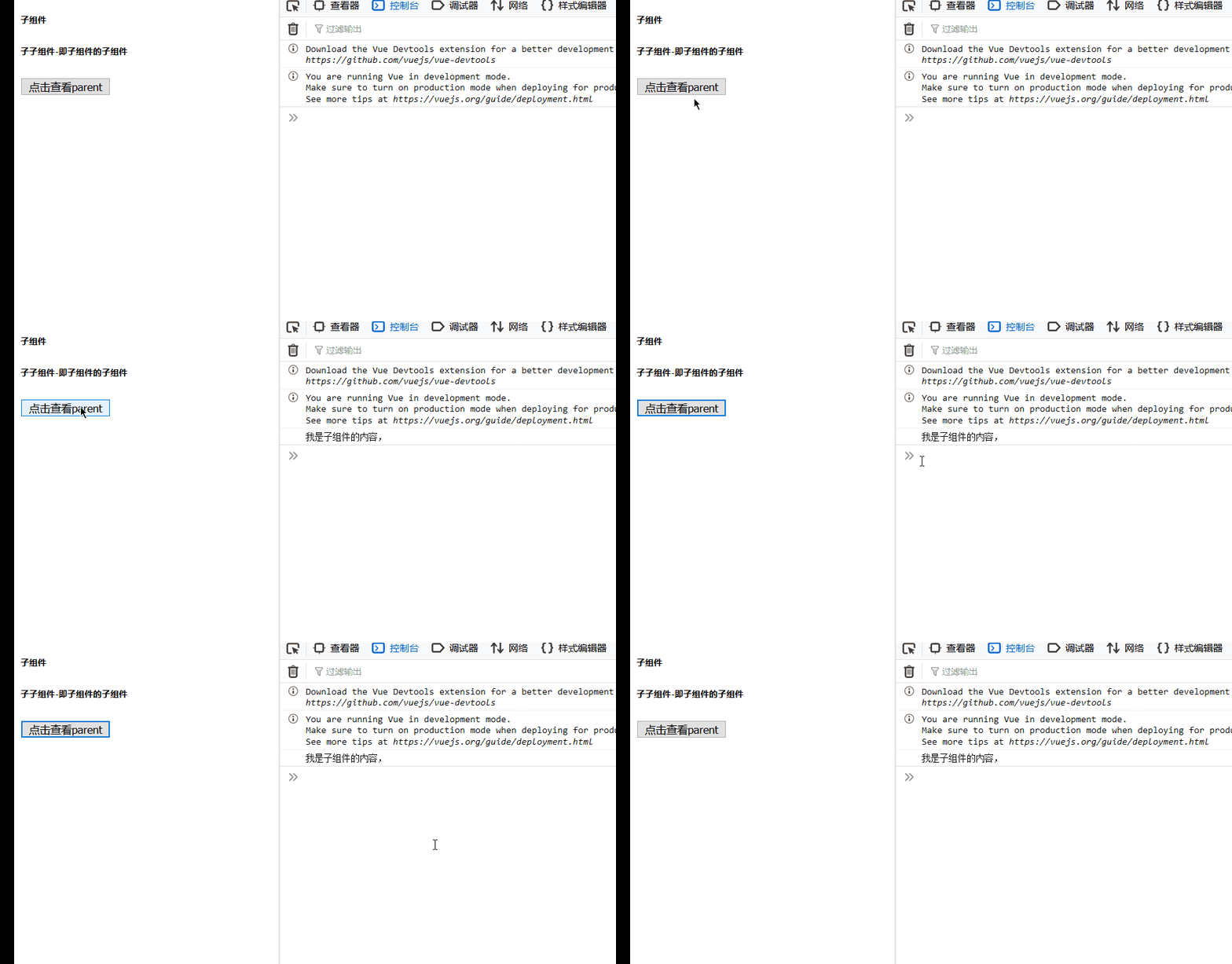
从结果可以看到,其子子组件访问了子组件的data的sonvalue变量值。
Slot
插槽,意为扩展,扩充,定义组件的插槽。
组件中,插槽的基本使用:
<!doctype html>
<html>
<head>
<meta charset="utf-8">
<title>vue插槽</title>
</head>
<body>
    <div id="calc">
        <test>
            <button>按钮加到组件中</button>
        </test>
        <hr>
        <test></test>
    </div>
</body>
</html>
<script src="./js/vue.js"></script>
<template id="test">
    <div>
        <h6>子组件,插槽的使用</h6>
        <slot></slot>
    </div>
</template>
<script>
    Vue.component('test',{
        template: '#test'
        ,data(){
            return {
                sonvalue: "我是子组件的内容,"
            }
        }
    })
    let app = new Vue({
        el: '#calc'
        ,data: {
        }
        ,methods:{
        }
        ,computed: {
        }
    })

</script>
运行结果如下:
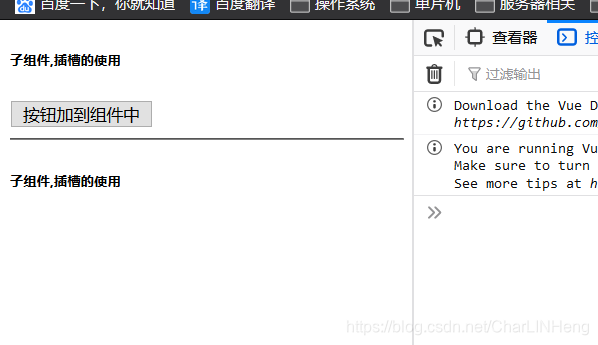
可以看到,第一个组件中,我们已经将按钮插入到插槽。但第二个没有。
插槽指定默认控件,代码如下:
<!doctype html>
<html>
<head>
<meta charset="utf-8">
<title>vue插槽</title>
</head>
<body>
    <div id="calc">
        <test>
            <button>按钮加到组件中</button>
        </test>
        <hr>
        <test>
            <!-- 不传插槽值,显示默认 -->
        </test>
        <hr>
        <test>
            <em>我是大大当前我发前</em>
        </test>
    </div>
</body>
</html>
<script src="./js/vue.js"></script>
<template id="test">
    <div>
        <h6>子组件,插槽的使用</h6>
        <slot>
            <!-- 这里放置默认,假设我们没有传button进来,那么将使用默认 -->
            <a href="www.erremall.top">默认链接</a>
        </slot>
    </div>
</template>
<script>
    Vue.component('test',{
        template: '#test'
        ,data(){
            return {
                sonvalue: "我是子组件的内容,"
            }
        }
    })
    let app = new Vue({
        el: '#calc'
        ,data: {
        }
        ,methods:{
        }
        ,computed: {
        }
    })

</script>
运行结果如下:
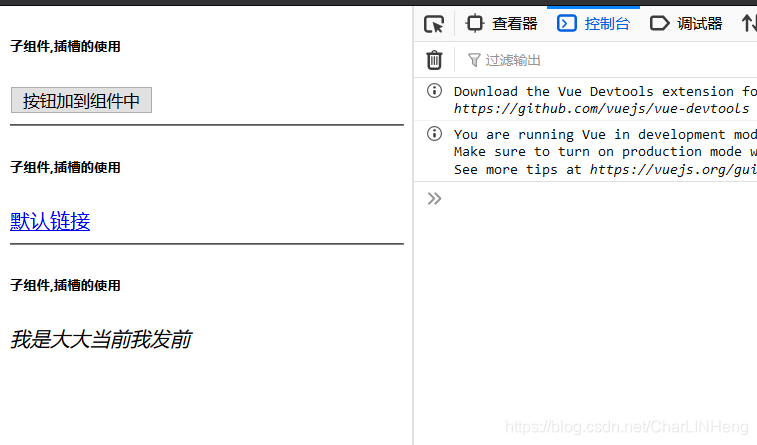
可以看到,如果我们没有往里面传值,那么将显示slot中默认的值。
具名插槽
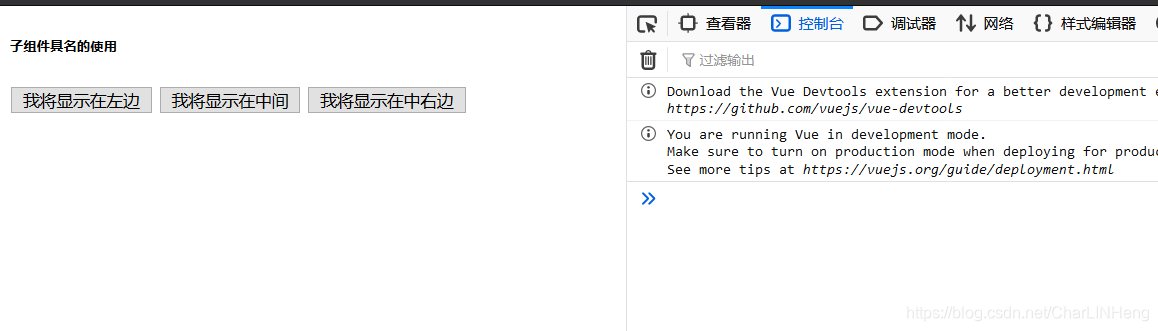
多个slot使用,这时需要指定slot的名字,代码实例如下:
<!doctype html>
<html>
<head>
<meta charset="utf-8">
<title>vue插槽</title>
</head>
<body>
    <div id="calc">
        <test>
            <button slot="middle">我将显示在中间</button>
            <button slot="right">我将显示在中右边</button>
            <button slot="left">我将显示在左边</button>
        </test>
    </div>
</body>
</html>
<script src="./js/vue.js"></script>
<template id="test">
    <div>
        <h6>子组件具名的使用</h6>
        <slot name="left"></slot>
        <slot name="middle"></slot>
        <slot name="right"></slot>
    </div>
</template>
<script>
    Vue.component('test',{
        template: '#test'
        ,data(){
            return {
                sonvalue: "我是子组件的内容,"
            }
        }
    })
    let app = new Vue({
        el: '#calc'
        ,data: {
        }
        ,methods:{
        }
        ,computed: {
        }
    })

</script>
运行结果:
父访问子组件的数据[引用具名插槽数据]:
实例代码如下:
<!doctype html>
<html>
<head>
<meta charset="utf-8">
<title>vue插槽</title>
</head>
<body>
    <div id="calc">
        <test></test>
        <test>
            <!-- slot-scope随便起名字 -->
            <template slot-scope="slots">
                <span v-for="(item,index) in slots.data">{{item}}*</span>
            </template>
        </test>
    </div>
</body>
</html>
<script src="./js/vue.js"></script>
<template id="test">
    <div>
        <h6>父组件引用子组件的值,采用_分割形式来连接[下面的 :data是关键]</h6>
        <slot :data="items">
            <ul>
                <li v-for="(item,index) in items">{{item}}</li>
            </ul>
        </slot>
    </div>
</template>
<script>
    Vue.component('test',{
        template: '#test'
        ,data(){
            return {
                sonvalue: "我是子组件的内容,"
                ,items: ["A","B","C","D","E","G"]
            }
        }
    })
    let app = new Vue({
        el: '#calc'
        ,data: {
        }
        ,methods:{
        }
        ,computed: {
        }
    })

</script>
运行结果如下:
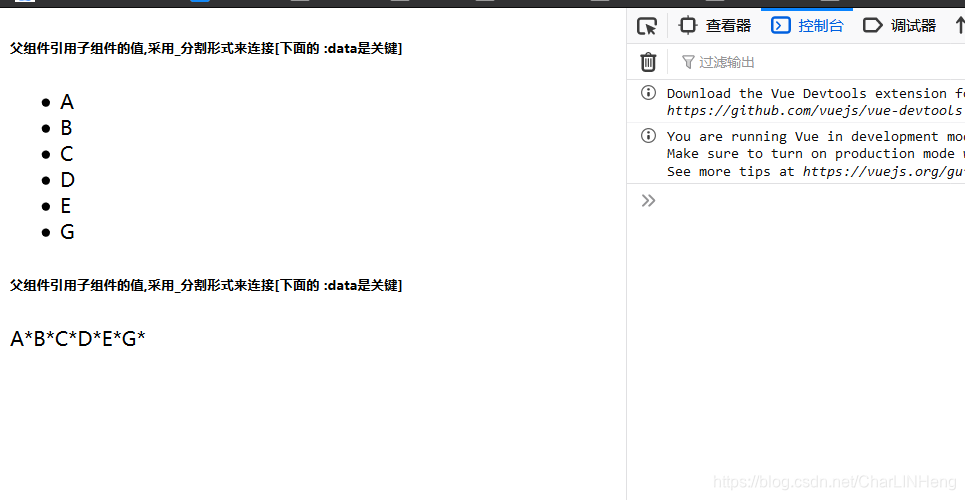
从结果可以看出,在组件template模板中,我们定义一个slot的属性:data[data可以自己随便起名字],这个变量,这个属性把items值复制。然后父组件在调用cpn组件时,我们进行使用template模板,然后可以使用template名称.自定义属性[data]来获取slot绑定的属性。
CommomJs
主要是模块化的思想,其中包含 导入和导出
ES5语法:
导入:
var {a,b} = require('./a.')
导出
module.exports = {

					a: 1

					,b:2

			}
ES6语法:
只需要在如下类型里面写代码,就可以申明为module:
<script type="module">
		实例a = 100
	export{
    	变量a:实例a
	}
</script>
导入(import):
import {变量a,变量b,...} from 'a.js';
导出(export):
export{
	变量a: 实例a
	,变量b: 实例b
}
实例:
新建exportPractice.js文件,代码如下:
class Person  {
year =20;

print(){
    console.log("我是豆豆")
}

}
//导出Person这个类
export { Person};
建立导入类import.js类,代码如下:
    //导入
    import {Person} from './exportPractice.js';
    //打印
    let p = new Person();
    console.log(p.print())
建立测试类printHTML.html,代码如下:
<!doctype html>
<html>
<head>
<meta charset="utf-8">
<title>export和import</title>
</head>
<body>
    <div id="calc">

    </div>
</body>
</html>
<script type="module" src="./import.js"></script>
运行printHTML.html,运行结果如下:
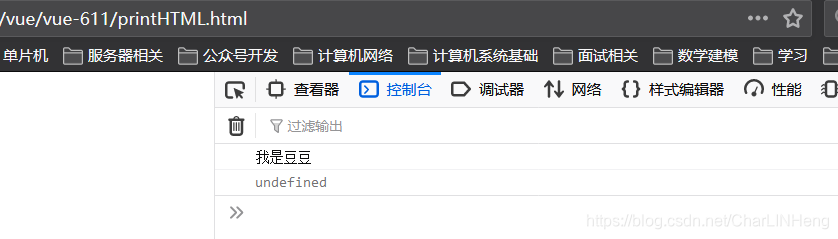
可以看到,在import中,成功导入了export的person类,





 扫一扫
扫一扫


 647
647

 被折叠的 条评论
为什么被折叠?
被折叠的 条评论
为什么被折叠?
 到【灌水乐园】发言





