



 本文解决了在Ubuntu 12.04环境下使用apt-get更新时遇到的公钥警告问题,具体为Launchpad PPA for Notepadqq Team的公钥问题。通过去除有问题的ppa.launchpad.net软件源,再运行apt-get update命令,问题得以解决。
自从在12.04ubuntu下使用apt-get开始,就会遇到各种奇奇怪怪的问题。不识别某个xxxxxxx的公钥就算是一个典型。当然launchpad ppa的公钥警告比较特殊。
运行
apt-get update
出现
W: GPG error: http://ppa.launchpad.net precise Release: The following signatures were invalid: BADSIG 2E30EE6263DE9CD4 Launchpad PPA for Notepadqq Team
有ubuntu环境配置的linuxer一定会想到使用gpg命令导入公钥,其实这里是软件源的问题:
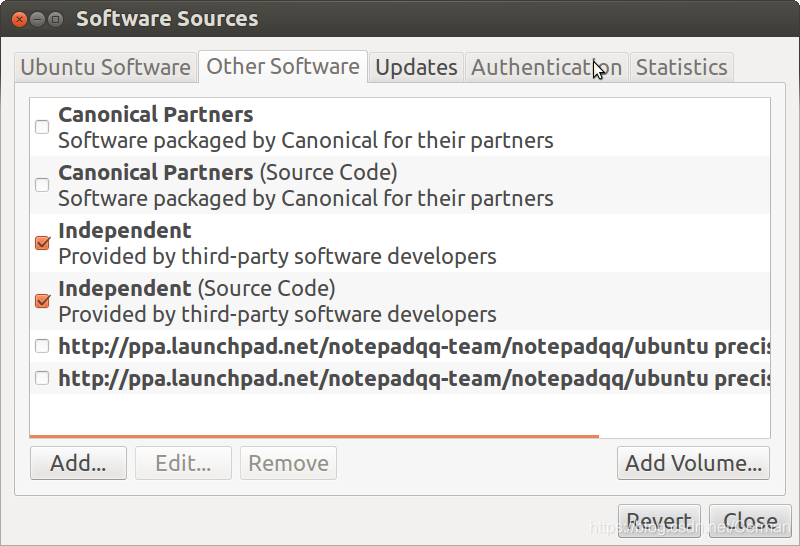
将最后两项ppa.launchpad.net勾去,再运行apt-get update:
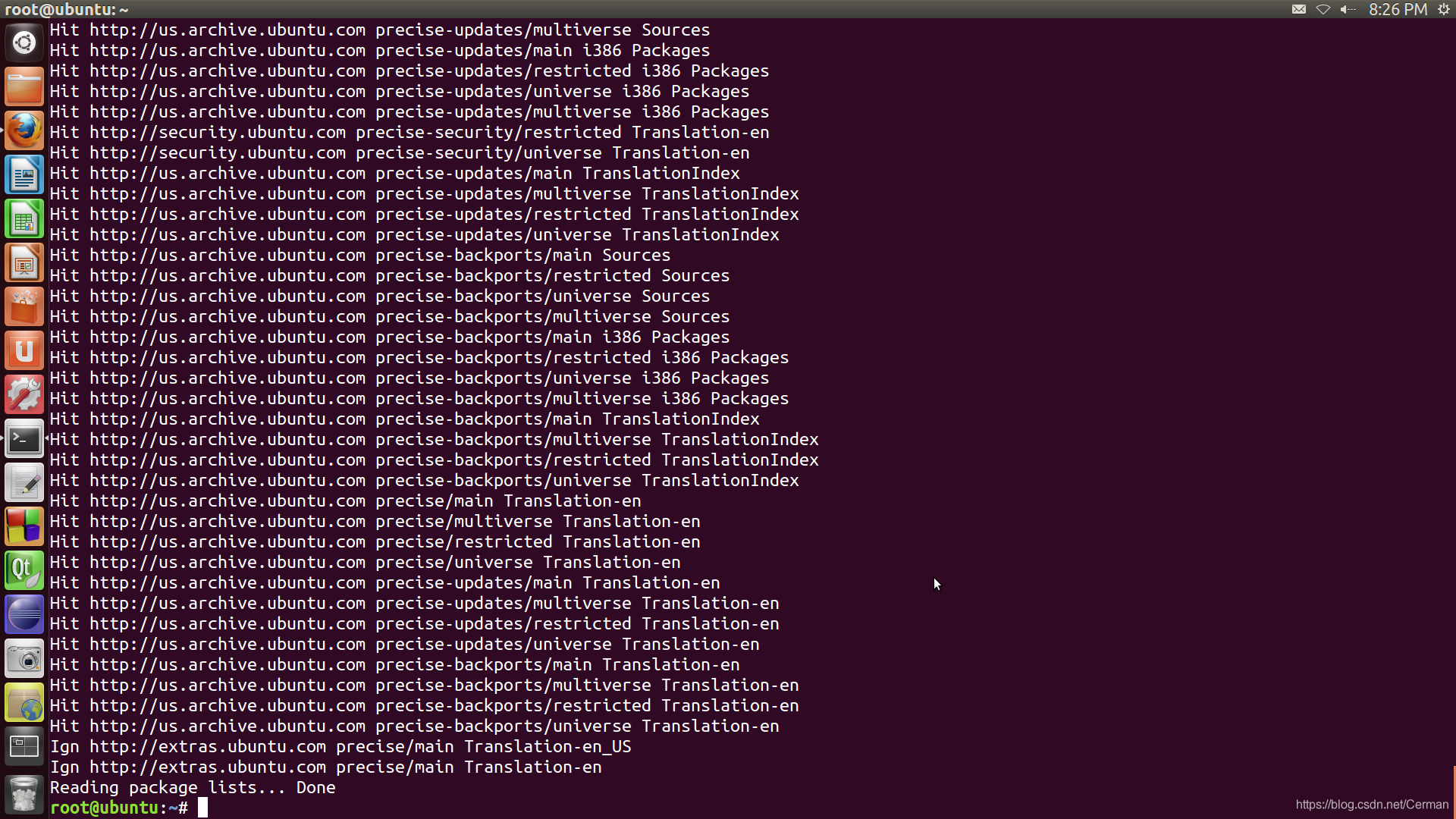
THAT’S ALL!





 扫一扫
扫一扫


 880
880

 被折叠的 条评论
为什么被折叠?
被折叠的 条评论
为什么被折叠?
 到【灌水乐园】发言





