网图显示
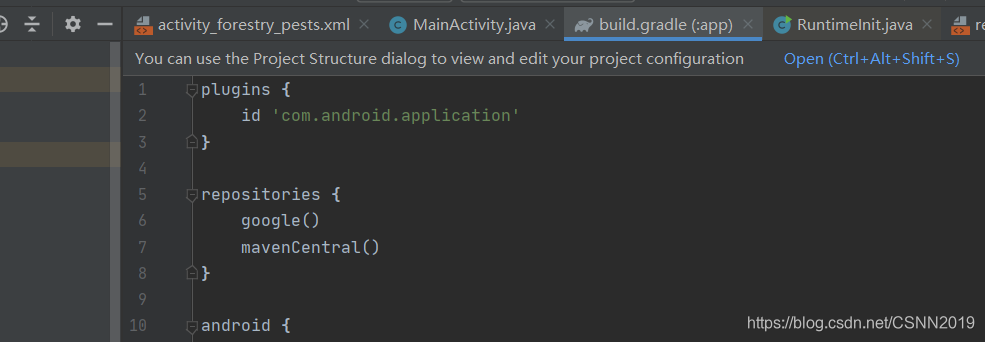
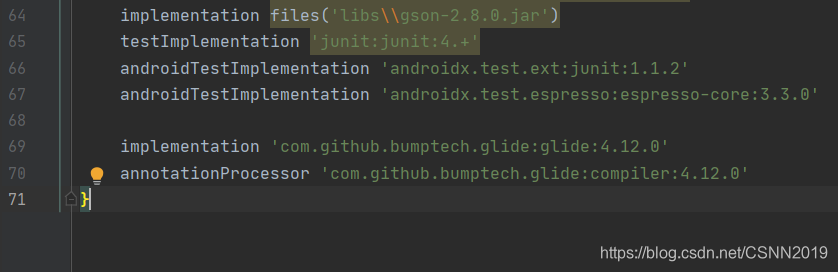
加入依赖在build.gardle
repositories {
  google()
  jcenter()
}
dependencies {
  implementation 'com.github.bumptech.glide:glide:4.11.0'
  annotationProcessor 'com.github.bumptech.glide:compiler:4.11.0'
}
或者maven
<dependency>
  <groupId>com.github.bumptech.glide</groupId>
  <artifactId>glide</artifactId>
  <version>4.12.0</version>
</dependency>
<dependency>
  <groupId>com.github.bumptech.glide</groupId>
  <artifactId>compiler</artifactId>
  <version>4.12.0</version>
  <optional>true</optional>
</dependency>
核心插入代码
Glide.with(this).load("https://www.baidu.com/img/PCtm_d9c8750bed0b3c7d089fa7d55720d6cf.png").into(imgv);
作品展示




 本文详细介绍了如何在Android项目中通过Gradle或Maven添加Glide图片加载库的依赖,并展示了核心代码示例,包括如何使用Glide加载网络图片并显示到ImageView。





 扫一扫
扫一扫


 765
765

 被折叠的 条评论
为什么被折叠?
被折叠的 条评论
为什么被折叠?
 到【灌水乐园】发言





