


[鹏城杯 2022]简单取证
查看信息,找文件
vol.py -f file.raw imageinfo
vol.py -f file.raw --profile=WinXPSP2x86 filescan | grep jpg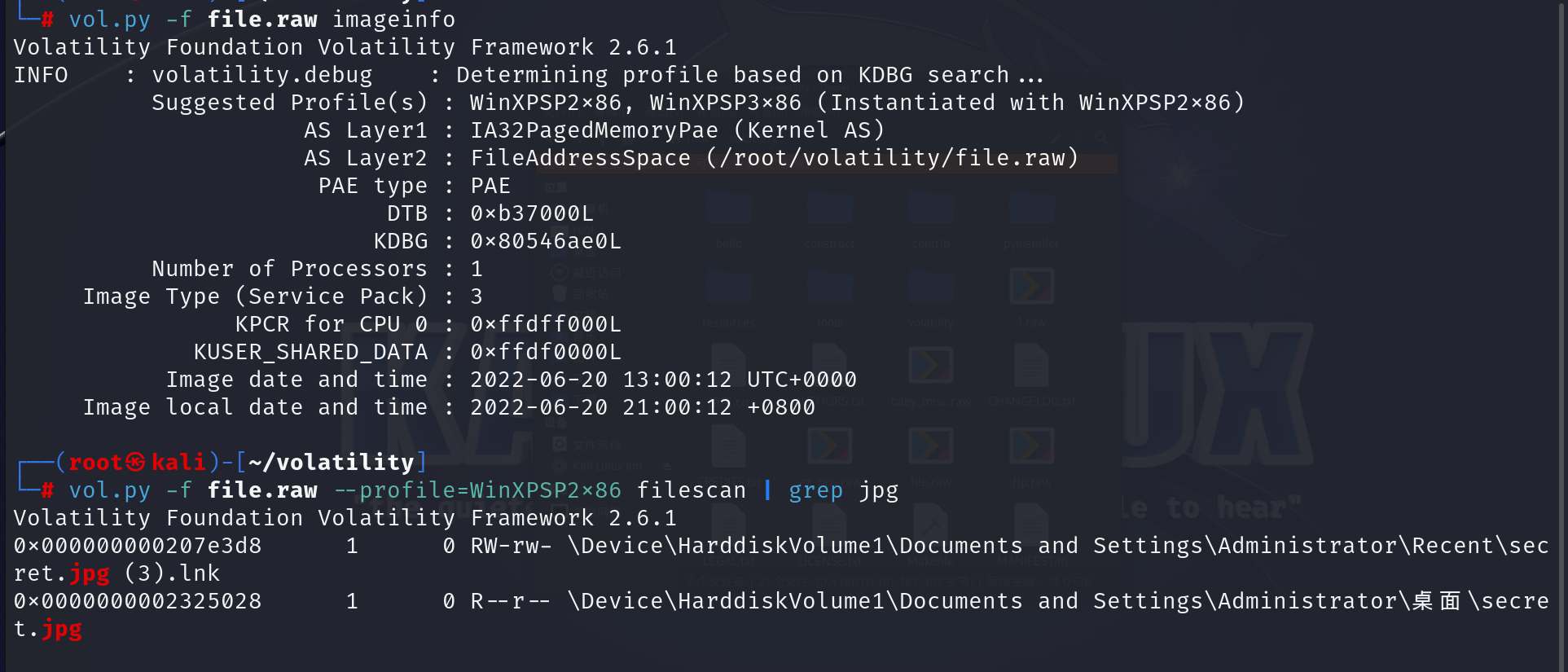
导出来
vol.py -f file.raw --profile=WinXPSP2x86 dumpfiles -Q 0x0000000002325028 -D ./..去010显示是BASE64,赛博厨子一把梭了
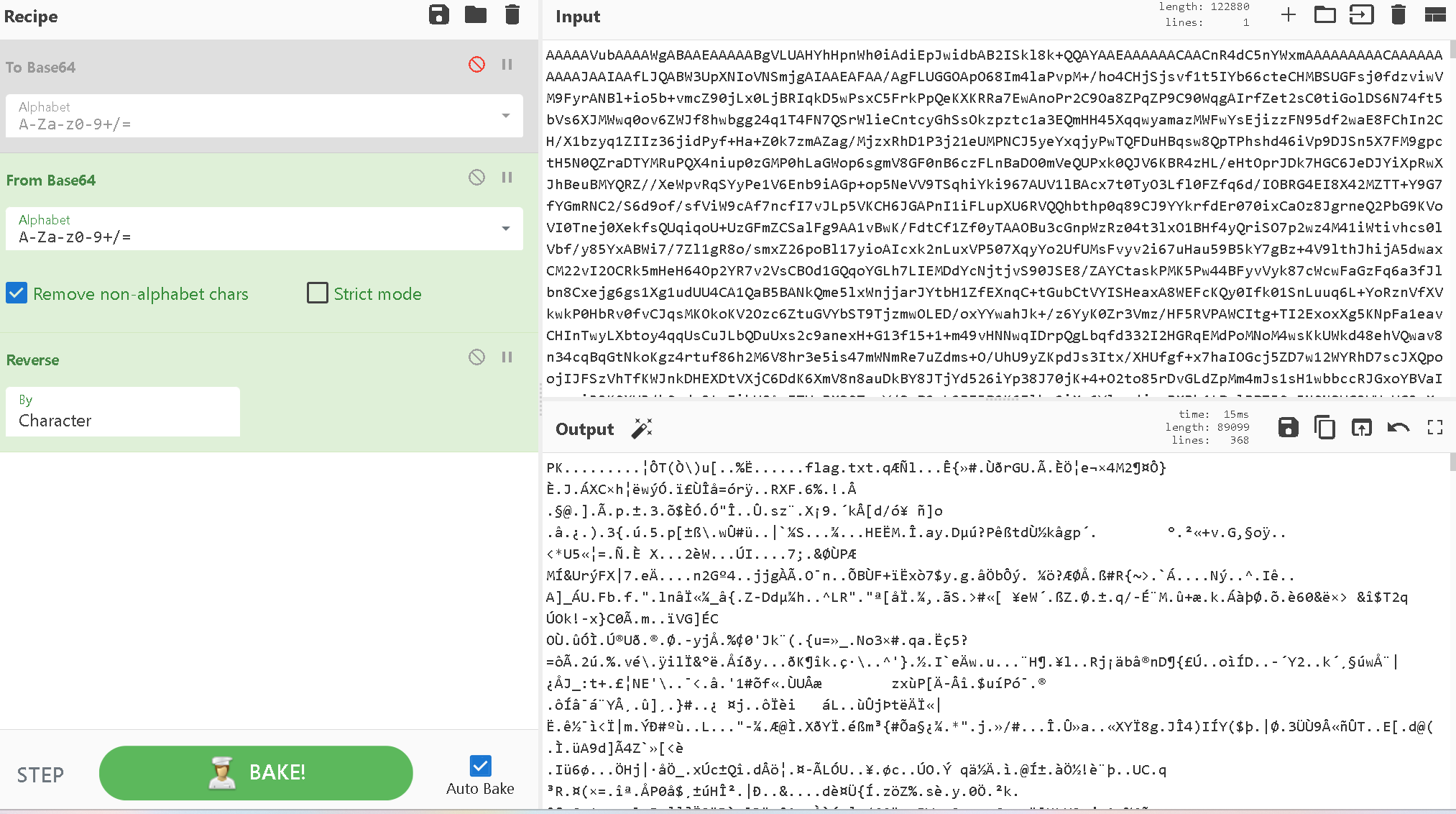
压缩包导出来
找到密码
vol.py -f file.raw --profile=WinXPSP2x86 cmdscan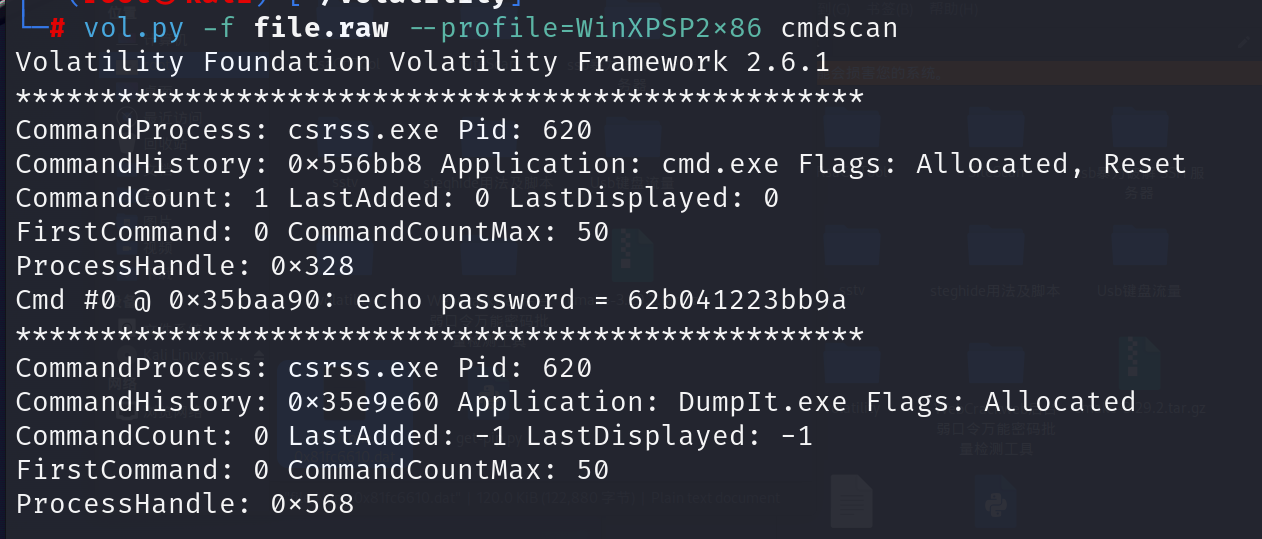
解压出来是坐标,用脚本
from PIL import Image

im = Image.new("RGB", (350, 350), (0, 0, 0))

with open("flag.txt", "r") as f:
    r = f.read()

lst = r.split("\n")
for i in lst:
    x = int(i.split(" ")[0])
    y = int(i.split(" ")[1])
    im.putpixel((x, y), (255, 255, 255))

im.save("flag.png")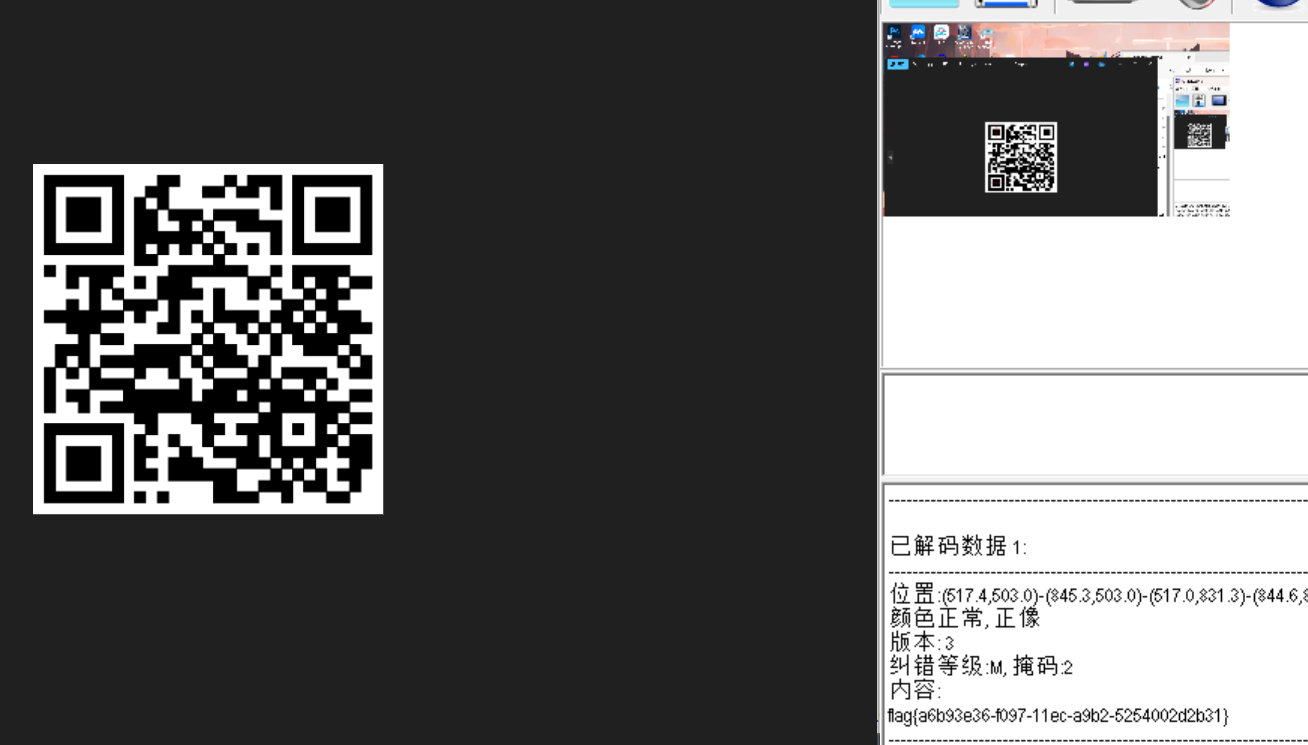
 最低0.47元/天 解锁文章






 扫一扫
扫一扫


 940
940

 被折叠的 条评论
为什么被折叠?
被折叠的 条评论
为什么被折叠?
 到【灌水乐园】发言





