


 本文介绍如何在UICollectionView中实现Cell点击后的颜色变化,并保持一段时间,同时处理长按时的颜色高亮状态。通过具体代码示例,展示了如何利用UICollectionView的协议方法来完成这一功能。
首先效果如下:
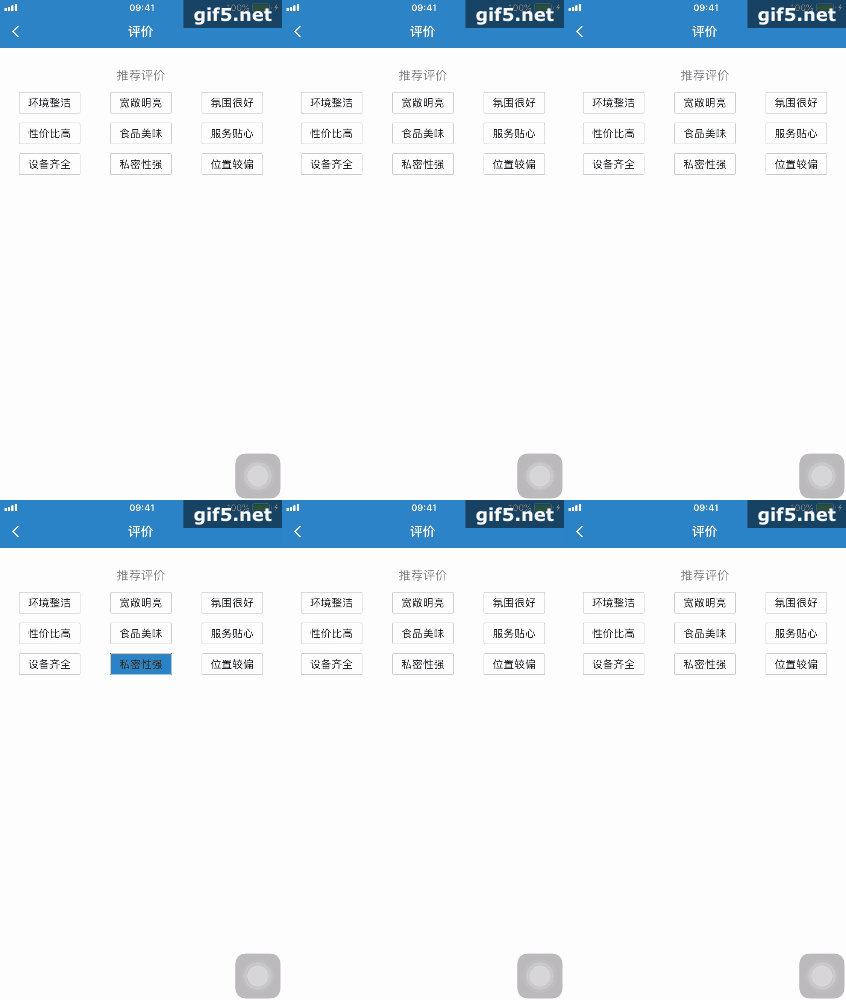
背景是这样的:UI上使用的是UICollectionView,所以后面会使用它的协议方法完成。
实现思路是这样的:高亮状态+点击后短时间内保持颜色变化
实现的代码参考如下:
// Cell被点击后短时间内保持颜色的变化
- (void)collectionView:(UICollectionView *)collectionView didSelectItemAtIndexPath:(NSIndexPath *)indexPath {

    WSFEvaluateTagItem *cell = (WSFEvaluateTagItem *)[collectionView cellForItemAtIndexPath:indexPath];
    cell.backgroundColor = [UIColor blueColor];
    dispatch_after(dispatch_time(DISPATCH_TIME_NOW, (int64_t)(0.1 * NSEC_PER_SEC)), dispatch_get_main_queue(),
^{
        cell.backgroundColor = [UIColor whiteColor];
    });
}

// 长按的情况下要实现高亮状态下的颜色保持
- (void)collectionView:(UICollectionView *)collectionView didHighlightItemAtIndexPath:(NSIndexPath *)indexPath{

    WSFEvaluateTagItem *cell = (WSFEvaluateTagItem *)[collectionView cellForItemAtIndexPath:indexPath];
    cell.backgroundColor = [UIColor blueColor];
}
- (void)collectionView:(UICollectionView *)collectionView didUnhighlightItemAtIndexPath:(NSIndexPath
*)indexPath{

    WSFEvaluateTagItem *cell = (WSFEvaluateTagItem *)[collectionView cellForItemAtIndexPath:indexPath];
    cell.backgroundColor = [UIColor whiteColor];
}
- (BOOL)collectionView:(UICollectionView *)collectionView shouldHighlightItemAtIndexPath:(NSIndexPath
*)indexPath{

    return YES;
}





 扫一扫
扫一扫


 1718
1718

 被折叠的 条评论
为什么被折叠?
被折叠的 条评论
为什么被折叠?
 到【灌水乐园】发言





