





 本文深入探讨Linux中正则表达式的两种主流引擎——基本正则表达式(BRE)和扩展正则表达式(ERE),并通过实际案例演示如何在sed和awk等工具中应用正则表达式进行文本匹配和搜索,包括转义字符、区间指定、重复模式等高级用法。
Linux 中的两种主流扩展正则表达式引擎
basic regular expression BRE
extended regular expressiong ERE
!!!!在匹配过程中,空格与其他字符并无区别!!!!
匹配过程中的转义

┌─[root@parrot]─[/home/user/Desktop/playground]
└──╼ #echo "This is cost \$4.22" | sed -n '/\$/p'
This is cost $4.22

┌─[root@parrot]─[/home/user/Desktop/playground]
└──╼ #echo "This is a \ a" | sed -n  '/\\/p'
This is a \ a

是否在行首
┌─[root@parrot]─[/home/user/Desktop/playground]
└──╼ #echo "This is This  cost \$4.22" | sed  '/^This/p'


查看以d 或 -开头的行
└──╼ #cat lafile  |  grep   "^[d-]"


匹配五位数字
┌─[root@parrot]─[/home/user/Desktop/playground]
└──╼ #cat num
123654
12364
2495
12396
95684
┌─[root@parrot]─[/home/user/Desktop/playground]
└──╼ #cat num  | grep "^[0-9][0-9][0-9][0-9][0-9]$"
12364
12396
95684
指定多个区间
┌─[root@parrot]─[/home/user/Desktop/playground]
└──╼ #echo "dbc" | sed -n '/[a-en-z]bc/p'
dbc
┌─[root@parrot]─[/home/user/Desktop/playground]
└──╼ #echo "ybc" | sed -n '/[a-en-z]bc/p'
ybc
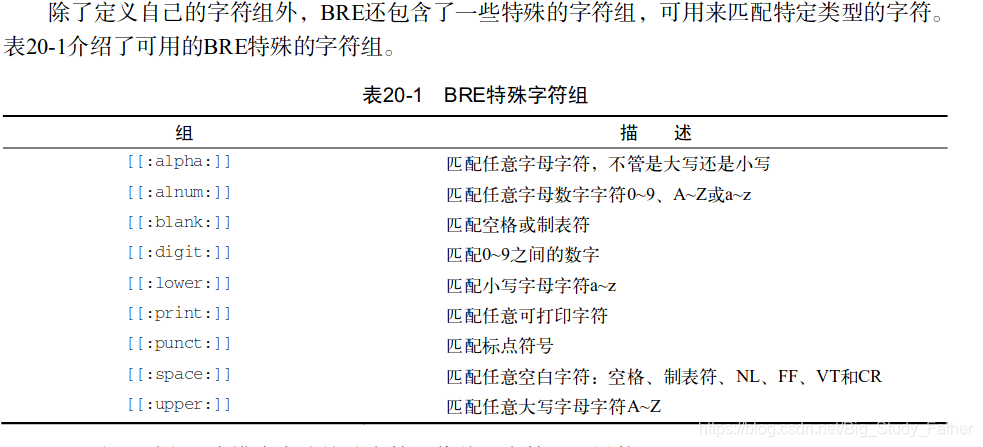
┌─[root@parrot]─[/home/user/Desktop/playground]
└──╼ #echo "ybc" | sed -n '/[[:upper:]]/p'
┌─[root@parrot]─[/home/user/Desktop/playground]
└──╼ #echo "ybc" | sed -n '/[[:lower:]]/p'
ybc
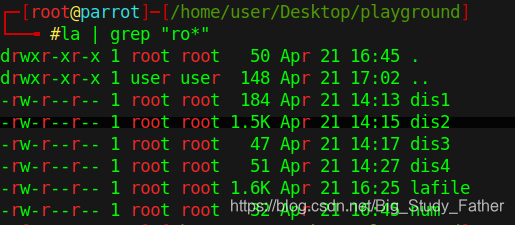
星号 * 表示前一个字符出现0次或多次
可以看到单个的r也被匹配到了
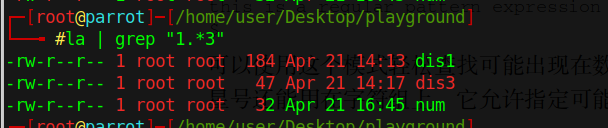
 通过与点.的组合匹配多个任意字符
吊!
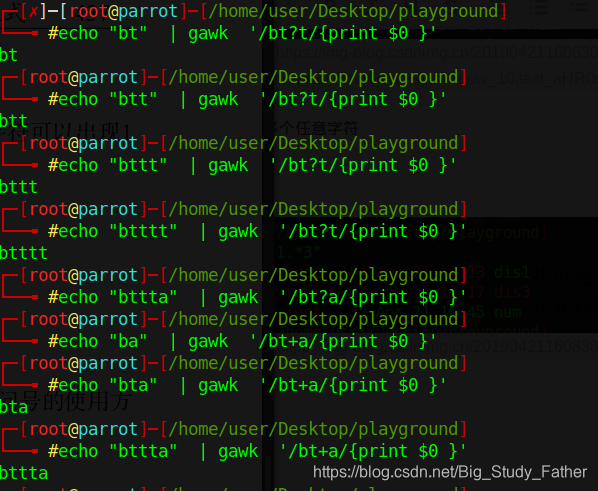
扩展正则表达式
? 类似*但只匹配零次或一次
+一次或多次
使用花括号 {m,n} 表明上一个字符至少m次,至多n次
有的awk不支持默认的间隔 需要指定如下样式
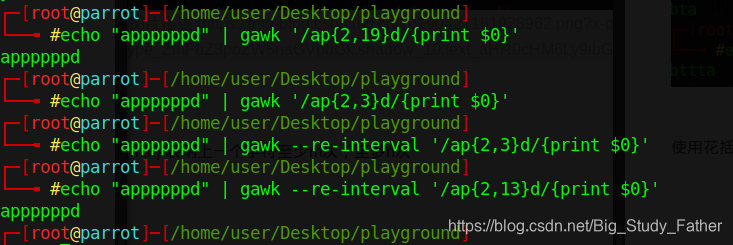
| 匹配选项 | 两旁不能有空格
┌─[root@parrot]─[/home/user/Desktop/playground]
└──╼ #echo "appppppd" | gawk --re-interval '/ap{2,3}d|ap{1,13}d/{print $0}'
appppppd
表达式分组 ()
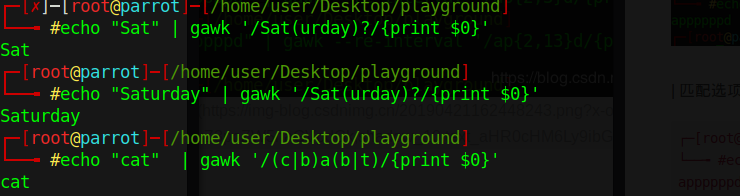
实例:
美国电话号码 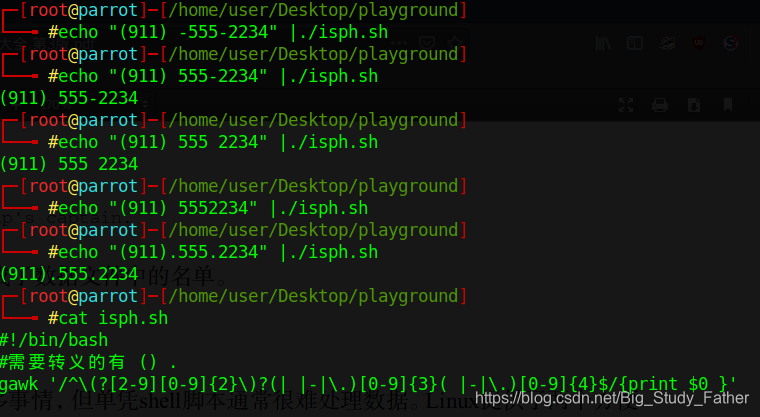





 扫一扫
扫一扫


 218
218

 被折叠的 条评论
为什么被折叠?
被折叠的 条评论
为什么被折叠?
 到【灌水乐园】发言





