



本篇记录GeoServer REST API 调用操作工作区的查询与创建(修改和删除后面安排)
官方文档:REST配置API引用 — GeoServer 2.24.x User Manual
目录
工作区查询操作
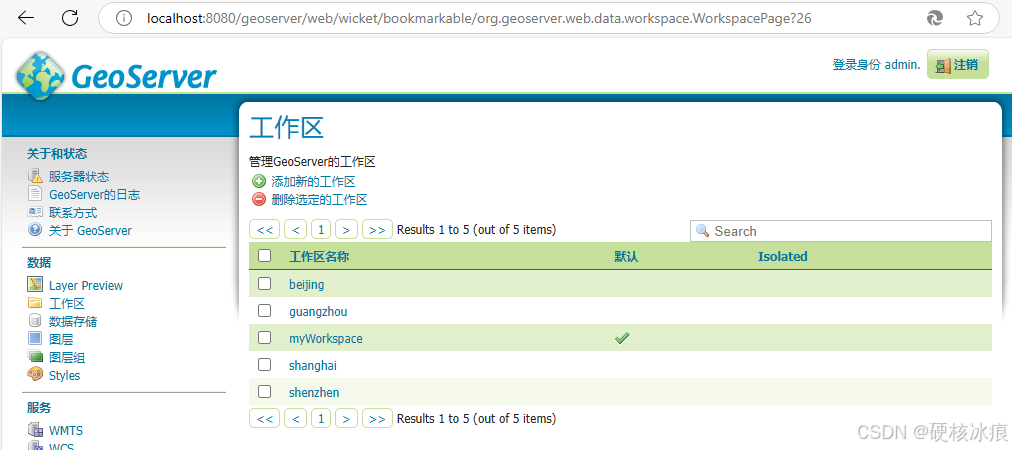
geoserver页面访问
可以查看已设置工作区列表。
浏览器直接访问
支持三种数据格式(默认HTML),只需要在后面添加对应格式。
- HTML:http://localhost:8080/geoserver/rest/workspaces.html
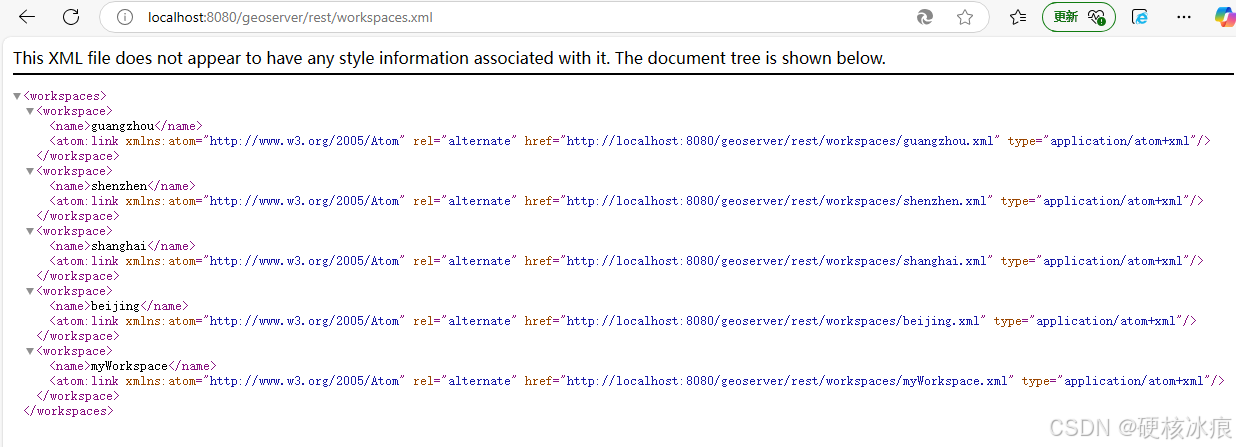
- XML: http://localhost:8080/geoserver/rest/workspaces.xml
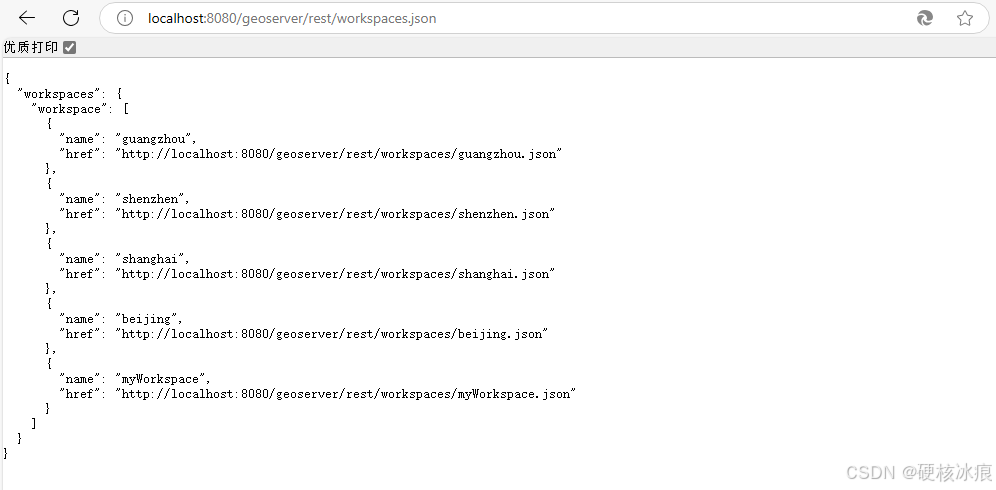
- JSON:http://localhost:8080/geoserver/rest/workspaces.json
打开浏览器
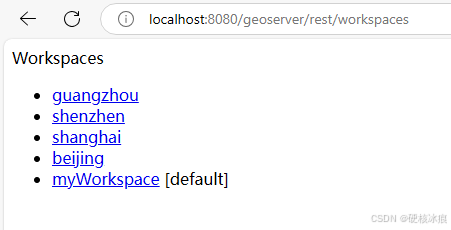
访问HTML格式
访问URL:http://localhost:8080/geoserver/rest/workspaces.html
访问XML格式
访问URL:http://localhost:8080/geoserver/rest/workspaces.xml
访问JSON格式
访问URL:http://localhost:8080/geoserver/rest/workspaces.json
HTTP GET 方法
这里使用postman工具进行展示。
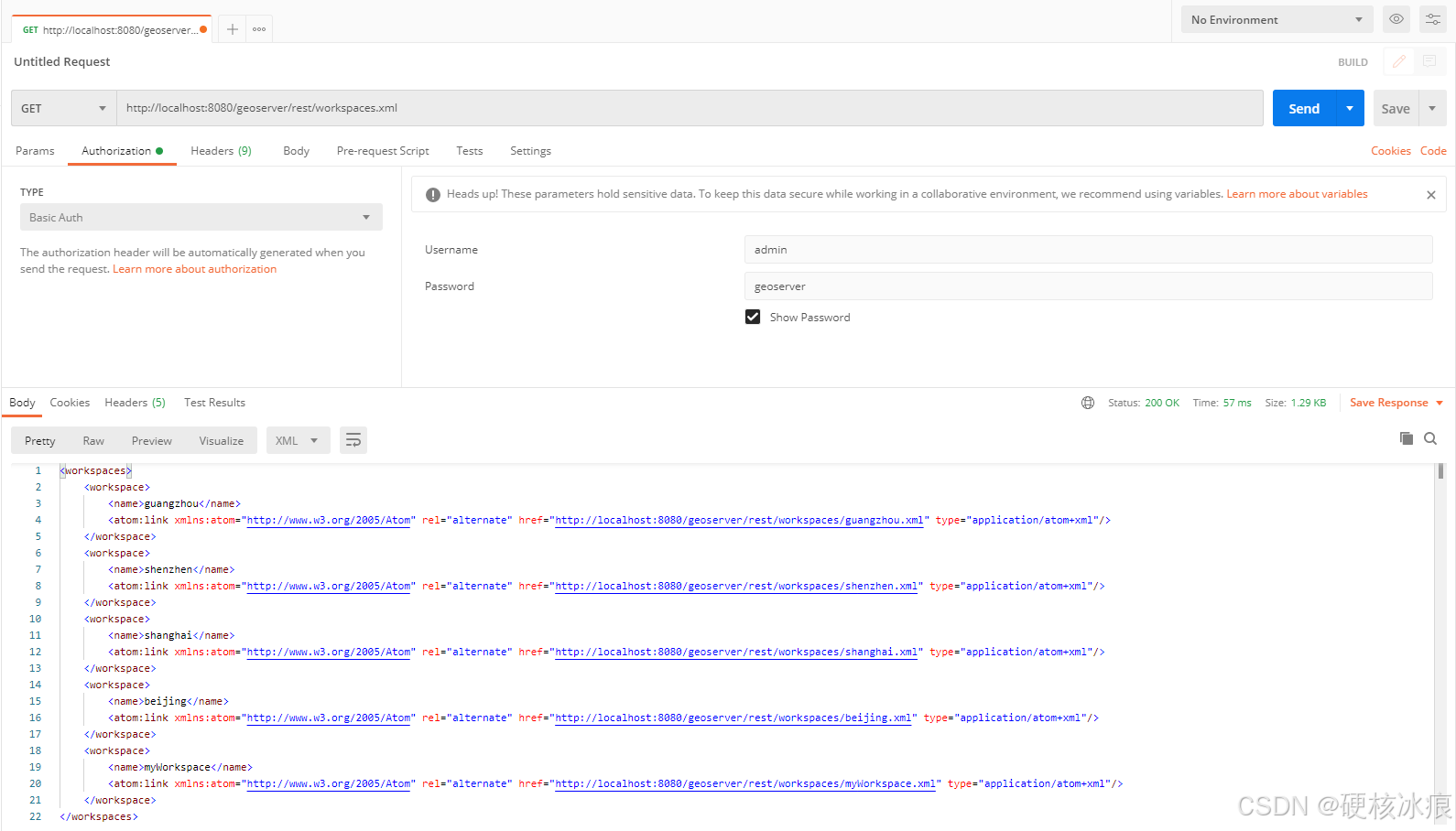
使用http的GET方法进行访问,接下来都以xml格式作为例子
(根据实际情况可选择使用 html 或 json 格式,这里不做展示)
请求方法:GET
请求URL:http://localhost:8080/geoserver/rest/workspaces.xml
请求结果:成功,返回状态代码 200 OK
Java代码参考
我使用 hutool 的 http 包进行发送请求演示(读者用其他http工具包也可)
<!-- 添加 hutool 依赖 -->
<dependency>
    <groupId>cn.hutool</groupId>
    <artifactId>hutool-all</artifactId>
    <version>5.8.18</version>
</dependency>
import cn.hutool.http.HttpRequest;
import cn.hutool.http.HttpResponse;
private final String restUrl = "http://localhost:8080/geoserver/"; //geoserver服务地址
private final String restUser = "admin"; //geoserver 账户名
private final String restPassword = "geoserver"; //geoserver 登陆密码
public void getWorkspaces(){
String getWorkspacesUrl = restUrl + "/rest/workspaces.xml";
HttpResponse getWorkspacesResponse = HttpRequest
.get(getWorkspacesUrl) //请求url
.basicAuth(restUser, restPassword) //权限认证
.execute(); //执行
if(getWorkspacesResponse.getStatus() == 200){
//获取响应内容,处理接下来的逻辑...
System.out.println(getWorkspacesResponse.body());
}
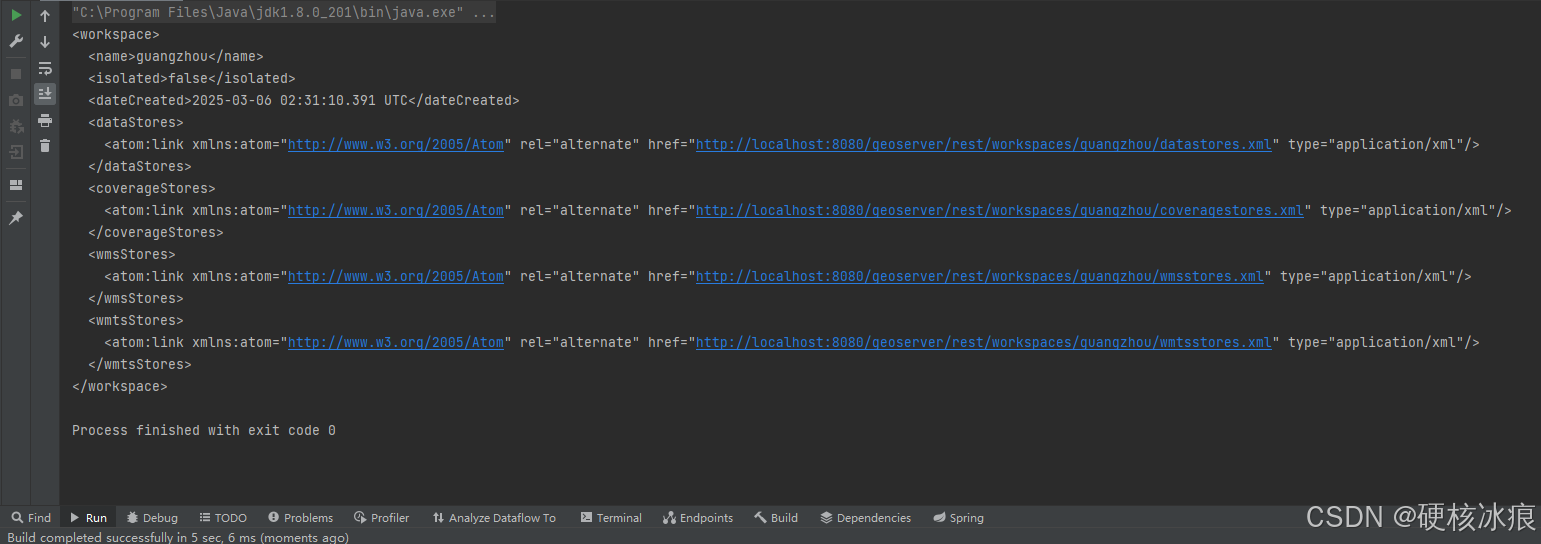
}打印输出内容和postman内容一致
创建工作区
创建工作区使用 POST 方法,这里一样是用xml作为例子,得配置请求头和请求体。
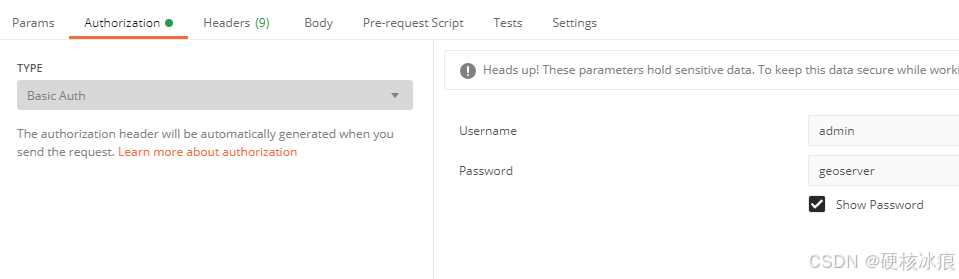
geoserver访问权限设置:
Authorization: Basic base64(username:password)
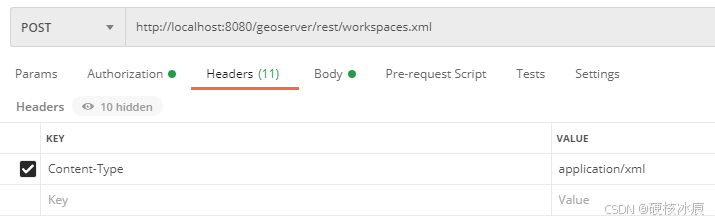
请求头配置:
Content-Type: application/xml
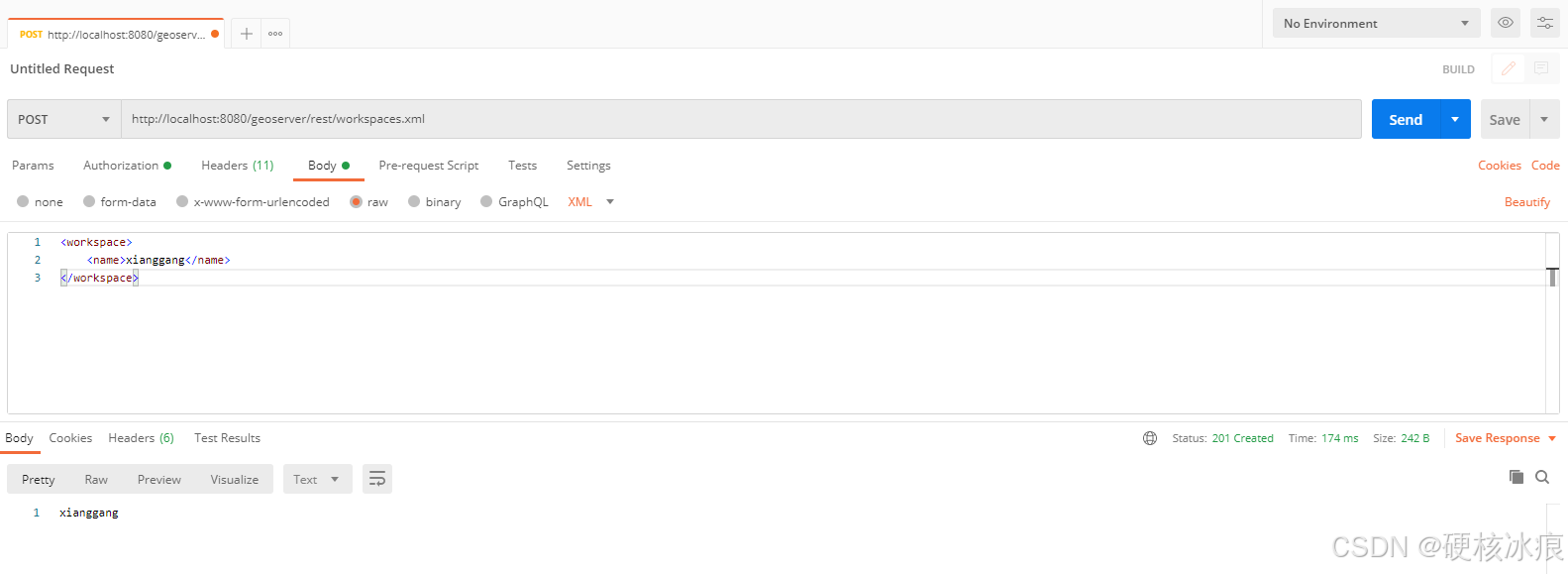
XML请求体格式:
//模版
<workspace>
    <name>workspace</name>
</workspace>

//示例
//我将创建名为"xianggang"的工作区
<workspace>
    <name>xianggang</name>
</workspace>
请求方法:POST
请求URL:http://localhost:8080/geoserver/rest/workspaces.xml
成功响应特征:
- 状态代码 201 Created
- Location 头返回新资源URI
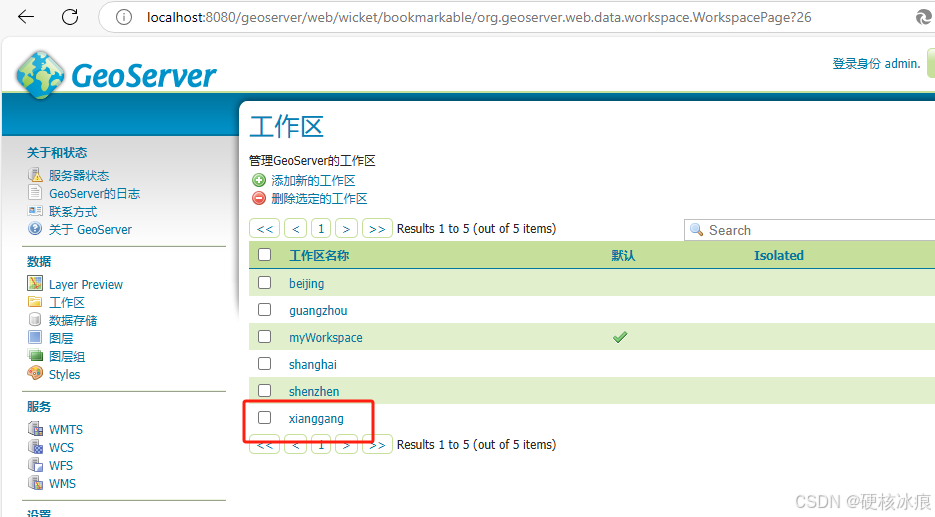
这时候再查看工作区,就已经创建好了
Java代码参考
import cn.hutool.http.HttpRequest;
import cn.hutool.http.HttpResponse;

private final String restUrl; //geoserver服务地址
private final String restUser; //geoserver 账户名
private final String restPassword; //geoserver 登陆密码

public void createWorkspace(String workspace){
        String postWorkspaceUrl = restUrl + "/rest/workspaces.xml";
        String postWorkspaceBody = "<workspace><name>" + workspace + "</name></workspace>";
        HttpResponse postWorkspaceResponse = HttpRequest
                .post(postWorkspaceUrl) //请求url
                .body(postWorkspaceBody) //添加请求体
                .header("Content-Type", "application/xml") //添加请求头
                .basicAuth(restUser, restPassword) //权限认证
                .execute(); //执行
        if(postWorkspaceResponse.getStatus() == 201){
            //获取响应内容,处理接下来的逻辑...
            System.out.println(postWorkspaceResponse.body());
        }
    }
中文命名问题
在geoserver中使用中文字符,可能会带来一些问题,这里简单讲一下工作区,后续可能遇到的问题后续再给大家看。
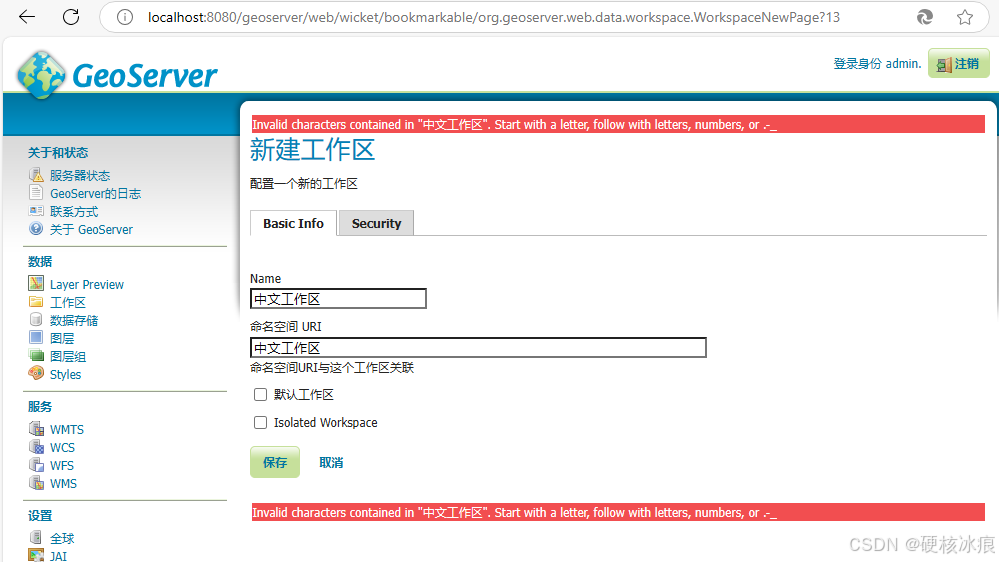
工作区是不支持中文字符的,如果在geoserver页面中创建工作区,我填入中文,会报错,不允许我创建。
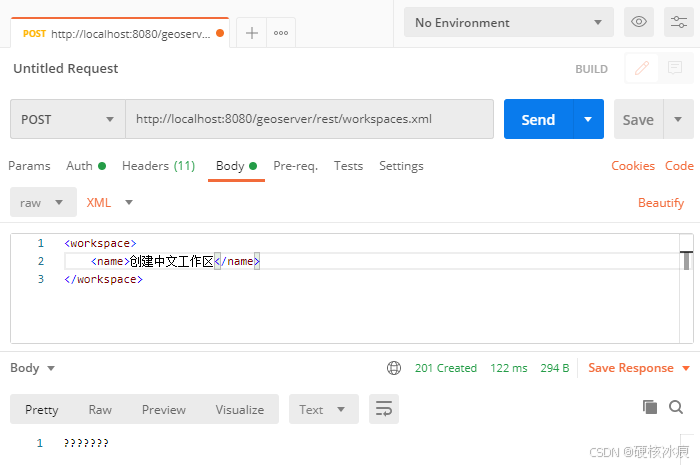
但是,诶,哈哈,当我使用post请求创建缺可以成功
在geoserver页面也可以看见,在后续发布图层的时候也可以使用这个中文工作区,但不知道什么时候会出现问题,不建议这么玩hhh。
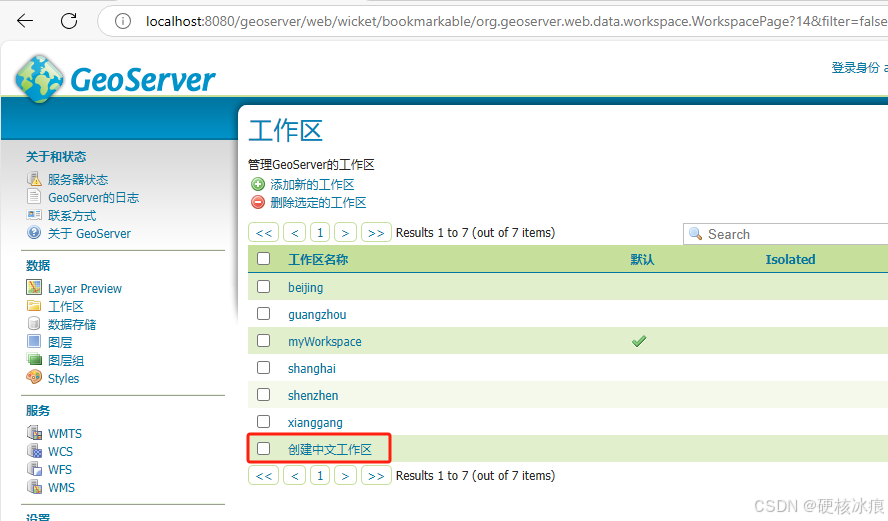
在浏览器查询工作区页面中可以看到,"创建中文工作区" 变成了乱码,后续使用不出问题还好,一但出问题,那就麻烦了,所以还是建议建立一个好的命名规则习惯,不适用中文字符。

查询指定工作区
演示案例依然使用xml格式
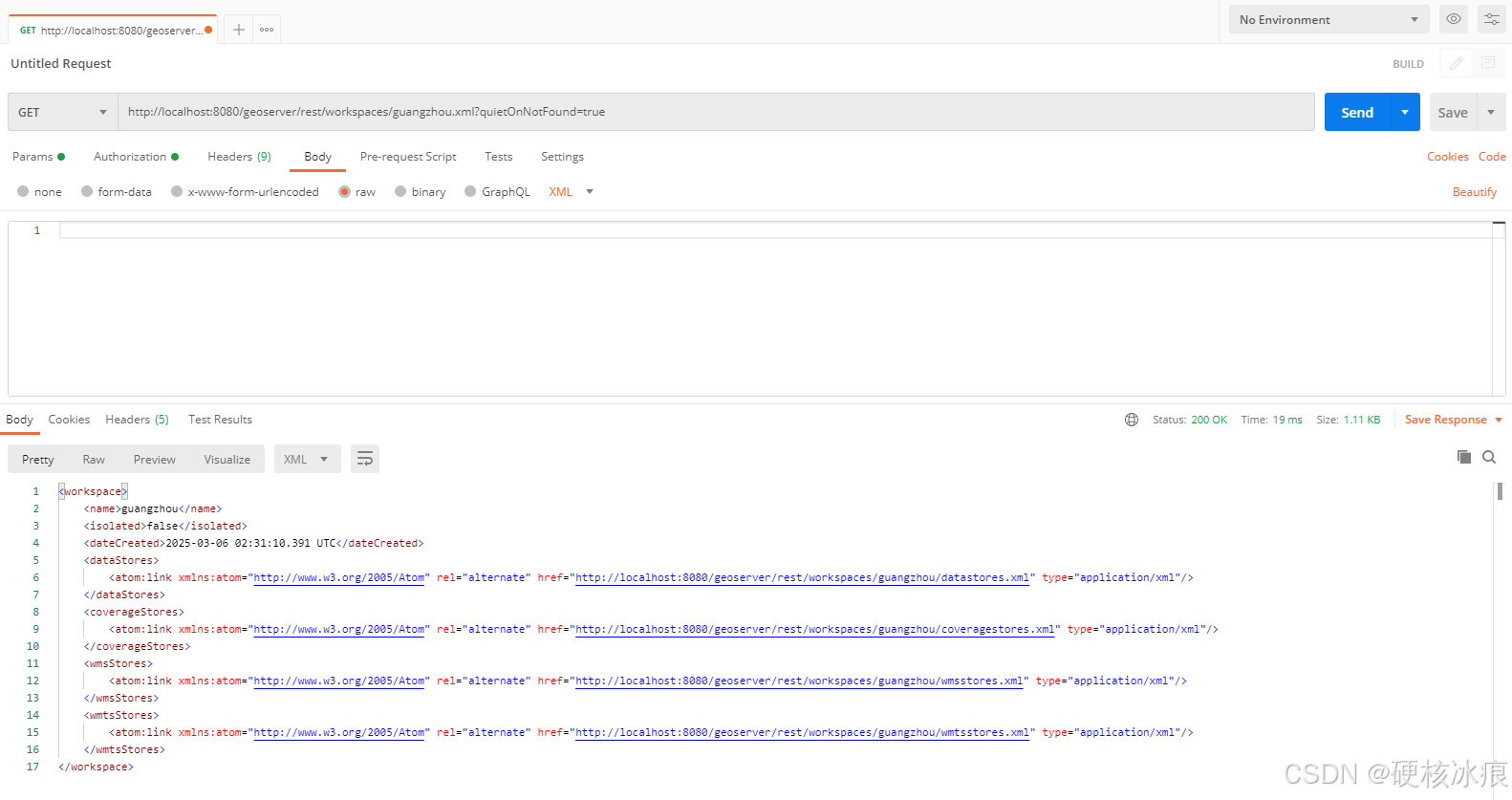
请求方法:GET
请求URL:http://localhost:8080/geoserver/rest/workspaces/{workspace}.xml
成功响应特征:200 OK
//请求模版
http://localhost:8080/geoserver/rest/workspaces/{workspace}.xml

//请求例子
http://localhost:8080/geoserver/rest/workspaces/guangzhou.xml
安全查询模式:
推荐添加参数,作用是避免在工作区不存在时记录异常。请注意,工作区不存在时404状态代码仍将返回。
//参数
?quietOnNotFound=true

//访问示例
http://localhost:8080/geoserver/rest/workspaces/guangzhou.xml?quietOnNotFound=true
在postman中发送GET请求, 响应成功。
在浏览器中也可以看到,展示出该工作区下的所有数据存储信息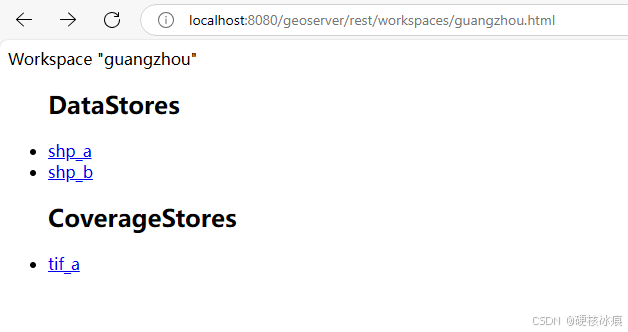
Java代码参考
import cn.hutool.http.HttpRequest;
import cn.hutool.http.HttpResponse;

private final String restUrl; //geoserver服务地址
private final String restUser; //geoserver 账户名
private final String restPassword; //geoserver 登陆密码

public void getWorkspace(String workspace){
    String getWorkspaceUrl = restUrl + "/rest/workspaces/" + workspace + ".xml?
    quietOnNotFound=true";
    HttpResponse getWorkspaceResponse = HttpRequest
            .get(getWorkspaceUrl)
            .basicAuth(restUser, restPassword)
            .execute();
    if(getWorkspaceResponse.getStatus() == 200){
        //获取响应内容,处理接下来的逻辑...
        System.out.println(getWorkspaceResponse.body());
    }
}
打印输出





 扫一扫
扫一扫


 5951
5951

 被折叠的 条评论
为什么被折叠?
被折叠的 条评论
为什么被折叠?
 到【灌水乐园】发言





