






 本文详细记录了在编译PHPSSDB过程中遇到的'ext/standard/php_smart_str.h'文件未找到的问题及解决方案。通过正确下载源码、切换分支等步骤,最终成功解决了编译错误。
1.首先看看问题描述
/Users/augdai/src/phpssdb/ssdb_library.c:21:10: fatal error:
'ext/standard/php_smart_str.h' file not found
#include "ext/standard/php_smart_str.h"
^~~~~~~~~~~~~~~~~~~~~~~~~~~~~~
1 error generated.
make: *** [ssdb_library.lo] Error 1
'ext/standard/php_smart_str.h' file not found
这个错误是致命的。一起来看看是怎么产生的。
下载文件
wget https://github.com/jonnywang/phpssdb/archive/master.zip
表明 master.zip 是主分支
错误的安装步骤,请看:
1.wget https://github.com/jonnywang/phpssdb/archive/master.zip
2.unzip master.zip
3.cd phpssdb-master
4./Applications/MAMP/bin/php/php7.1.1/bin/phpize
5../configure --with-php-config=/Applications/MAMP/bin/php/php7.1.1/bin/php-config
6.make && sudo make install
当执行到make时候 报错: 'ext/standard/php_smart_str.h' file not found
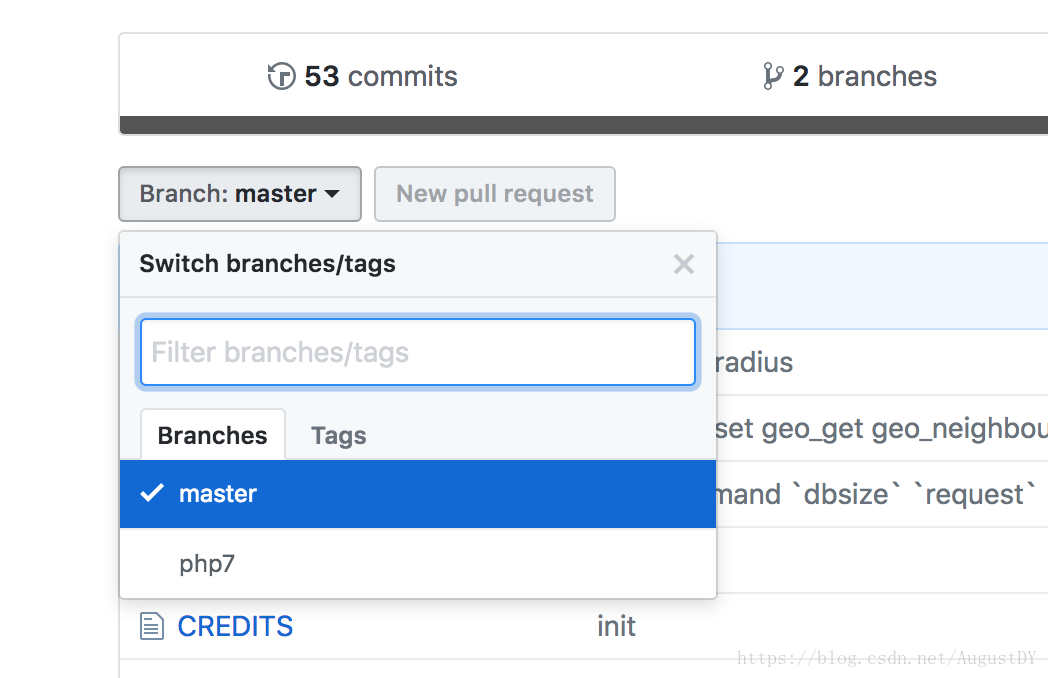
问题出在我没有切换分支
重点来了!
正确的打开姿势:
1.切换master分支
augdaideMBP:src augdai$ git branch
* master
2.下载git文件
augdaideMBP:src augdai$ git clone https://github.com/jonnywang/phpssdb.git
Cloning into 'phpssdb'...
remote: Counting objects: 361, done.
remote: Total 361 (delta 0), reused 0 (delta 0), pack-reused 361
Receiving objects: 100% (361/361), 818.93 KiB | 162.00 KiB/s, done.
Resolving deltas: 100% (229/229), done.
3.进入下载的文件夹中
augdaideMBP:src augdai$ cd phpssdb
4.调整分支
augdaideMBP:phpssdb augdai$ git branch
* master
5.切换到php7
augdaideMBP:phpssdb augdai$ git checkout php7
Branch php7 set up to track remote branch php7 from origin.
Switched to a new branch 'php7'
6.编译phpize
augdaideMBP:phpssdb augdai$ /Applications/MAMP/bin/php/php7.1.1/bin/phpize
Configuring for:
PHP Api Version: 20160303
Zend Module Api No: 20160303
Zend Extension Api No: 320160303
7.配置参数
augdaideMBP:phpssdb augdai$ ./configure --with-php-config=/Applications/MAMP/bin/php/php7.1.1/bin/php-config
。。。。漫长的等待。。。。
=====结果=====
----------------------------------------------------------------------
Libraries have been installed in:
/Users/augdai/src/phpssdb/modules
If you ever happen to want to link against installed libraries
in a given directory, LIBDIR, you must either use libtool, and
specify the full pathname of the library, or use the `-LLIBDIR'
flag during linking and do at least one of the following:
- add LIBDIR to the `DYLD_LIBRARY_PATH' environment variable
during execution
See any operating system documentation about shared libraries for
more information, such as the ld(1) and ld.so(8) manual pages.
----------------------------------------------------------------------
Build complete.
Don't forget to run 'make test'.
augdaideMBP:phpssdb augdai$ sudo make install
Password:
Installing shared extensions: /Applications/MAMP/bin/php/php7.1.1/lib/php/extensions/no-debug-non-zts-20160303/
augdaideMBP:phpssdb augdai$
8.完成安装。
9.感谢 姚逸帆 的耐心指导,不胜感激!





 扫一扫
扫一扫


 4153
4153

 被折叠的 条评论
为什么被折叠?
被折叠的 条评论
为什么被折叠?
 到【灌水乐园】发言





