



 本文介绍了一个iOS AlertView和ActionSheet的封装方案,通过简单的API调用即可展示自定义的警告框和操作表单,并支持回调点击事件。文章提供了实现原理及源码链接。
效果
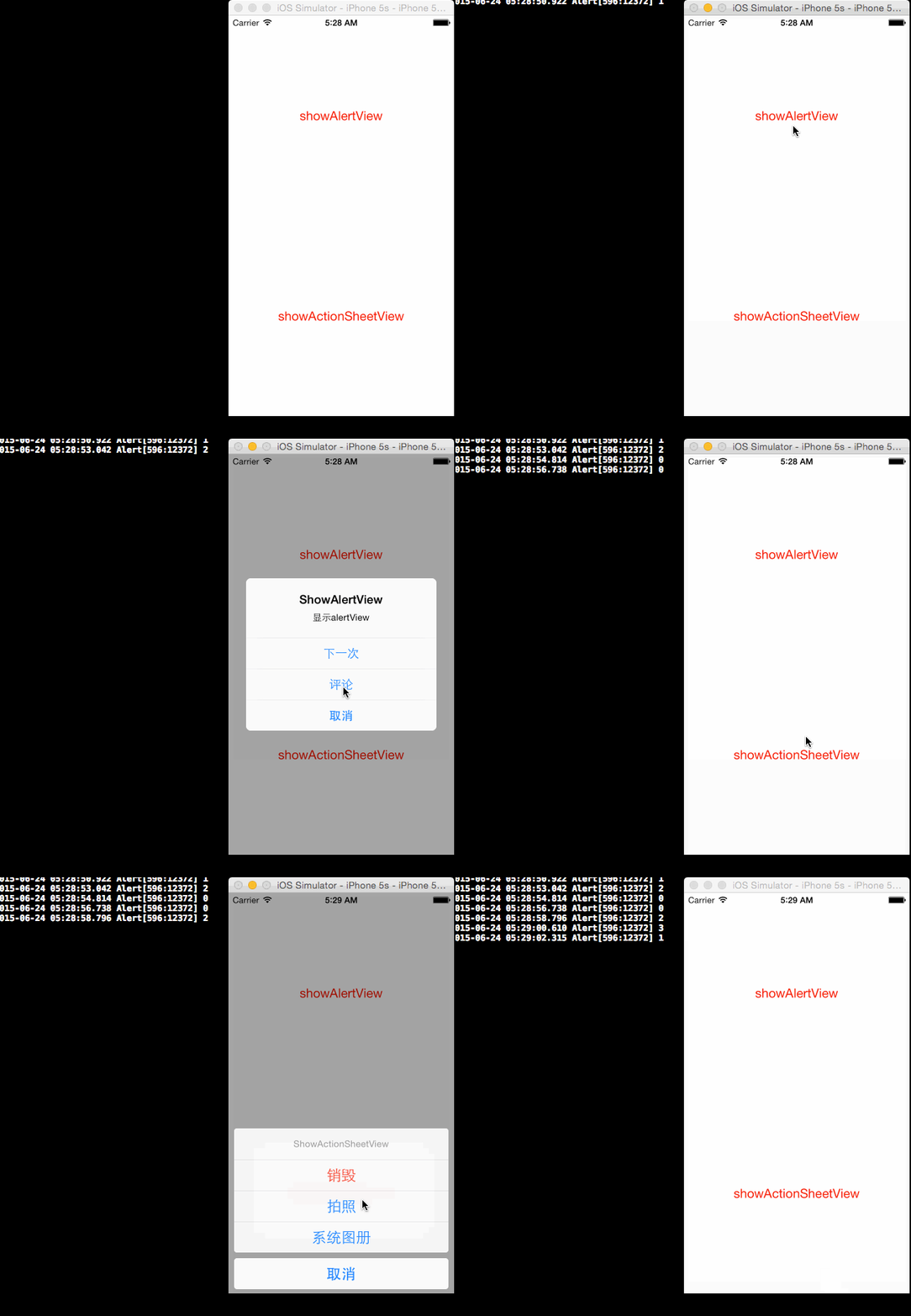
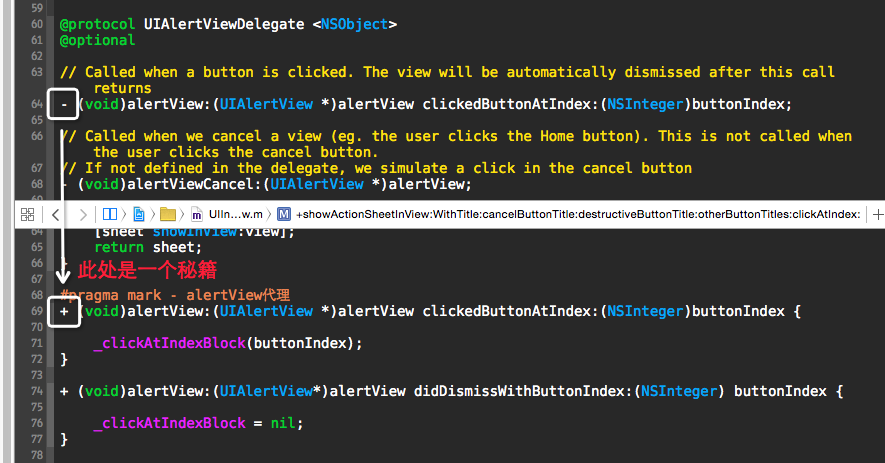
1. 将代理方法的实例对象方法转换成了类方法使用
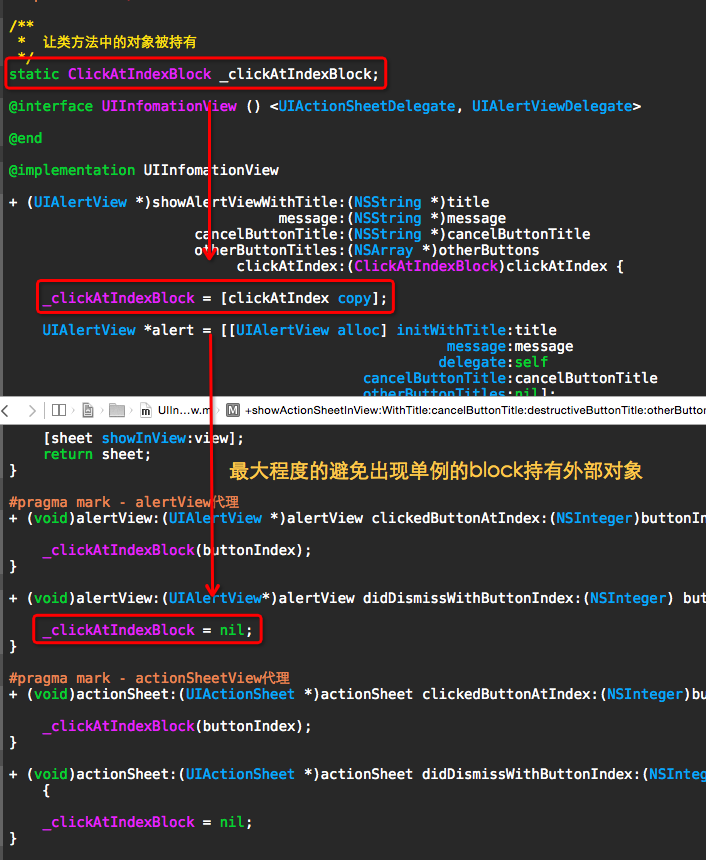
2. 要注意单例block不要长期持有,用完就释放掉
源码
https://github.com/YouXianMing/UIInfomationView

//
//  UIInfomationView.h
//  Alert
//
//  Created by YouXianMing on 15/6/23.
//  Copyright (c) 2015年 YouXianMing. All rights reserved.
//

#import <Foundation/Foundation.h>
#import <UIKit/UIKit.h>

typedef void (^ClickAtIndexBlock)(NSInteger buttonIndex);

@interface UIInfomationView : NSObject

/**
 *  弹出AlertView对话框
 *
 *  @param title             标题
 *  @param message           信息
 *  @param cancelButtonTitle 取消按钮
 *  @param otherButtons      其他按钮
 *  @param clickAtIndex      获取点击信息的block(进入block中的对象请用weak修饰,否则会导致被block持有)
 *
 *  @return AlertView对象
 */
+ (UIAlertView *)showAlertViewWithTitle:(NSString *)title
                                message:(NSString *)message
                      cancelButtonTitle:(NSString *)cancelButtonTitle
                      otherButtonTitles:(NSArray *)otherButtons
                           clickAtIndex:(ClickAtIndexBlock)clickAtIndex;


/**
 *  弹出ActionSheet对话框
 *
 *  @param view              要显示的view
 *  @param title             标题
 *  @param cancelButtonTitle 取消按钮
 *  @param destructiveButton destructive按钮
 *  @param otherButtons      其他按钮
 *  @param clickAtIndex      获取点击信息的block(进入block中的对象请用weak修饰,否则会导致被block持有)
 *
 *  @return ActionSheet对象
 */
+ (UIActionSheet *)showActionSheetInView:(UIView *)view
                               WithTitle:(NSString *)title
                       cancelButtonTitle:(NSString *)cancelButtonTitle
                  destructiveButtonTitle:(NSString *)destructiveButton
                       otherButtonTitles:(NSArray *)otherButtons
                            clickAtIndex:(ClickAtIndexBlock)clickAtIndex;


@end
//
//  UIInfomationView.m
//  Alert
//
//  Created by YouXianMing on 15/6/23.
//  Copyright (c) 2015年 YouXianMing. All rights reserved.
//

#import "UIInfomationView.h"
#import <UIKit/UIKit.h>

/**
 *  让类方法中的对象被持有
 */
static ClickAtIndexBlock _clickAtIndexBlock;

@interface UIInfomationView () <UIActionSheetDelegate, UIAlertViewDelegate>

@end

@implementation UIInfomationView

+ (UIAlertView *)showAlertViewWithTitle:(NSString *)title
                                message:(NSString *)message
                      cancelButtonTitle:(NSString *)cancelButtonTitle
                      otherButtonTitles:(NSArray *)otherButtons
                           clickAtIndex:(ClickAtIndexBlock)clickAtIndex {

    _clickAtIndexBlock = [clickAtIndex copy];

    UIAlertView *alert = [[UIAlertView alloc] initWithTitle:title
                                                    message:message
                                                   delegate:self
                                          cancelButtonTitle:cancelButtonTitle
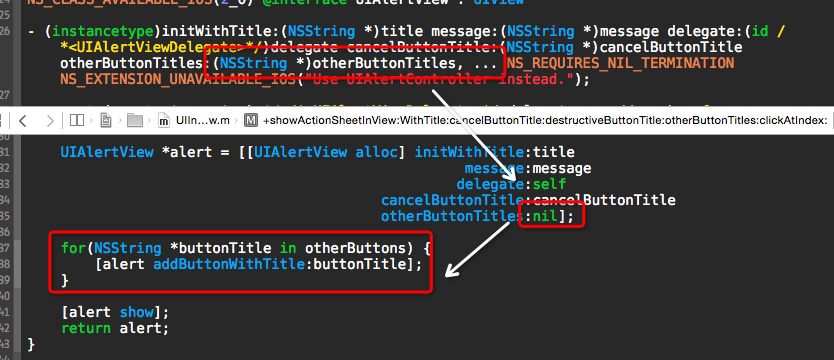
                                          otherButtonTitles:nil];

    for(NSString *buttonTitle in otherButtons) {
        [alert addButtonWithTitle:buttonTitle];
    }

    [alert show];
    return alert;
}

+ (UIActionSheet *)showActionSheetInView:(UIView *)view
                               WithTitle:(NSString *)title
                       cancelButtonTitle:(NSString *)cancelButtonTitle
                  destructiveButtonTitle:(NSString *)destructiveButton
                       otherButtonTitles:(NSArray *)otherButtons
                            clickAtIndex:(ClickAtIndexBlock)clickAtIndex {

    _clickAtIndexBlock = [clickAtIndex copy];

    UIActionSheet *sheet = [[UIActionSheet alloc] initWithTitle:title
                                                       delegate:[self self]
                                              cancelButtonTitle:cancelButtonTitle
                                         destructiveButtonTitle:destructiveButton
                                              otherButtonTitles:nil];

    for(NSString *buttonTitle in otherButtons) {
        [sheet addButtonWithTitle:buttonTitle];
    }

    [sheet showInView:view];
    return sheet;
}

#pragma mark - alertView代理
+ (void)alertView:(UIAlertView *)alertView clickedButtonAtIndex:(NSInteger)buttonIndex {

    _clickAtIndexBlock(buttonIndex);
}

+ (void)alertView:(UIAlertView*)alertView didDismissWithButtonIndex:(NSInteger) buttonIndex {

    _clickAtIndexBlock = nil;
}

#pragma mark - actionSheetView代理
+ (void)actionSheet:(UIActionSheet *)actionSheet clickedButtonAtIndex:(NSInteger)buttonIndex {

    _clickAtIndexBlock(buttonIndex);
}

+ (void)actionSheet:(UIActionSheet *)actionSheet didDismissWithButtonIndex:(NSInteger)buttonIndex {

    _clickAtIndexBlock = nil;
}

@end
注意





 扫一扫
扫一扫


 467
467

 被折叠的 条评论
为什么被折叠?
被折叠的 条评论
为什么被折叠?
 到【灌水乐园】发言





