



 这篇博客详细介绍了如何从官方下载Nginx源码并进行编译安装。包括了解压缩步骤,使用vim编辑配置文件,配置语法高亮,指定安装路径,处理编译错误,最终成功安装。
从官网下载nginx源码包 官网地址:[http://nginx.org/en/download.html]
解压后可以看到目录结构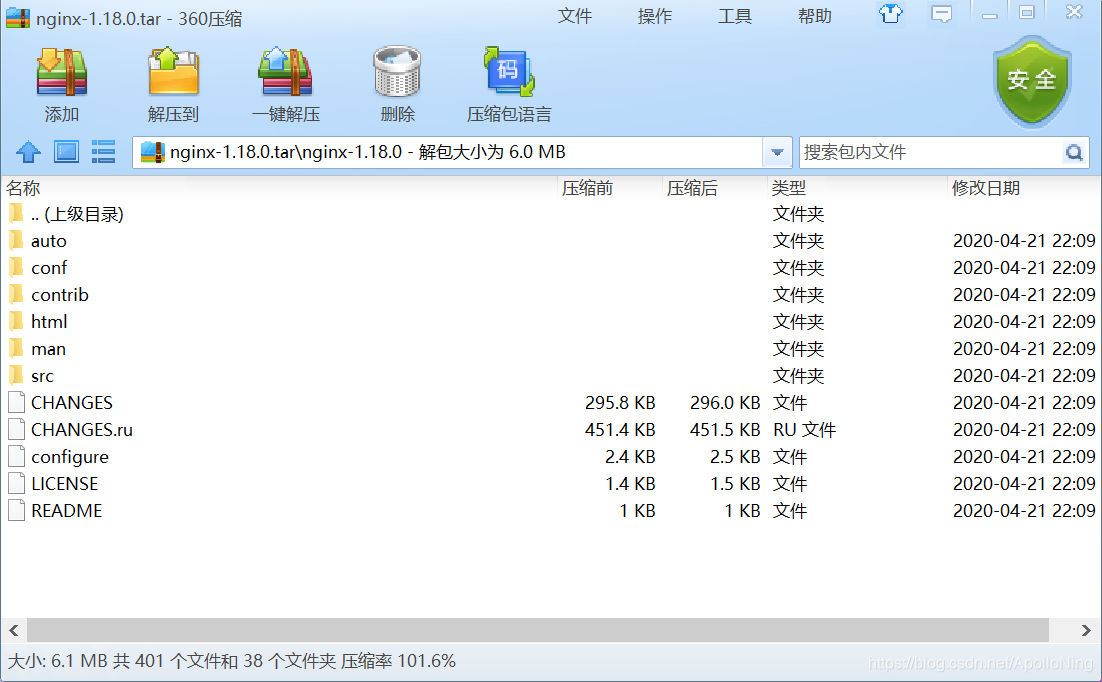
在contrib目录中
cat README
vim			by Evan Miller
	Syntax highlighting of nginx configuration for vim, to be
	placed into ~/.vim/.
这个工具非常有用,它可以在用户使用vim编辑nignx.conf配置文件的时候,语法高亮显示。
用法很简单,将contrib目录里的vim文件夹拷贝到~/.vim/即可。
cp -r vim ~/.vim
复制后,目录结构
.vim:
ftdetect  ftplugin  indent  syntax
我们可以通过一个命令查看编译参数
./configure --help
一般,我们指定安装目录即可。
--prefix=PATH set installation prefix
执行编译
./configure --prefix=/opt/nginx
编译报错
./configure: error: the HTTP rewrite module requires the PCRE library.
You can either disable the module by using --without-http_rewrite_module
option, or install the PCRE library into the system, or build the PCRE library
statically from the source with nginx by using --with-pcre=<path> option.
解决方案
yum -y install pcre-devel
再次执行configure命令
./configure: error: the HTTP gzip module requires the zlib library.
You can either disable the module by using --without-http_gzip_module
option, or install the zlib library into the system, or build the zlib library
statically from the source with nginx by using --with-zlib=<path> option.
解决方案
yum install -y zlib-devel
再次执行configure命令
Configuration summary
  + using system PCRE library
  + OpenSSL library is not used
  + using system zlib library

  nginx path prefix: "/opt/nginx"
  nginx binary file: "/opt/nginx/sbin/nginx"
  nginx modules path: "/opt/nginx/modules"
  nginx configuration prefix: "/opt/nginx/conf"
  nginx configuration file: "/opt/nginx/conf/nginx.conf"
  nginx pid file: "/opt/nginx/logs/nginx.pid"
  nginx error log file: "/opt/nginx/logs/error.log"
  nginx http access log file: "/opt/nginx/logs/access.log"
  nginx http client request body temporary files: "client_body_temp"
  nginx http proxy temporary files: "proxy_temp"
  nginx http fastcgi temporary files: "fastcgi_temp"
  nginx http uwsgi temporary files: "uwsgi_temp"
  nginx http scgi temporary files: "scgi_temp"
完美,如果还有报错,百度一下就好了。
编译完成后,在/opt/nginx-1.18.0/objs目录下生成了很多中间文件。
接着执行编译命令:
make
编译后,如下结果
...
objs/src/http/modules/ngx_http_upstream_random_module.o \
objs/src/http/modules/ngx_http_upstream_keepalive_module.o \
objs/src/http/modules/ngx_http_upstream_zone_module.o \
objs/ngx_modules.o \
-ldl -lpthread -lcrypt -lpcre -lz \
-Wl,-E
sed -e "s|%%PREFIX%%|/opt/nginx|" \
	-e "s|%%PID_PATH%%|/opt/nginx/logs/nginx.pid|" \
	-e "s|%%CONF_PATH%%|/opt/nginx/conf/nginx.conf|" \
	-e "s|%%ERROR_LOG_PATH%%|/opt/nginx/logs/error.log|" \
	< man/nginx.8 > objs/nginx.8
make[1]: Leaving directory `/opt/nginx-1.18.0'
表示没有问题。因为是第一次安装,所以直接执行make install即可。
如果是升级,则不能直接执行make install,详情百度或谷歌,as you like。
如果,还有疑问可以参考视频[视频地址]。





 扫一扫
扫一扫


 1383
1383

 被折叠的 条评论
为什么被折叠?
被折叠的 条评论
为什么被折叠?
 到【灌水乐园】发言





