 Android实现滚动日期选择器:基于WheelView和LoopView的详细教程


 本文介绍了如何在Android中使用WheelView和LoopView类创建自定义滚动日期选择器,包括布局设置、控制代码示例以及颜色定制。
本文实例为大家分享了Android实现滚动日期选择器的具体代码,供大家参考,具体内容如下
wheelview滚动效果的View
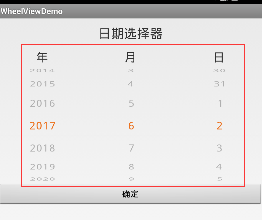
这段时间需要用到一个时间选择器,但是不能使用日期对话框, 因为它是筛选条件框架下的,只能是View!这个WheelView改造后可以达到要求! 这个wheelview框架使用的类不多,就几个,还有一些资源文件。 我根据这个框架设计了日期的选择器。
主页面:
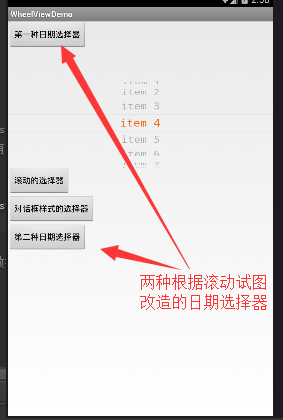
第一种日期选择器页面:
动态效果:
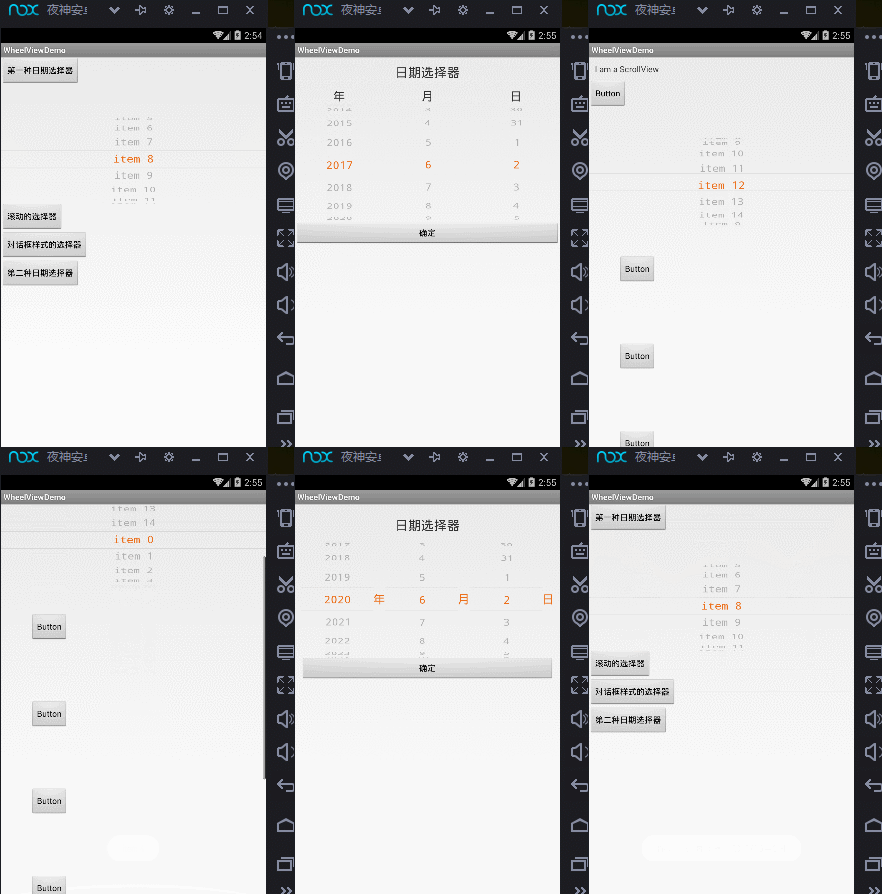
使用:
具体的实现是一个LoopView的类,这是一个继承View的类! 理解LoopView的公开方法就可以了。
1.布局文件
<LinearLayout xmlns:android="http://schemas.android.com/apk/res/android"
    xmlns:app="http://schemas.android.com/apk/res-auto"
    android:orientation="vertical"
    android:layout_width="match_parent"
    android:layout_height="match_parent"
    android:background="#fff"


 <com.example.wheelview.loopview.LoopView
  android:layout_marginTop="50dp"
  android:id="@+id/loopView"
  android:layout_width="match_parent"
  android:layout_height="150dp"
  app:awv_textsize="18"
  /

</LinearLayout
2.控制代码
package com.example.wheelview.activity;

import android.app.Activity;
import android.content.Intent;
import android.os.Bundle;
import android.view.View;
import android.widget.Toast;
import com.example.wheelview.R;
import com.example.wheelview.loopview.LoopView;
import com.example.wheelview.loopview.OnItemSelectedListener;

import java.util.ArrayList;

public class MyActivity extends Activity {

 private Toast toast;

 @Override
 protected void onCreate(Bundle savedInstanceState) {
  super.onCreate(savedInstanceState);
  setContentView(R.layout.activity_main);

  final LoopView loopView = (LoopView) findViewById(R.id.loopView);

  ArrayList<String  list = new ArrayList<String ();
  for (int i = 0; i < 15; i++) {
   list.add("item " + i);
  }
  //设置是否循环播放
//  loopView.setNotLoop();
  //滚动监听
  loopView.setListener(new OnItemSelectedListener() {
   @Override
   public void onItemSelected(int index) {
    if (toast == null) {
     toast = Toast.makeText(MyActivity.this, "item " + index, Toast.LENGTH_SHORT);
    }
    toast.setText("item " + index);
    toast.show();
   }
  });

  //设置原始数据
  loopView.setItems(list);


 }

}
那个日期选择器就是使用三个LoopView结合而成的! LoopView类里面控制字体颜色和横线颜色的地方:
//中间选中的字体颜色:  灰色:0xff313131,橙色:0xffec6f1a
centerTextColor = typedArray.getInteger(R.styleable.androidWheelView_awv_centerTextColor, 0xffec6f1a);
//没被选中的字体的颜色
outerTextColor = typedArray.getInteger(R.styleable.androidWheelView_awv_outerTextColor, 0xffafafaf);
//中间字体上下两条横线的颜色
dividerColor = typedArray.getInteger(R.styleable.androidWheelView_awv_dividerTextColor, 0xffc5c5c5);
其他的控制可以参考我的代码 我的项目的代码:wheelview滚动效果的View 我的代码中有一个时间的工具类,可以很方便的取到任何时间,你也可以在日期选择器中多加一个按钮,设置到今天的日期。
更多Android进阶指南 可以扫码 解锁 《Android十大板块文档》

1.Android车载应用开发系统学习指南(附项目实战)
2.Android Framework学习指南,助力成为系统级开发高手
3.2024最新Android中高级面试题汇总+解析,告别零offer
4.企业级Android音视频开发学习路线+项目实战(附源码)
5.Android Jetpack从入门到精通,构建高质量UI界面
6.Flutter技术解析与实战,跨平台首要之选
7.Kotlin从入门到实战,全方面提升架构基础
8.高级Android插件化与组件化(含实战教程和源码)
9.Android 性能优化实战+360°全方面性能调优
10.Android零基础入门到精通,高手进阶之路
敲代码不易,关注一下吧。ღ( ´・ᴗ・` ) 🤔





 扫一扫
扫一扫


 713
713

 被折叠的 条评论
为什么被折叠?
被折叠的 条评论
为什么被折叠?
 到【灌水乐园】发言





