



 本文介绍Servlet在Web应用中的三种实用技巧:获取初始化参数、使用RequestDispatcher进行请求转发及读取资源文件的方法。
一、获取初始化参数
首先在web.xml文件中配置context-param参数
<context-param>
    <param-name>url</param-name>
    <param-value>jdbc:mysql://localhost:3306/mybatis?serverTimezone=UTC</param-value>
</context-param>
然后在ServletContext中调用它
public class ServletContext  extends HttpServlet {
    @Override
    protected void doGet(HttpServletRequest req, HttpServletResponse resp) throws ServletException, IOException {
        javax.servlet.ServletContext context = this.getServletContext();
        String url = context.getInitParameter("url");
        resp.getWriter().print(url);
    }

    @Override
    protected void doPost(HttpServletRequest req, HttpServletResponse resp) throws ServletException, IOException {
        doGet(req, resp);
    }
}
在web.xml中创建映射即可
   <servlet>
        <servlet-name>url</servlet-name>
        <servlet-class>com.llf.ServletContext</servlet-class>
    </servlet>
  <servlet-mapping>
      <servlet-name>url</servlet-name>
      <url-pattern>/context</url-pattern>
  </servlet-mapping>
二、请求转发(RequestDispatcher)
public class ServletContext  extends HttpServlet {
    @Override
    protected void doGet(HttpServletRequest req, HttpServletResponse resp) throws ServletException, IOException {
        javax.servlet.ServletContext context = this.getServletContext();
        context.getRequestDispatcher("/Hello").forward(req,resp);


    }

    @Override
    protected void doPost(HttpServletRequest req, HttpServletResponse resp) throws ServletException, IOException {
        doGet(req, resp);
    }
}
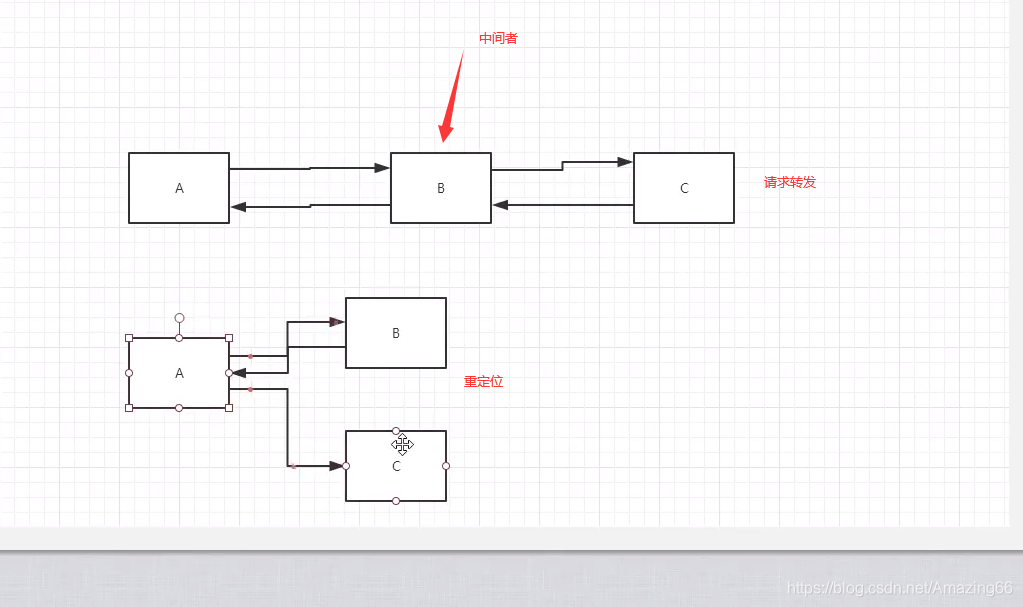
相当于通过中间者来实现信息访问的功能 区别它和重定位的区别 一个是通过中间者实现信息访问,另一个是中间者给其指明地址,不参与信息访问的过程 此处的“/hello”是映射的路径
三、读取资源文件 (Properties)一般放在resouurse包下面
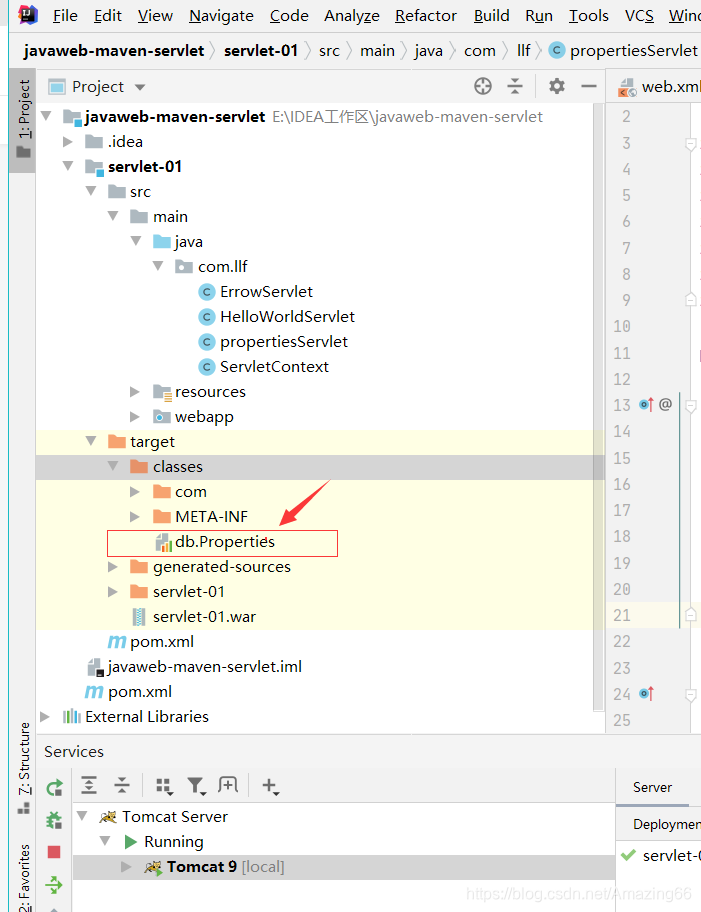
文件写完以后 重启Tomcat 使resourse文件加载在web文件下面
写实现类
public class propertiesServlet extends HttpServlet {
    @Override
    protected void doGet(HttpServletRequest req, HttpServletResponse resp) throws ServletException, IOException {
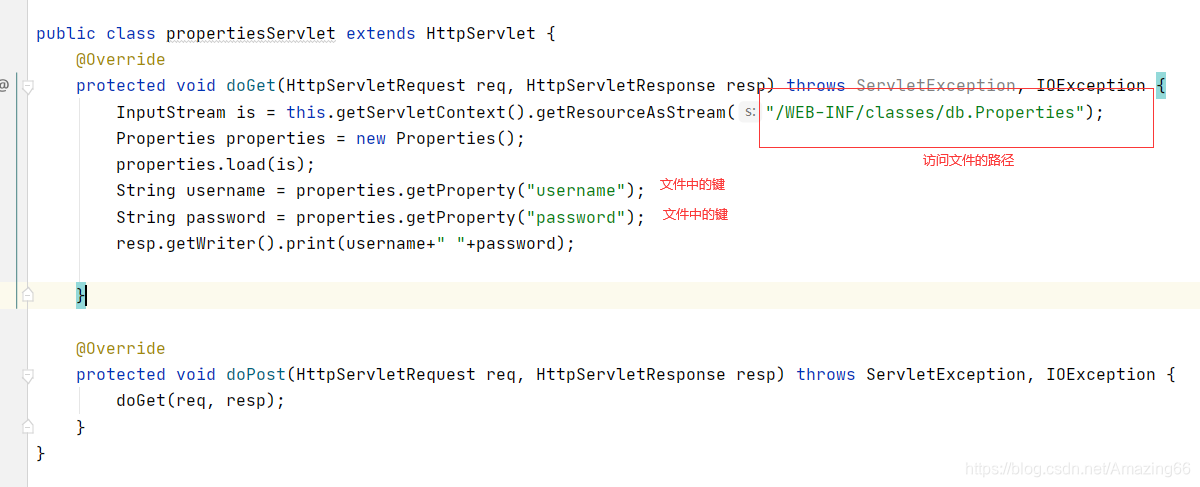
        InputStream is = this.getServletContext().getResourceAsStream("/WEB-INF/classes/db.Properties");
        Properties properties = new Properties();
        properties.load(is);
        String username = properties.getProperty("username");
        String password = properties.getProperty("password");
        resp.getWriter().print(username+" "+password);

    }

    @Override
    protected void doPost(HttpServletRequest req, HttpServletResponse resp) throws ServletException, IOException {
        doGet(req, resp);
    }
}
 结言
结言
这些知识并不是我们学习中必需的,在后续的学习中都会被更好用的类替换 之所以写出来 是为了更好的理解底层的实现





 扫一扫
扫一扫


 2174
2174

 被折叠的 条评论
为什么被折叠?
被折叠的 条评论
为什么被折叠?
 到【灌水乐园】发言





