


 本文主要解决Android Studio中出现的Connection reset问题。该问题在打开新项目或引用在线jar时出现,原因是无法下载外网jar。解决办法是使用阿里代理的maven仓库,在build.gradle中修改,修改后按快捷键ctrl+F9同步项目即可。
版权声明:本文为延成原创文章,转载请标明出处
问题复
Connection reset
在Android Studio中打开新的项目或引用在线jar时出现
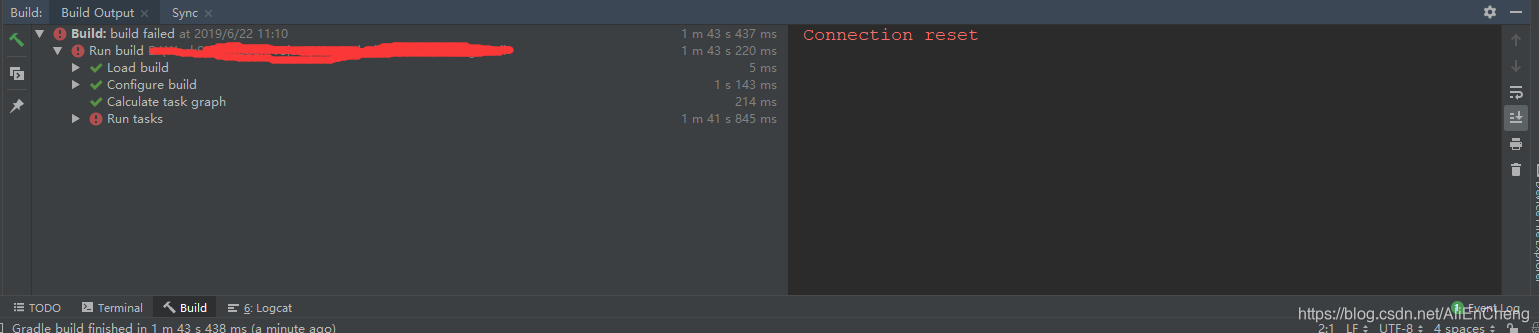
问题解决
因为android studio无法下载外网的jar,可以用阿里代理的maven仓库,在build.gradle中进行修改。
// Top-level build file where you can add configuration options common to all sub-projects/modules.
buildscript {
    repositories {
        //方式一
        maven{ url 'https://maven.aliyun.com/repository/google'}
        maven{ url 'https://maven.aliyun.com/repository/jcenter'}
        //方式二
        maven{ url 'http://maven.aliyun.com/nexus/content/groups/public/'}
    }
    dependencies {
        classpath 'com.android.tools.build:gradle:3.5.3'

        // NOTE: Do not place your application dependencies here; they belong
        // in the individual module build.gradle files
    }
}
allprojects {
    repositories {
        //方式一
        maven{ url 'https://maven.aliyun.com/repository/google'}
        maven{ url 'https://maven.aliyun.com/repository/jcenter'}
        //方式二
        maven{ url 'http://maven.aliyun.com/nexus/content/groups/public/'}
    }
}
task clean(type: Delete) {
    delete rootProject.buildDir
}
修改完后按快捷键ctrl+F9 同步下项目就ok了





 扫一扫
扫一扫


 1万+
1万+


 到【灌水乐园】发言



