



 这篇博客介绍了如何通过PackageControl在Sublime Text中安装SFTP插件,以便进行远程文件同步。首先,需按下Ctrl+Shift+P激活命令面板并安装PackageControl,接着搜索并安装SFTP。安装完成后,用户需设置SFTP配置文件,包括服务器IP、用户名、远程路径等信息,以实现与远程服务器的无缝连接。
首先通过 Ctrl + shift + p 安装 package control
安装成功后输入install
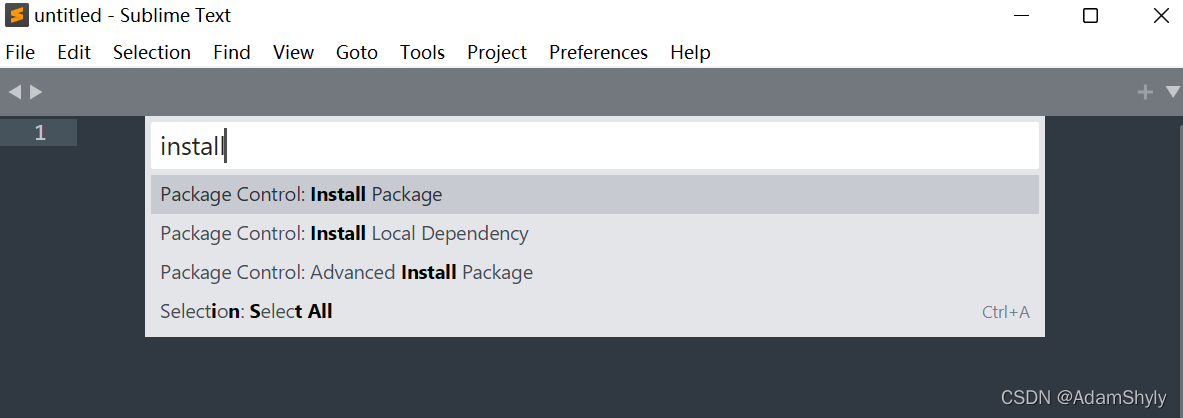
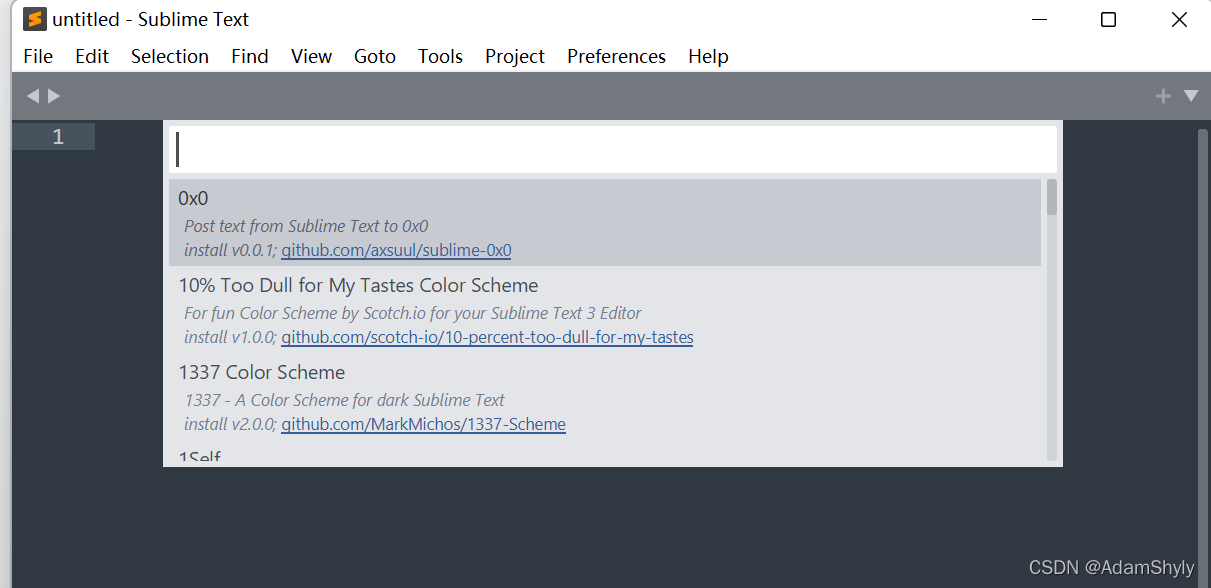
然后输入 SFTP 即可安装
点击 Setup Server 添加服务器
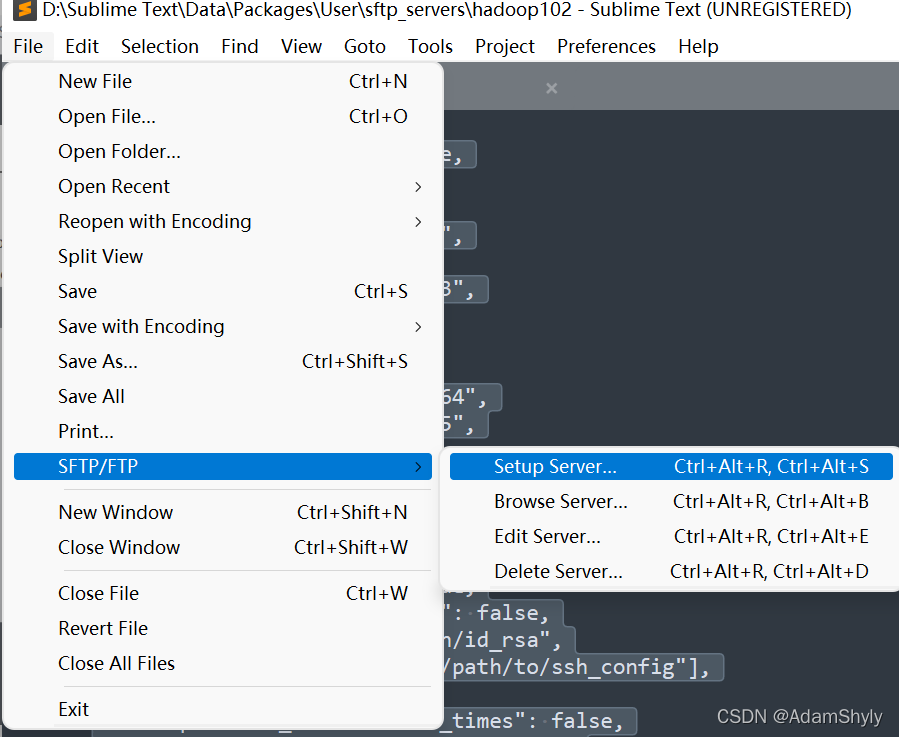
输入以下内容,然后保存
{
    // The tab key will cycle through the settings when first created
    // Visit https://codexns.io/products/sftp_for_subime/settings for help

    // sftp, ftp or ftps
    "type": "sftp",

    "sync_down_on_open": true,
    "sync_same_age": true,

    "host": "服务器IP",
    "user": "用户名",
    //"password": "你的密码",
    //"port": "22",

    "remote_path": "你想要远程连接的路径",
    //"file_permissions": "664",
    //"dir_permissions": "775",

    //"extra_list_connections": 0,

    "connect_timeout": 30,
    //"keepalive": 120,
    //"ftp_passive_mode": true,
    //"ftp_obey_passive_host": false,
    //"ssh_key_file": "~/.ssh/id_rsa",
    //"sftp_flags": ["-F", "/path/to/ssh_config"],

    //"preserve_modification_times": false,
    //"remote_time_offset_in_hours": 0,
    //"remote_encoding": "utf-8",
    //"remote_locale": "C",
    //"allow_config_upload": false,
}





 扫一扫
扫一扫


 680
680

 被折叠的 条评论
为什么被折叠?
被折叠的 条评论
为什么被折叠?
 到【灌水乐园】发言





