



 本文详细介绍Spring、Spring MVC和MyBatis(SSM)框架整合的步骤与实践,包括项目结构搭建、配置文件详解及核心代码展示,适用于初学者快速上手SSM框架。
搭建的详细步骤见: https://blog.youkuaiyun.com/AdamCafe/article/details/91491025
SSM聚合工程 项目结构如下:
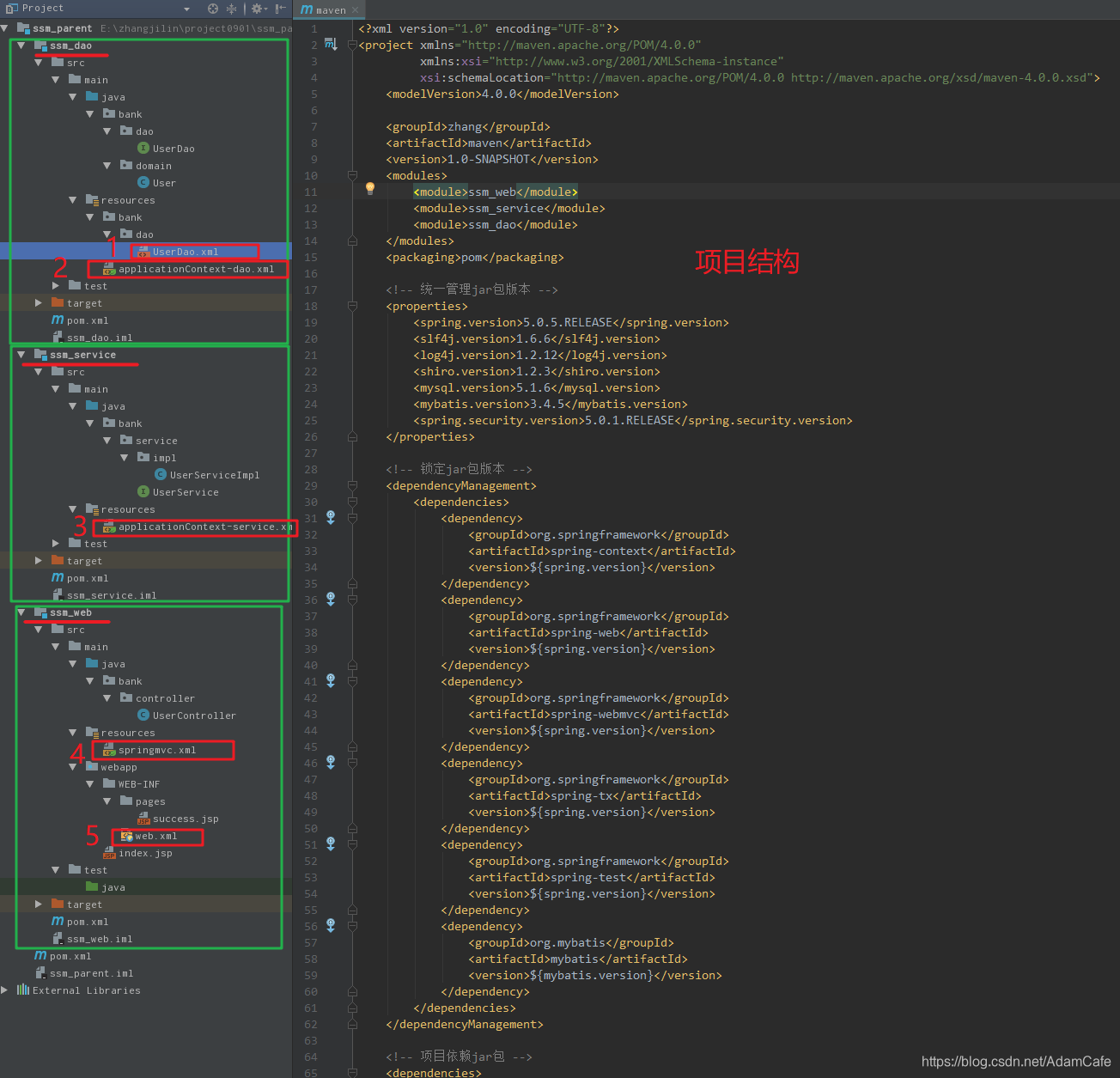
ssm_dao
接口 实体类 接口映射文件 applicationContextion-dao.xml 配置文件 测试类
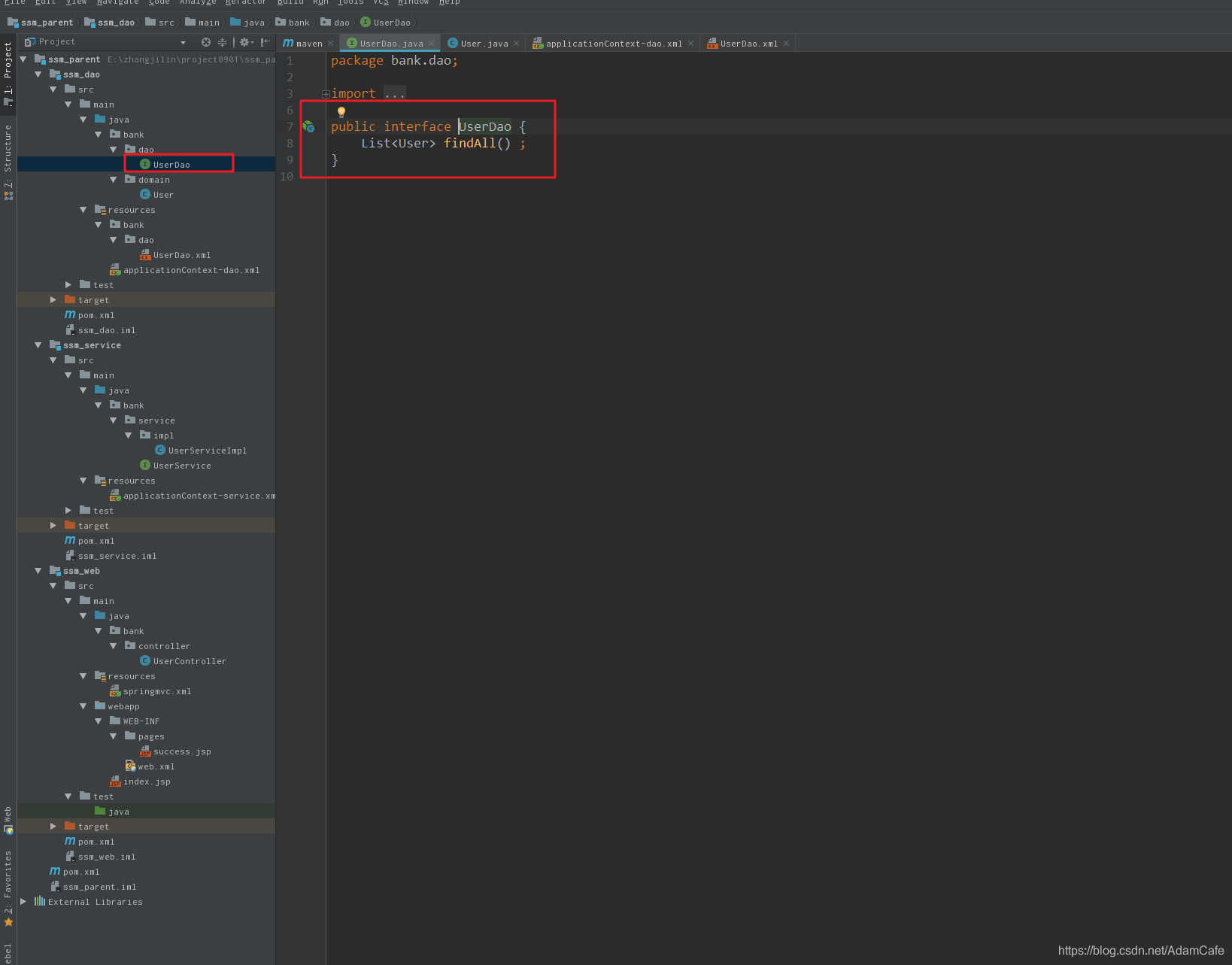
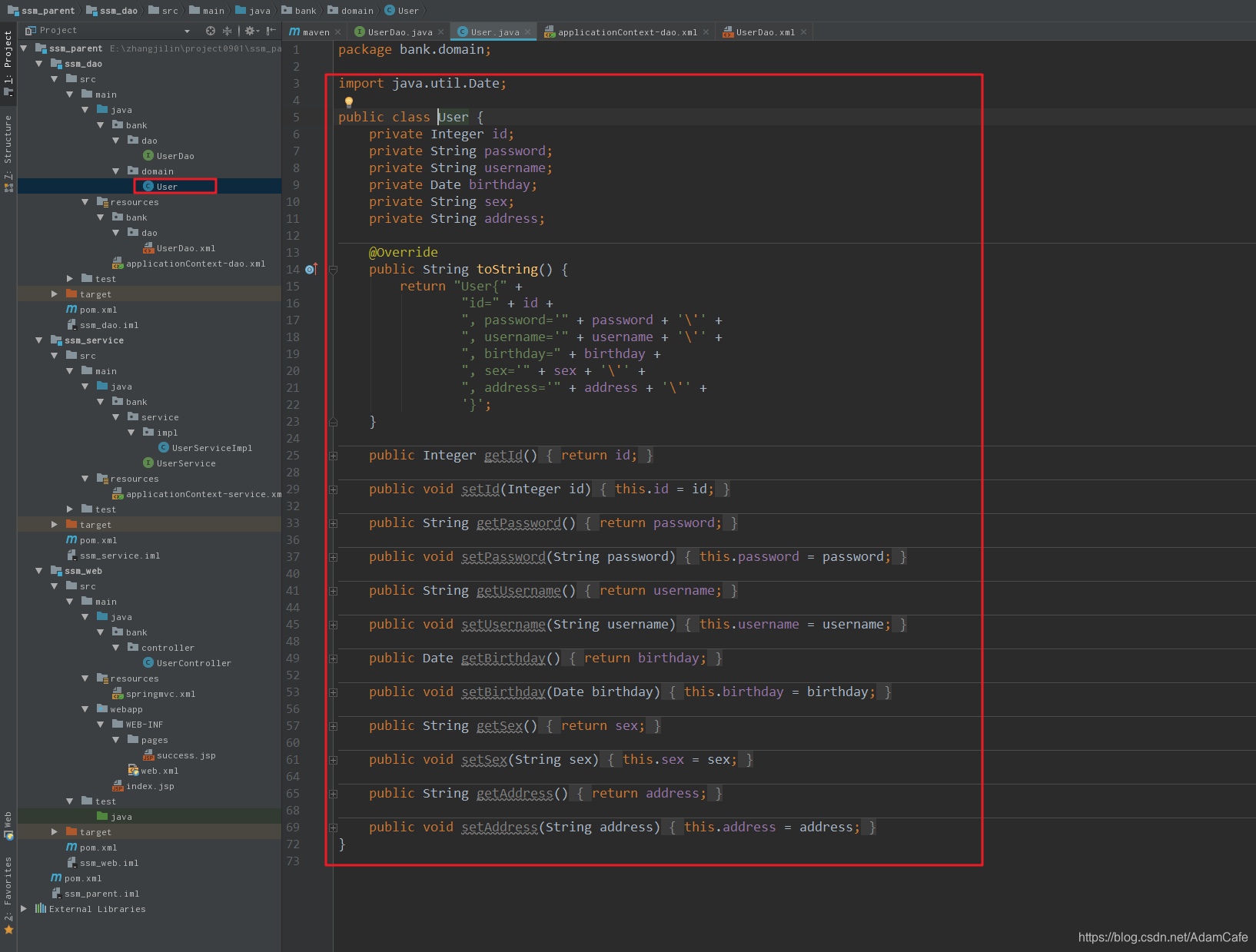
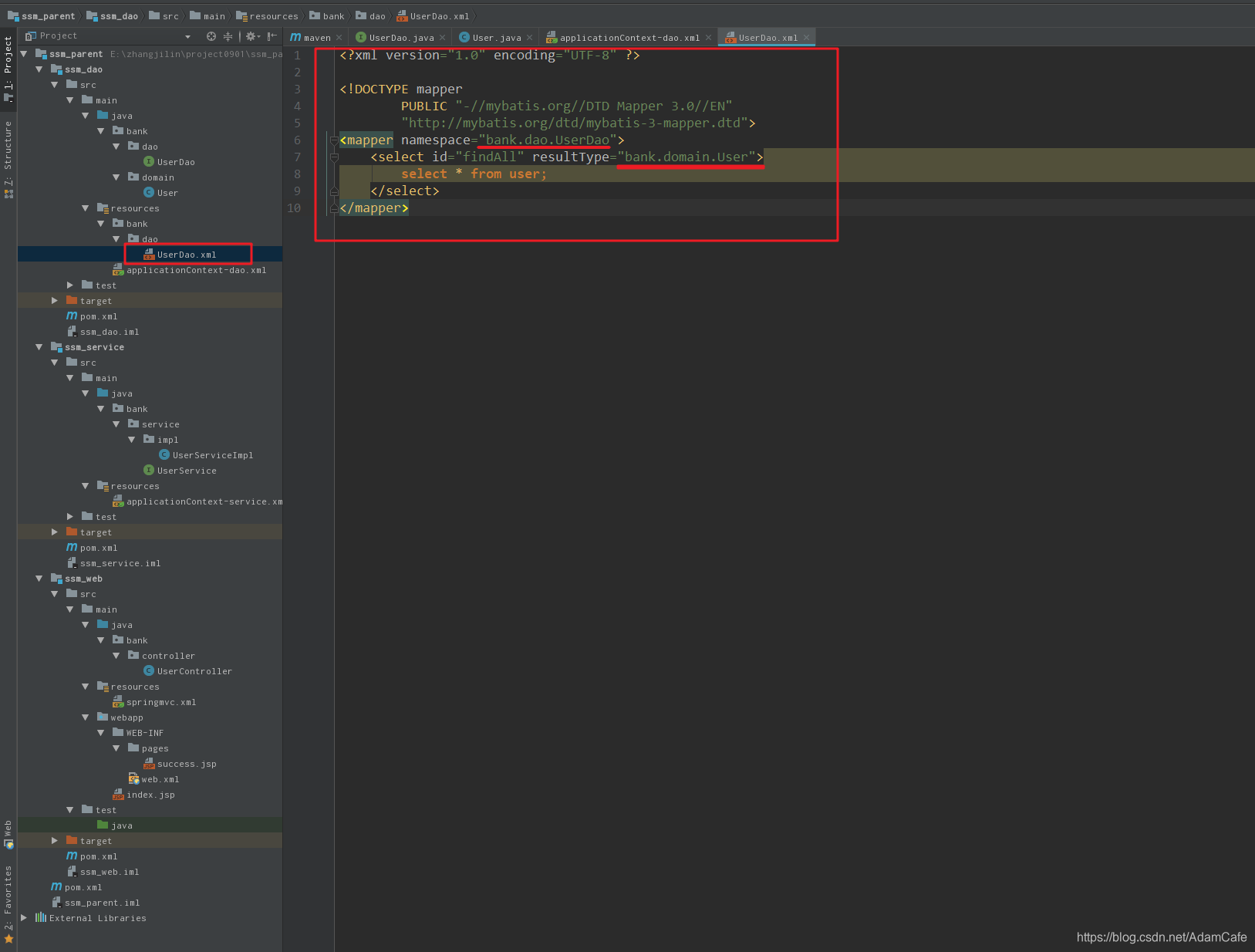
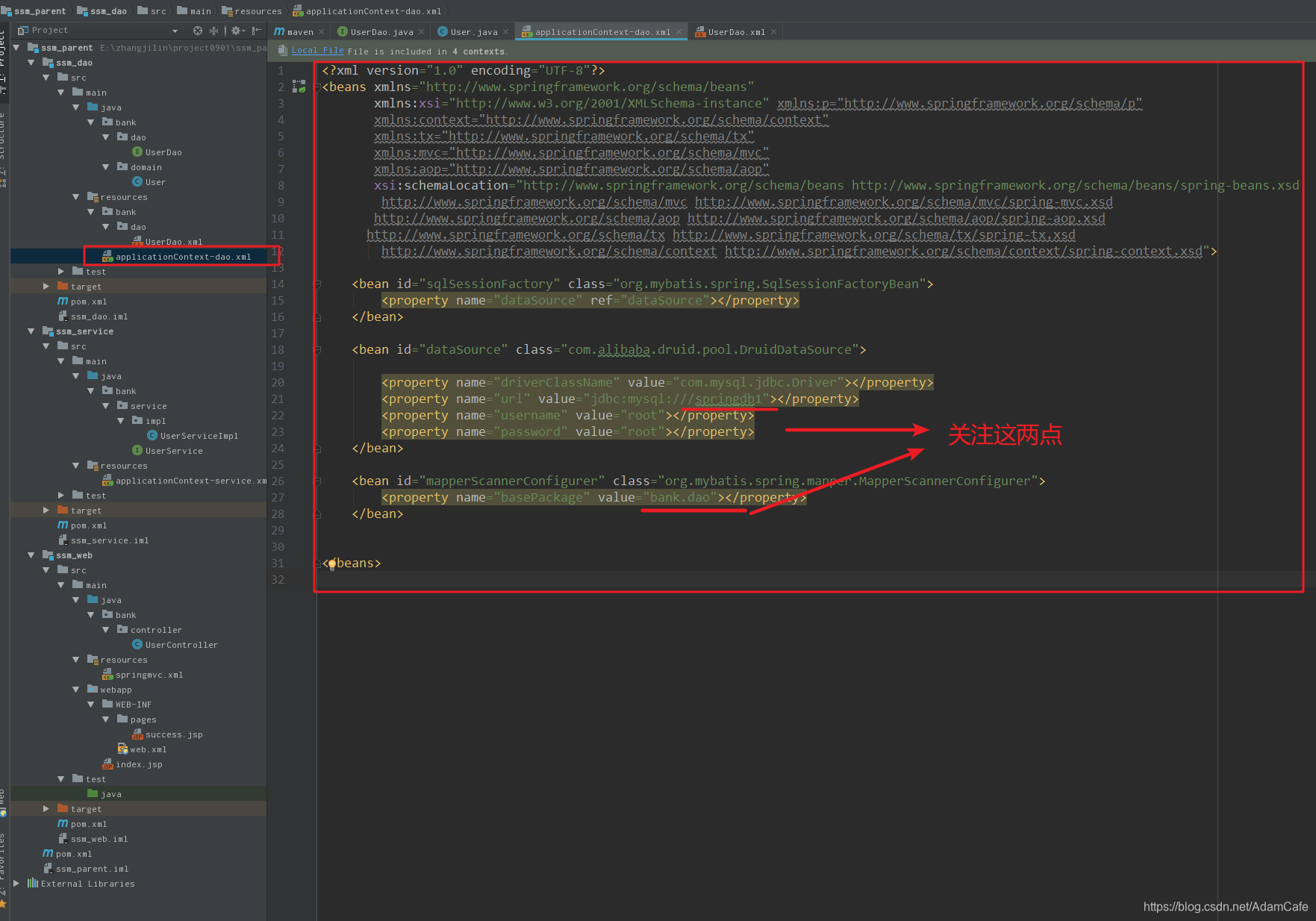
代码如下:
<?xml version="1.0" encoding="UTF-8"?>
<beans xmlns="http://www.springframework.org/schema/beans"
       xmlns:xsi="http://www.w3.org/2001/XMLSchema-instance" xmlns:p="http://www.springframework.org/schema/p"
       xmlns:context="http://www.springframework.org/schema/context"
       xmlns:tx="http://www.springframework.org/schema/tx"
       xmlns:mvc="http://www.springframework.org/schema/mvc"
       xmlns:aop="http://www.springframework.org/schema/aop"
       xsi:schemaLocation="http://www.springframework.org/schema/beans http://www.springframework.org/schema/beans/spring-beans.xsd
        http://www.springframework.org/schema/mvc http://www.springframework.org/schema/mvc/spring-mvc.xsd
       http://www.springframework.org/schema/aop http://www.springframework.org/schema/aop/spring-aop.xsd
      http://www.springframework.org/schema/tx http://www.springframework.org/schema/tx/spring-tx.xsd
        http://www.springframework.org/schema/context http://www.springframework.org/schema/context/spring-context.xsd">

    <bean id="sqlSessionFactory" class="org.mybatis.spring.SqlSessionFactoryBean">
        <property name="dataSource" ref="dataSource"></property>
    </bean>

    <bean id="dataSource" class="com.alibaba.druid.pool.DruidDataSource">

        <property name="driverClassName" value="com.mysql.jdbc.Driver"></property>
        <property name="url" value="jdbc:mysql:///springdb1"></property>
        <property name="username" value="root"></property>
        <property name="password" value="root"></property>
    </bean>

    <bean id="mapperScannerConfigurer" class="org.mybatis.spring.mapper.MapperScannerConfigurer">
        <property name="basePackage" value="bank.dao"></property>
    </bean>


</beans>
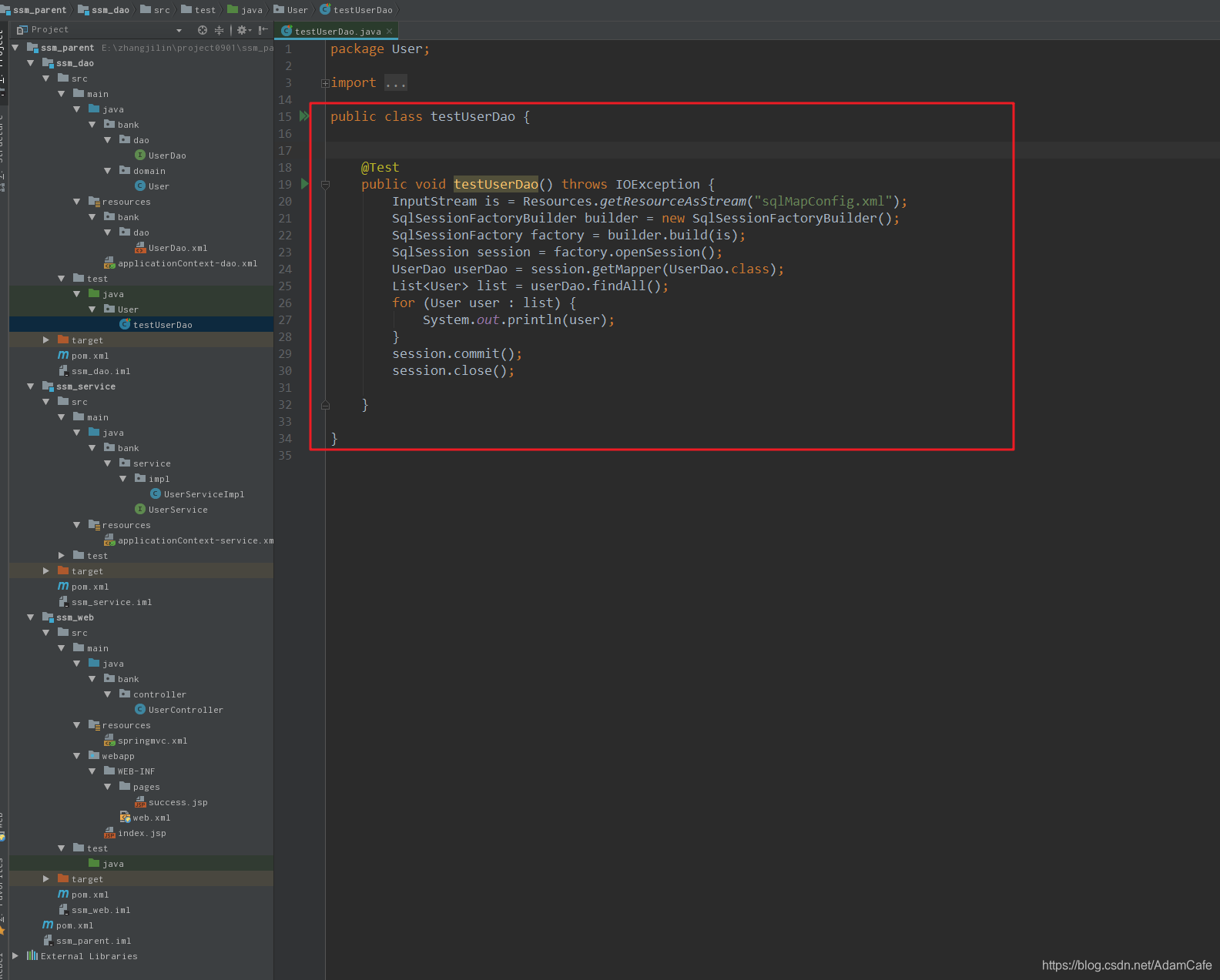
代码如下:
package User;

import bank.dao.UserDao;
import bank.domain.User;
import org.apache.ibatis.io.Resources;
import org.apache.ibatis.session.SqlSession;
import org.apache.ibatis.session.SqlSessionFactory;
import org.apache.ibatis.session.SqlSessionFactoryBuilder;
import org.junit.Test;

import java.io.IOException;
import java.io.InputStream;
import java.util.List;

public class testUserDao {


    @Test
    public void testUserDao() throws IOException {
        InputStream is = Resources.getResourceAsStream("sqlMapConfig.xml");
        SqlSessionFactoryBuilder builder = new SqlSessionFactoryBuilder();
        SqlSessionFactory factory = builder.build(is);
        SqlSession session = factory.openSession();
        UserDao userDao = session.getMapper(UserDao.class);
        List<User> list = userDao.findAll();
        for (User user : list) {
            System.out.println(user);
        }
        session.commit();
        session.close();

    }

}
ssm_service
接口 接口实现类 applicationContext-service.xml配置文件 测试类
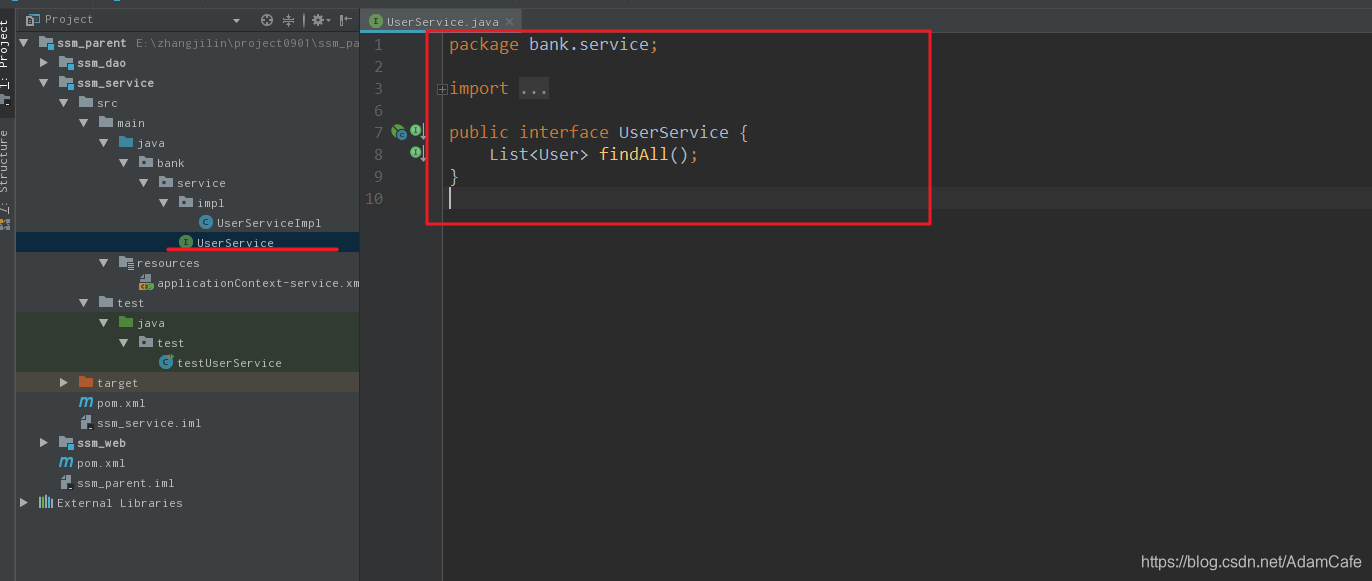
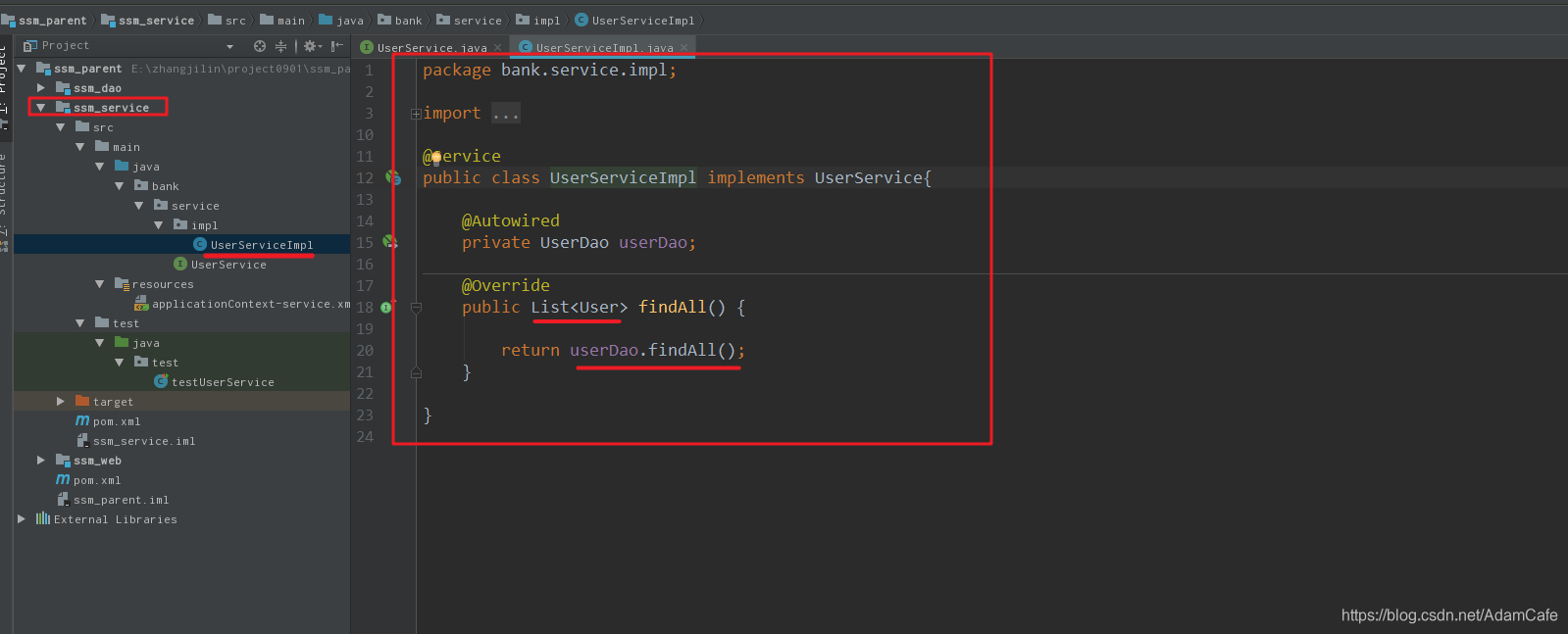
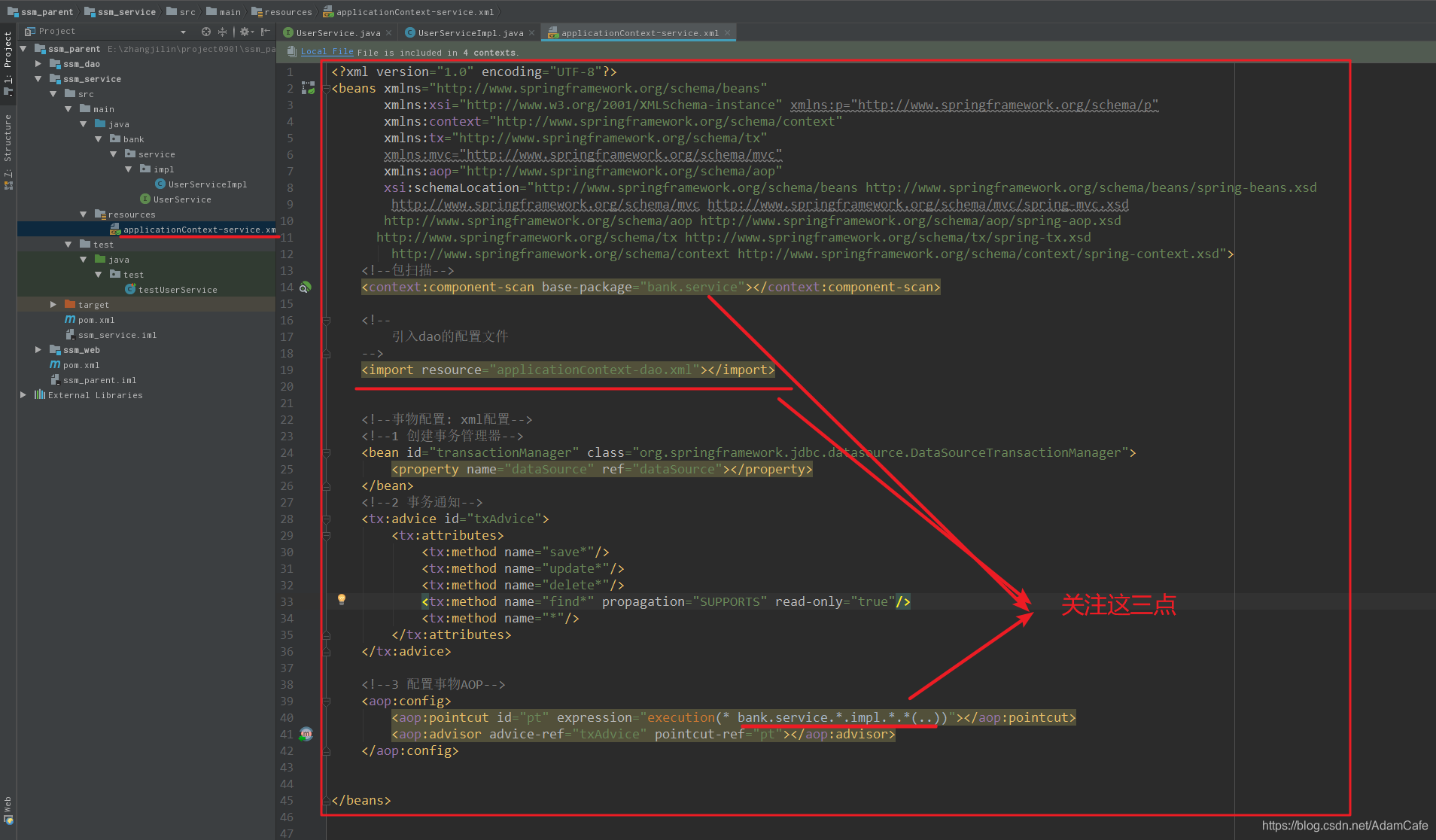
<?xml version="1.0" encoding="UTF-8"?>
<beans xmlns="http://www.springframework.org/schema/beans"
       xmlns:xsi="http://www.w3.org/2001/XMLSchema-instance" xmlns:p="http://www.springframework.org/schema/p"
       xmlns:context="http://www.springframework.org/schema/context"
       xmlns:tx="http://www.springframework.org/schema/tx"
       xmlns:mvc="http://www.springframework.org/schema/mvc"
       xmlns:aop="http://www.springframework.org/schema/aop"
       xsi:schemaLocation="http://www.springframework.org/schema/beans http://www.springframework.org/schema/beans/spring-beans.xsd
        http://www.springframework.org/schema/mvc http://www.springframework.org/schema/mvc/spring-mvc.xsd
       http://www.springframework.org/schema/aop http://www.springframework.org/schema/aop/spring-aop.xsd
      http://www.springframework.org/schema/tx http://www.springframework.org/schema/tx/spring-tx.xsd
        http://www.springframework.org/schema/context http://www.springframework.org/schema/context/spring-context.xsd">
    <!--包扫描-->
    <context:component-scan base-package="bank.service"></context:component-scan>

    <!--
        引入dao的配置文件
    -->
    <import resource="applicationContext-dao.xml"></import>


    <!--事物配置: xml配置-->
    <!--1 创建事务管理器-->
    <bean id="transactionManager" class="org.springframework.jdbc.datasource.DataSourceTransactionManager">
        <property name="dataSource" ref="dataSource"></property>
    </bean>
    <!--2 事务通知-->
    <tx:advice id="txAdvice">
        <tx:attributes>
            <tx:method name="save*"/>
            <tx:method name="update*"/>
            <tx:method name="delete*"/>
            <tx:method name="find*" propagation="SUPPORTS" read-only="true"/>
            <tx:method name="*"/>
        </tx:attributes>
    </tx:advice>

    <!--3 配置事物AOP-->
    <aop:config>
        <aop:pointcut id="pt" expression="execution(* bank.service.*.impl.*.*(..))"></aop:pointcut>
        <aop:advisor advice-ref="txAdvice" pointcut-ref="pt"></aop:advisor>
    </aop:config>


</beans>
测试
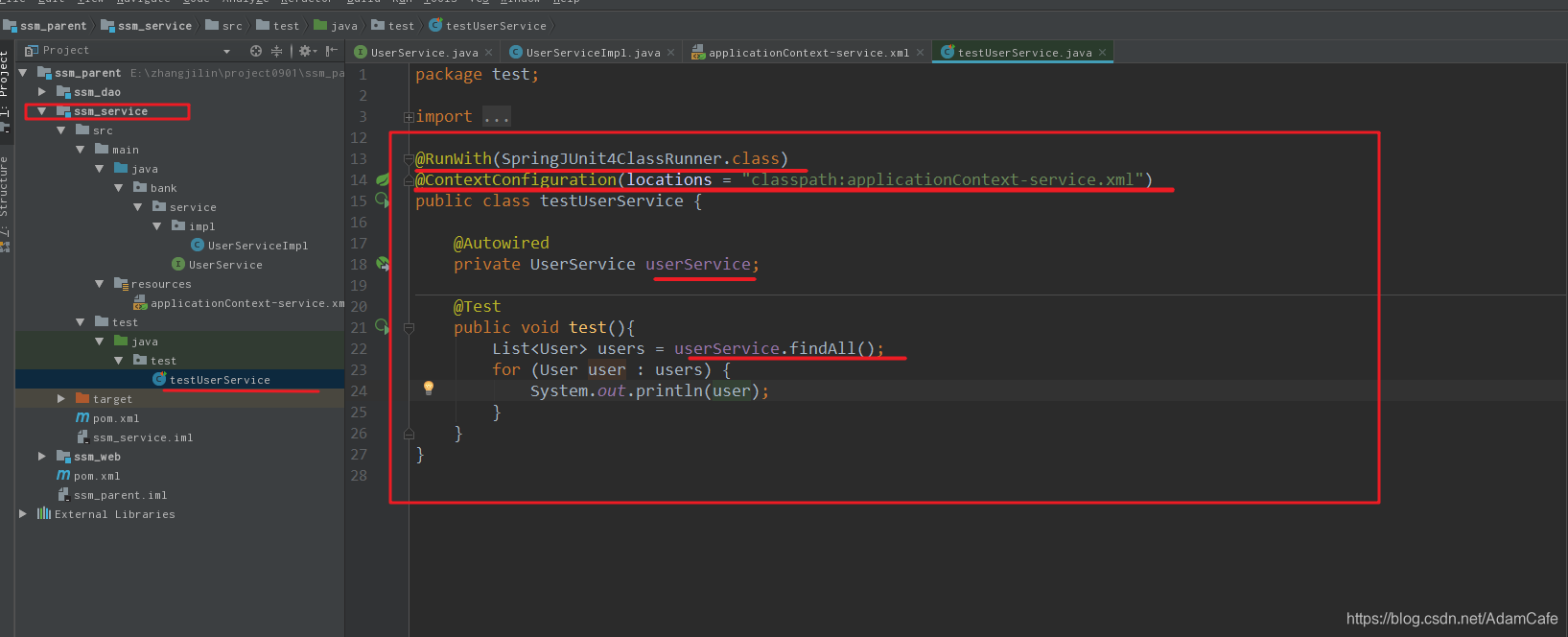
package test;

import bank.domain.User;
import bank.service.UserService;
import org.junit.Test;
import org.junit.runner.RunWith;
import org.springframework.beans.factory.annotation.Autowired;
import org.springframework.test.context.ContextConfiguration;
import org.springframework.test.context.junit4.SpringJUnit4ClassRunner;

import java.util.List;

@RunWith(SpringJUnit4ClassRunner.class)
@ContextConfiguration(locations = "classpath:applicationContext-service.xml")
public class testUserService {

    @Autowired
    private UserService userService;

    @Test
    public void test(){
        List<User> users = userService.findAll();
        for (User user : users) {
            System.out.println(user);
        }
    }
}
ssm_web
controller springmvc.xml配置文件 web.xml配置文件
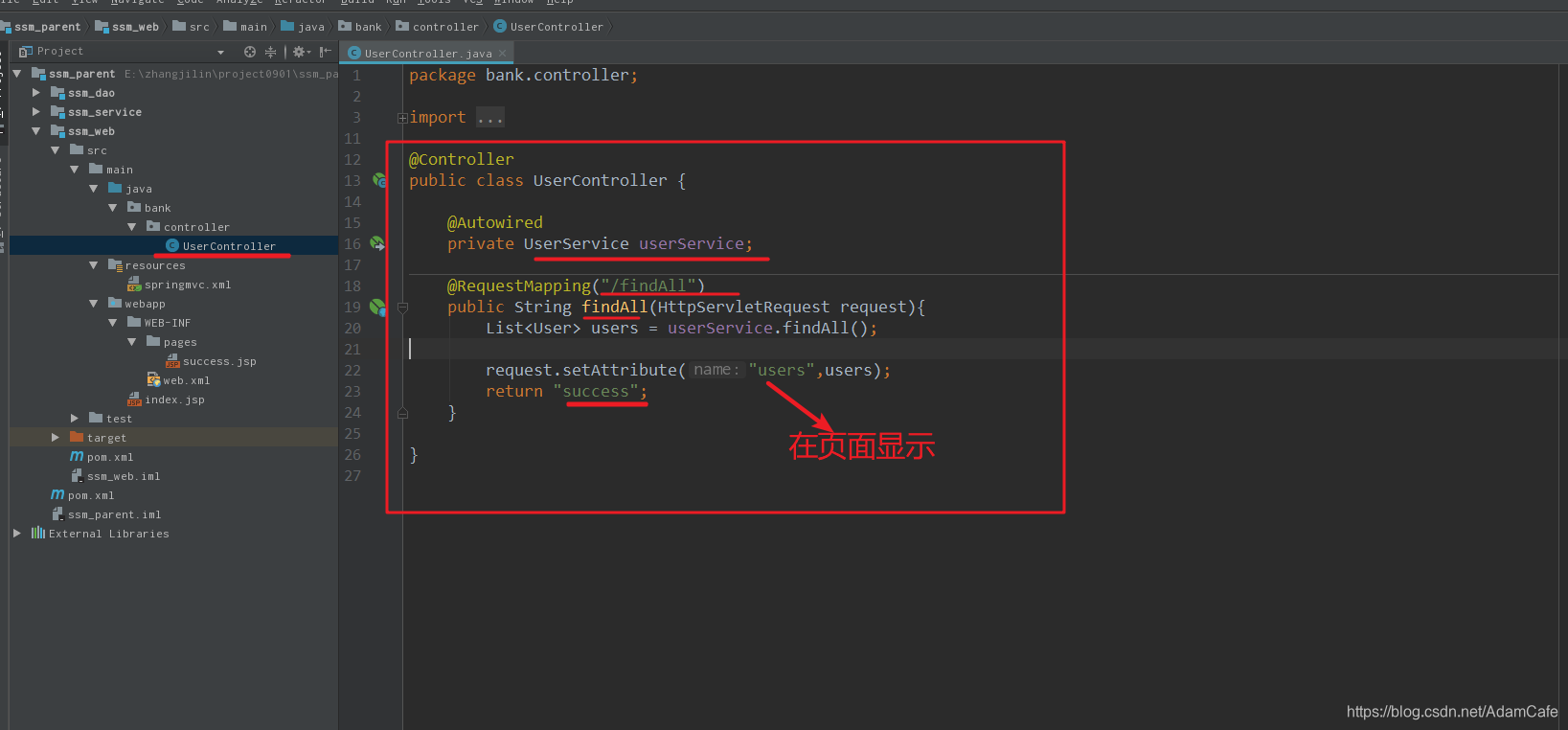
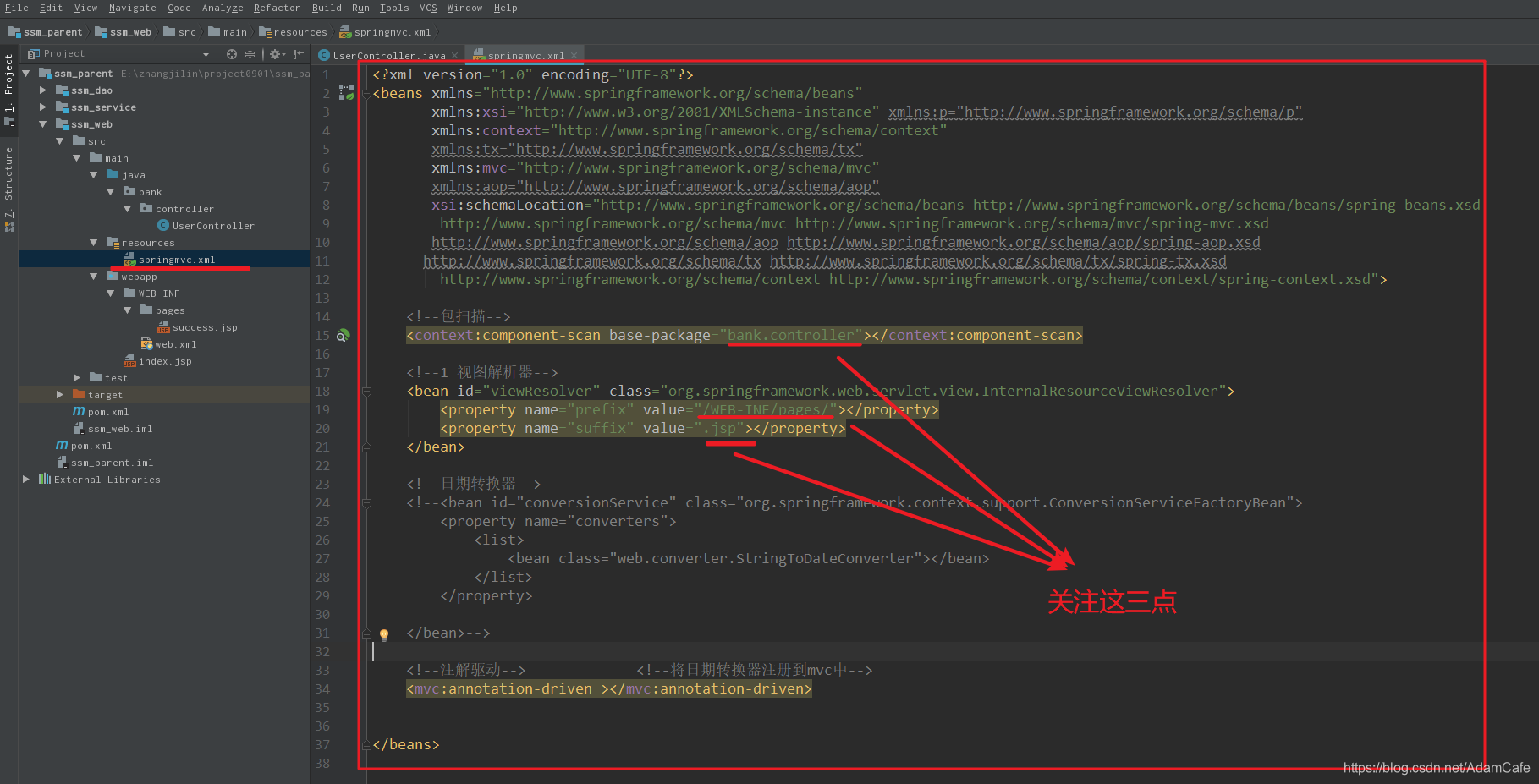
<?xml version="1.0" encoding="UTF-8"?>
<beans xmlns="http://www.springframework.org/schema/beans"
       xmlns:xsi="http://www.w3.org/2001/XMLSchema-instance" xmlns:p="http://www.springframework.org/schema/p"
       xmlns:context="http://www.springframework.org/schema/context"
       xmlns:tx="http://www.springframework.org/schema/tx"
       xmlns:mvc="http://www.springframework.org/schema/mvc"
       xmlns:aop="http://www.springframework.org/schema/aop"
       xsi:schemaLocation="http://www.springframework.org/schema/beans http://www.springframework.org/schema/beans/spring-beans.xsd
        http://www.springframework.org/schema/mvc http://www.springframework.org/schema/mvc/spring-mvc.xsd
       http://www.springframework.org/schema/aop http://www.springframework.org/schema/aop/spring-aop.xsd
      http://www.springframework.org/schema/tx http://www.springframework.org/schema/tx/spring-tx.xsd
        http://www.springframework.org/schema/context http://www.springframework.org/schema/context/spring-context.xsd">

    <!--包扫描-->
    <context:component-scan base-package="bank.controller"></context:component-scan>

    <!--1 视图解析器-->
    <bean id="viewResolver" class="org.springframework.web.servlet.view.InternalResourceViewResolver">
        <property name="prefix" value="/WEB-INF/pages/"></property>
        <property name="suffix" value=".jsp"></property>
    </bean>

    <!--日期转换器-->
    <!--<bean id="conversionService" class="org.springframework.context.support.ConversionServiceFactoryBean">
        <property name="converters">
            <list>
                <bean class="web.converter.StringToDateConverter"></bean>
            </list>
        </property>

    </bean>-->

    <!--注解驱动-->             <!--将日期转换器注册到mvc中-->
    <mvc:annotation-driven ></mvc:annotation-driven>


</beans>
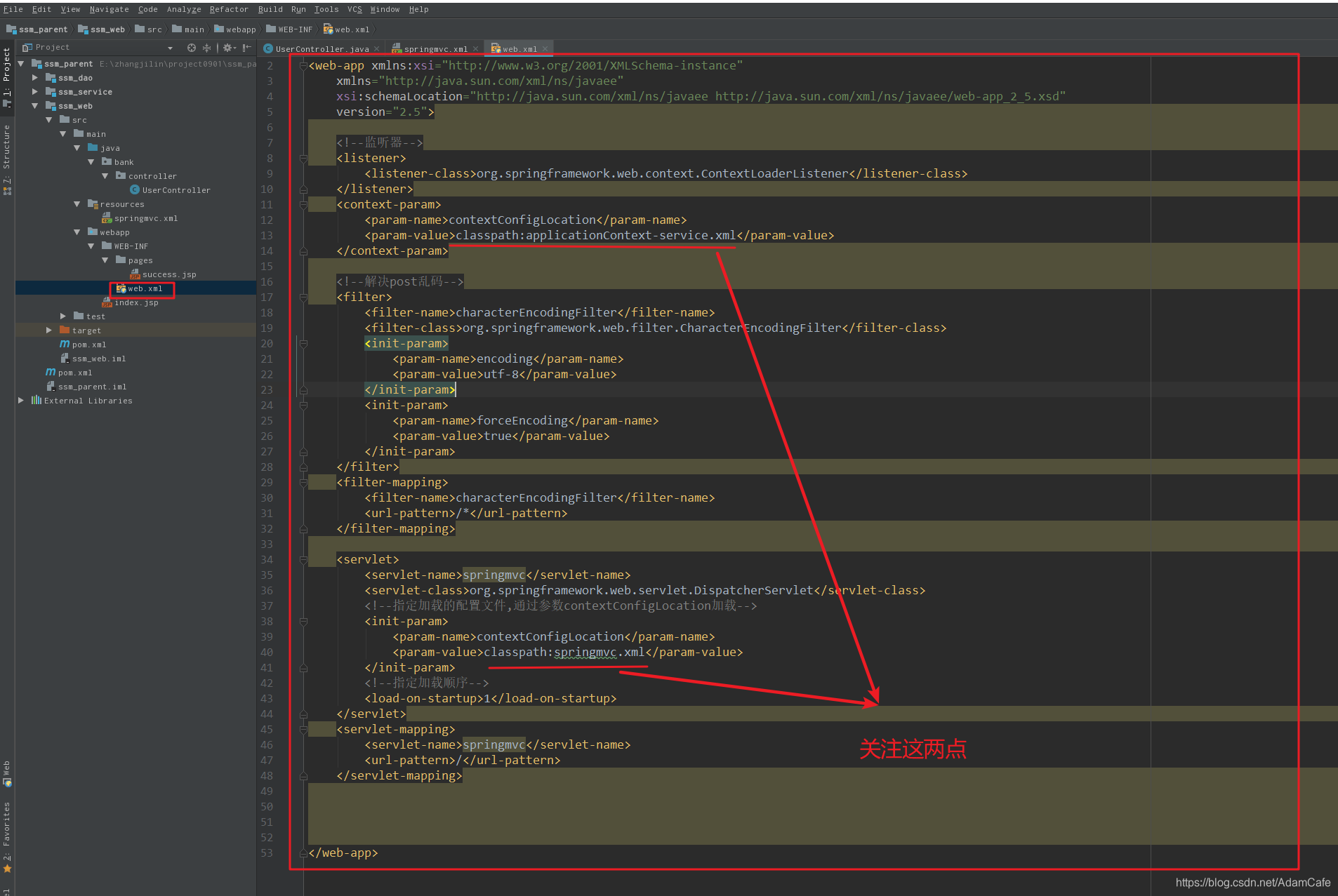
<?xml version="1.0" encoding="UTF-8"?>
<web-app xmlns:xsi="http://www.w3.org/2001/XMLSchema-instance"
	xmlns="http://java.sun.com/xml/ns/javaee"
	xsi:schemaLocation="http://java.sun.com/xml/ns/javaee http://java.sun.com/xml/ns/javaee/web-app_2_5.xsd"
	version="2.5">

    <!--监听器-->
	<listener>
		<listener-class>org.springframework.web.context.ContextLoaderListener</listener-class>
	</listener>
	<context-param>
		<param-name>contextConfigLocation</param-name>
		<param-value>classpath:applicationContext-service.xml</param-value>
	</context-param>

	<!--解决post乱码-->
	<filter>
		<filter-name>characterEncodingFilter</filter-name>
		<filter-class>org.springframework.web.filter.CharacterEncodingFilter</filter-class>
		<init-param>
			<param-name>encoding</param-name>
			<param-value>utf-8</param-value>
		</init-param>
		<init-param>
			<param-name>forceEncoding</param-name>
			<param-value>true</param-value>
		</init-param>
	</filter>
	<filter-mapping>
		<filter-name>characterEncodingFilter</filter-name>
		<url-pattern>/*</url-pattern>
	</filter-mapping>

    <servlet>
        <servlet-name>springmvc</servlet-name>
        <servlet-class>org.springframework.web.servlet.DispatcherServlet</servlet-class>
        <!--指定加载的配置文件,通过参数contextConfigLocation加载-->
        <init-param>
            <param-name>contextConfigLocation</param-name>
            <param-value>classpath:springmvc.xml</param-value>
        </init-param>
        <!--指定加载顺序-->
        <load-on-startup>1</load-on-startup>
    </servlet>
    <servlet-mapping>
        <servlet-name>springmvc</servlet-name>
        <url-pattern>/</url-pattern>
    </servlet-mapping>


</web-app>





 扫一扫
扫一扫


 236
236

 被折叠的 条评论
为什么被折叠?
被折叠的 条评论
为什么被折叠?
 到【灌水乐园】发言





