



 博客介绍了axios中GET方法的使用,包括无参数和带参数的情况。在带参数的GET请求中,当数据未发生变化时,浏览器会返回304状态码进行资源重定向,以加快加载速度。
get方法
<template>
  <div class="Axios">
  </div>
</template>

<script>
import axios from 'axios';
export default {
  name: 'Ios',
  created(){
    // 方法一
    axios.get('/data.json').then((res)=>{
      console.log(res)
    })

    //方法二
    axios({
      method:'get', //请求方法
      url:'/data.json' //请求路径(这里是相对路径,相对与前端启动,域名http://localhost:8080/)
    }).then(res=>{
      //输出res
      console.log(res)
    })
  }
}
</script>
get方法(带参数)
<template>
  <div class="Axios">
  </div>
</template>

<script>
import axios from 'axios';
export default {
  name: 'Ios',
  created(){
    //get方法:带参数方法一
    /**
     * 在请求路径后面,添加一个对象
     * 最后请求到的路径是 http://localhost:8080/data.json?id=12
     */
    axios.get('/data.json',{
      params:{//用params传参
        id:12
      }
    }).then((res)=>{
      console.log(res)
    })

    //get方法:带参数方法二
    axios({
      method:'get',
      url:'/data.json',
      params:{//用params传参
        id:12
      }
    }).then(res=>{
      //输出res
      console.log(res)
    })
  }
}
</script>
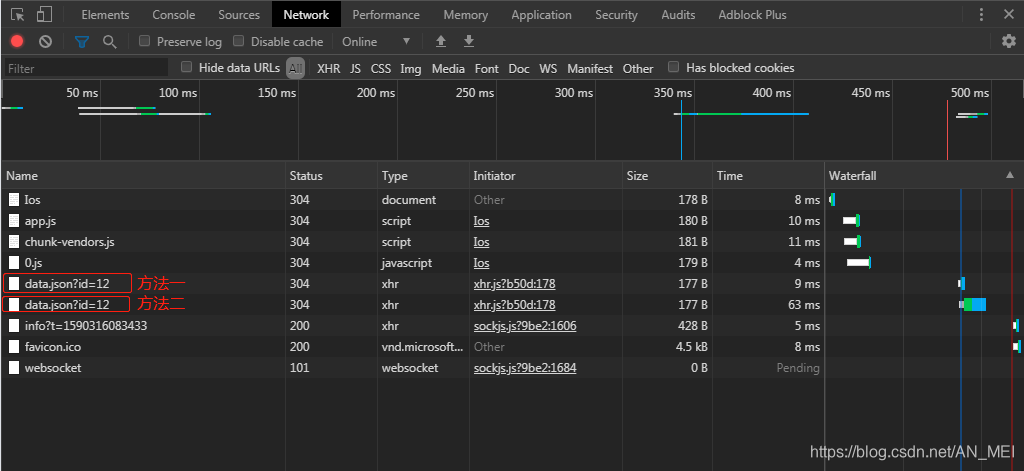
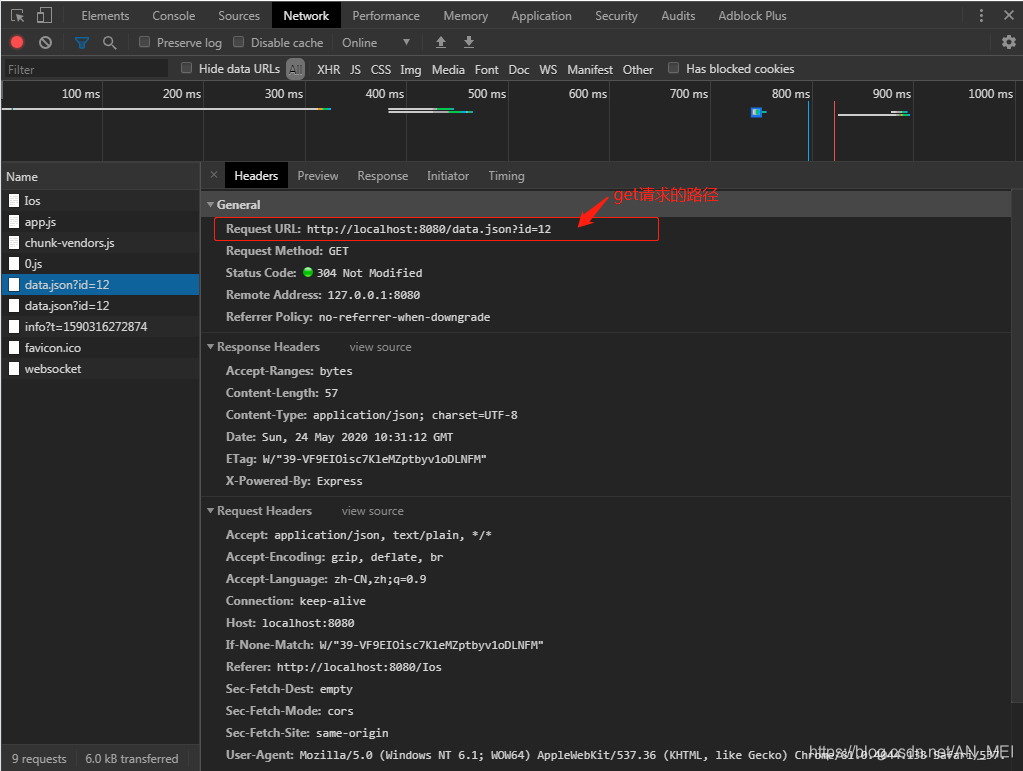
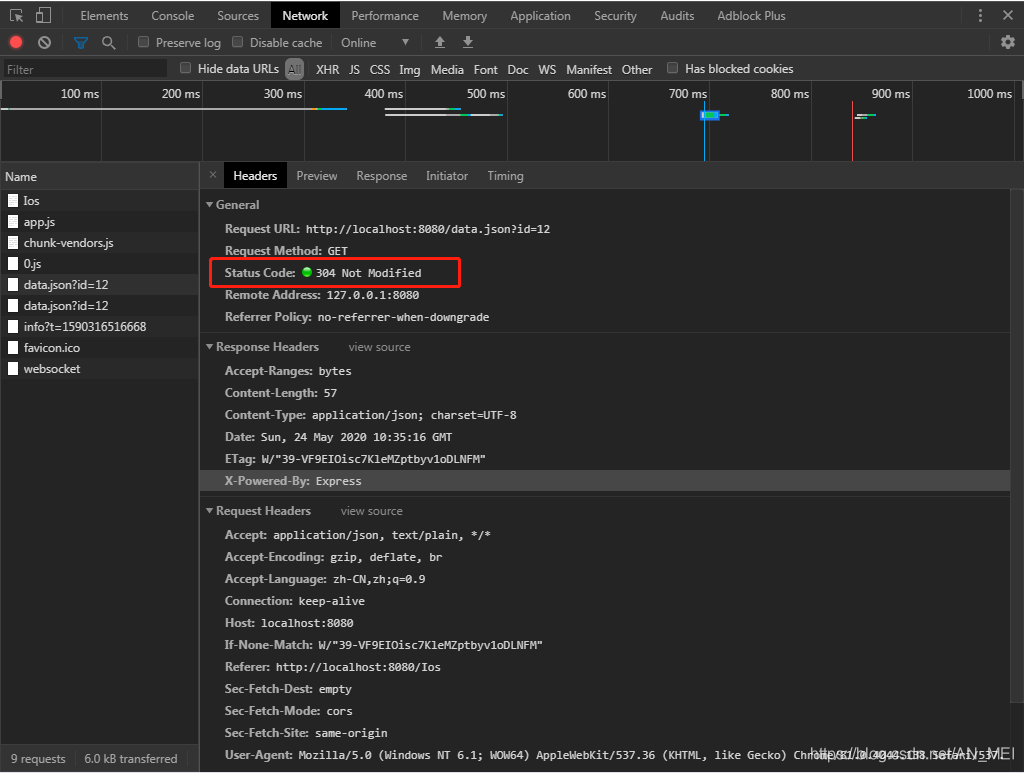
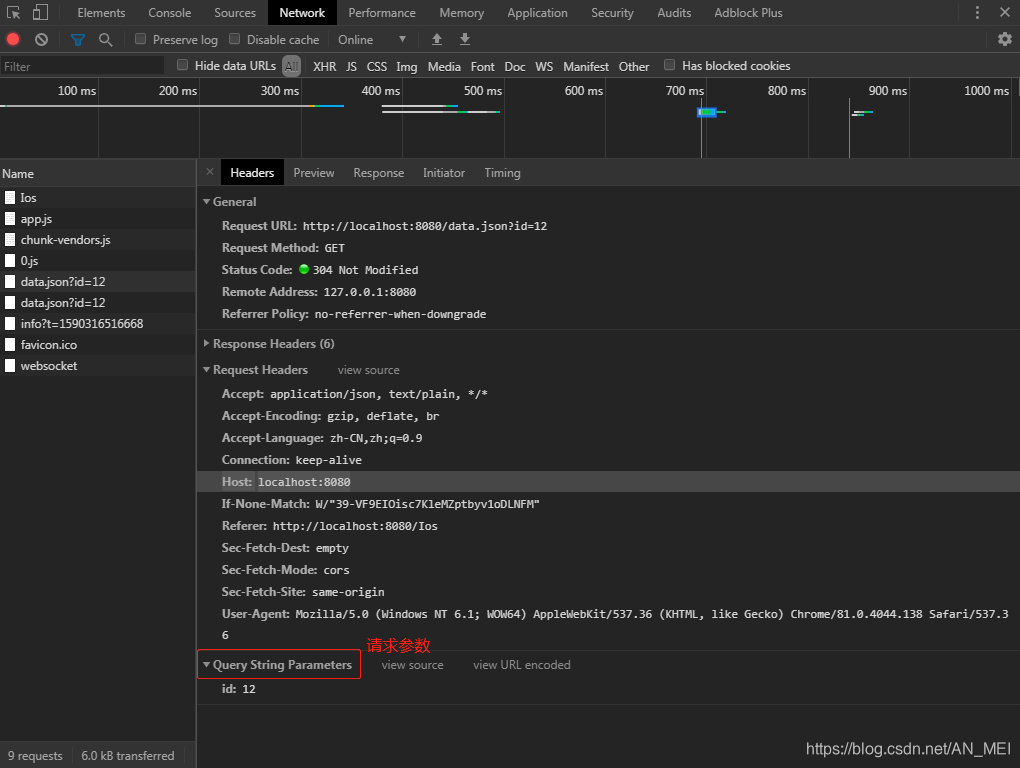
Status Code: 304 Not Modified
请求状态:304是重定向,当第一次访问这个接口的时候都是200,当你第二次访问这个接口的时候如果数据没有变化,那么浏览器会自动识别返回304状态数据没有更改,会重定向刚刚加载的资源,这样加载的会更快。
补充知识点:浏览器中的信息
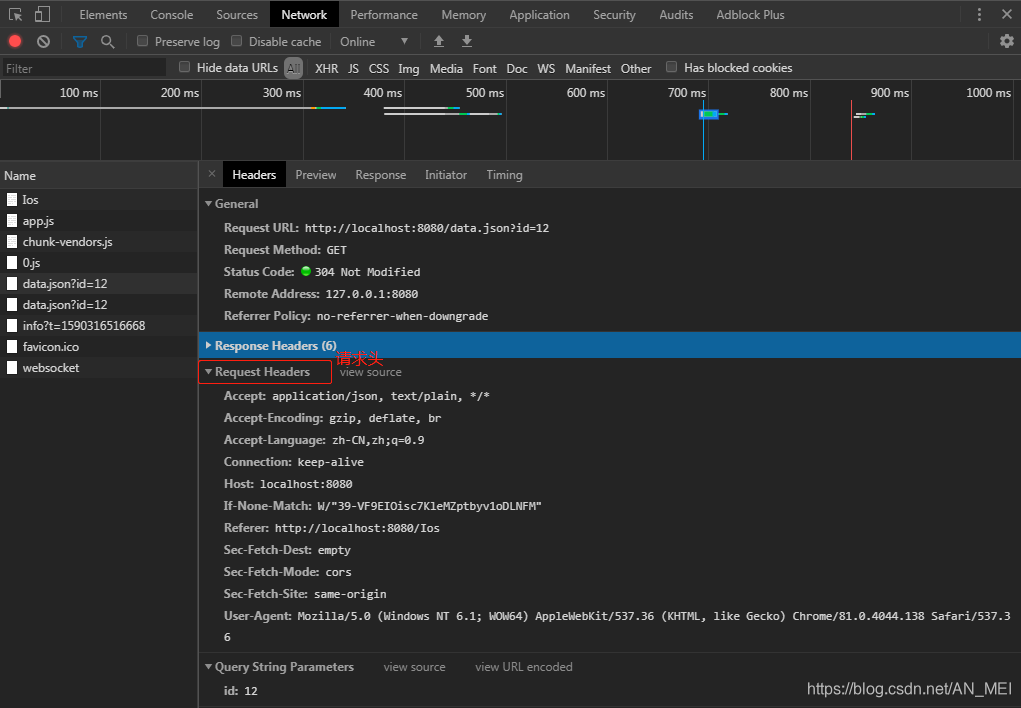
Host: localhost:8080 【请求地址】





 扫一扫
扫一扫


 1370
1370

 被折叠的 条评论
为什么被折叠?
被折叠的 条评论
为什么被折叠?
 到【灌水乐园】发言





