


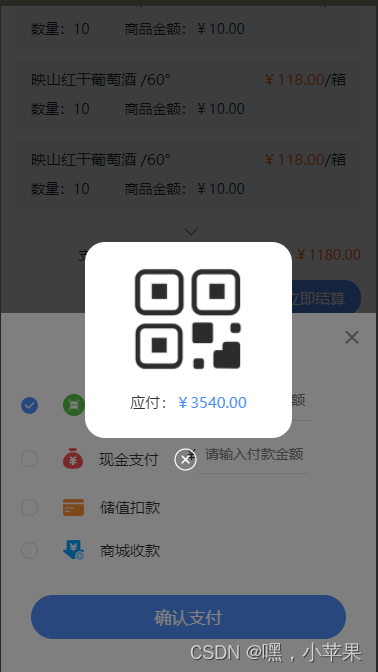
 这段代码展示了如何在Vue.js应用中使用uview2popup组件来创建一个支付方式选择的弹窗,包括扫码支付、现金支付、储值扣款和商城收款,用户可以点击选择支付方式并输入金额,点击确认支付后会显示付款码弹窗。
uview2 popup官网
<template>
<view class="">
<u-popup :show="show" @close="close" :round="10" closeable :closeOnClickOverlay='false'>
<view class="pop">
<view class="title">选择支付方式</view>
<view class="popitem flex_align_center">
<view class="flex_align_center" @click='payFun(1)'>
<image src="@/static/images/choosed.png" mode="" class="cimg" v-if="payItem == 1"></image>
<image src="@/static/images/choose.png" mode="" class="cimg" v-else></image>
<image src="@/static/images/pay1.png" mode="" class="paymg1"></image>
<text class="text">扫码支付</text>
</view>
<view class="intp flex_align_center">
<text>¥</text>
<input class="uinput" type='number' placeholder="请输入付款金额" />
</view>
</view>
<view class="popitem flex_align_center">
<view class="flex_align_center" @click='payFun(2)'>
<image src="@/static/images/choosed.png" mode="" class="cimg" v-if="payItem == 2"></image>
<image src="@/static/images/choose.png" mode="" class="cimg" v- 最低0.47元/天 解锁文章






 扫一扫
扫一扫


 2458
2458

 被折叠的 条评论
为什么被折叠?
被折叠的 条评论
为什么被折叠?
 到【灌水乐园】发言





