


ohos:color="#00FFFD"/>
复制
- 子组件超过布局本身大小
DirectionalLayout不会自动换行,其子组件会按照设定的方向依次排列,若超过布局本身的大小,超出布局大小的部分将不会被显示。
<?xml version="1.0" encoding="utf-8"?>
<DirectionalLayout
    xmlns:ohos="http://schemas.huawei.com/res/ohos"
    ohos:width="match_parent"
    ohos:height="20vp"
    ohos:orientation="horizontal">
    <Button
        ohos:width="166vp"
        ohos:height="match_content"
        ohos:left_margin="13vp"
        ohos:background_element="$graphic:color_cyan_element"
        ohos:text="Button 1"/>
    <Button
        ohos:width="166vp"
        ohos:height="match_content"
        ohos:left_margin="13vp"
        ohos:background_element="$graphic:color_cyan_element"
        ohos:text="Button 2"/>
    <Button
        ohos:width="166vp"
        ohos:height="match_content"
        ohos:left_margin="13vp"
        ohos:background_element="$graphic:color_cyan_element"
        ohos:text="Button 3"/>
</DirectionalLayout>
复制
color_cyan_element.xml:
<?xml version="1.0" encoding="utf-8"?>
<shape xmlns:ohos="http://schemas.huawei.com/res/ohos"
    ohos:shape="rectangle">
    <solid
        ohos:color="#00FFFD"/>
</shape>
复制
此布局包含了三个按钮,但由于DirectionalLayout不会自动换行,超出布局大小的组件部分无法显示。界面显示如下:

对齐方式
DirectionalLayout中的组件使用layout_alignment控制自身在布局中的对齐方式。对齐方式和排列方式密切相关,当排列方式为水平方向时,可选的对齐方式只有作用于垂直方向的类型(top、bottom、vertical_center、center)其他对齐方式不会生效。当排列方式为垂直方向时,可选的对齐方式只有作用于水平方向的类型(left、right、start、end、horizontal_center、center)其他对齐方式不会生效。
三种对齐方式的示例代码:
<?xml version="1.0" encoding="utf-8"?>
<DirectionalLayout
    xmlns:ohos="http://schemas.huawei.com/res/ohos"
    ohos:width="match_parent"
    ohos:height="60vp">
    <Button
        ohos:width="50vp"
        ohos:height="20vp"
        ohos:background_element="$graphic:color_cyan_element"
        ohos:layout_alignment="left"
        ohos:text="Button 1"/>
    <Button
        ohos:width="50vp"
        ohos:height="20vp"
        ohos:background_element="$graphic:color_cyan_element"
        ohos:layout_alignment="horizontal_center"
        ohos:text="Button 2"/>
    <Button
        ohos:width="50vp"
        ohos:height="20vp"
        ohos:background_element="$graphic:color_cyan_element"
        ohos:layout_alignment="right"
        ohos:text="Button 3"/>
</DirectionalLayout>
复制
color_cyan_element.xml:
<?xml version="1.0" encoding="utf-8"?>
<shape xmlns:ohos="http://schemas.huawei.com/res/ohos"
    ohos:shape="rectangle">
    <solid
        ohos:color="#00FFFD"/>
</shape>
复制
三种对齐方式效果示例

权重
权重(weight)就是按比例来分配组件占用父组件的大小,在水平布局下计算公式为:
父布局可分配宽度=父布局宽度-所有子组件width之和;
组件宽度=组件weight/所有组件weight之和*父布局可分配宽度;
实际使用过程中,建议使用width=0来按比例分配父布局的宽度,1:1:1效果如下:

<?xml version="1.0" encoding="utf-8"?>
<DirectionalLayout
    xmlns:ohos="http://schemas.huawei.com/res/ohos"
    ohos:width="match_parent"
    ohos:height="match_content"
    ohos:orientation="horizontal">
    <Button
        ohos:width="0vp"
        ohos:height="20vp"
        ohos:weight="1"
        ohos:background_element="$graphic:color_cyan_element"
        ohos:text="Button 1"/>
    <Button
        ohos:width="0vp"
        ohos:height="20vp"
        ohos:weight="1"
        ohos:background_element="$graphic:color_gray_element"
        ohos:text="Button 2"/>
    <Button
        ohos:width="0vp"
        ohos:height="20vp"
        ohos:weight="1"
        ohos:background_element="$graphic:color_cyan_element"
        ohos:text="Button 3"/>
</DirectionalLayout>
复制
color_cyan_element.xml:
<?xml version="1.0" encoding="utf-8"?>
<shape xmlns:ohos="http://schemas.huawei.com/res/ohos"
    ohos:shape="rectangle">
    <solid
        ohos:color="#00FFFD"/>
</shape>
复制
color_gray_element.xml:
<?xml version="1.0" encoding="utf-8"?>
<shape xmlns:ohos="http://schemas.huawei.com/res/ohos"
    ohos:shape="rectangle">
    <solid
        ohos:color="#878787"/>
</shape>
复制
场景示例

源码示例:
<?xml version="1.0" encoding="utf-8"?>
<DirectionalLayout
    xmlns:ohos="http://schemas.huawei.com/res/ohos"
    ohos:height="match_parent"
    ohos:width="match_parent"
    ohos:background_element="#FFFFFFFF">

    <DirectionalLayout
        ohos:height="70vp"
        ohos:width="match_parent"
        ohos:orientation="vertical"
        ohos:background_element="#FF9F9F9F"
        ohos:top_margin="10vp">

        <Button
            ohos:height="20vp"
            ohos:width="33vp"
            ohos:background_element="#FF00FFFD"
            ohos:bottom_margin="3vp"
            ohos:left_margin="13vp"
            ohos:text="Button 1"/>

        <Button
            ohos:height="20vp"
            ohos:width="33vp"
            ohos:background_element="#FF00FFFD"
            ohos:bottom_margin="3vp"
            ohos:left_margin="13vp"
            ohos:text="Button 2"/>

        <Button
            ohos:height="20vp"
            ohos:width="33vp"
            ohos:background_element="#FF00FFFD"
            ohos:bottom_margin="3vp"
            ohos:left_margin="13vp"
            ohos:text="Button 3"/>
    </DirectionalLayout>

    <DirectionalLayout
        ohos:height="70vp"
        ohos:width="match_parent"
        ohos:orientation="horizontal"
        ohos:background_element="#FF9F9F9F"
        ohos:top_margin="10vp"
        >

        <Button
            ohos:height="20vp"
            ohos:width="33vp"
            ohos:background_element="#FF00FFFD"
            ohos:left_margin="13vp"
            ohos:text="Button 1"/>

        <Button
            ohos:height="20vp"
            ohos:width="33vp"
            ohos:background_element="#FF00FFFD"
            ohos:left_margin="13vp"
            ohos:text="Button 2"/>

        <Button
            ohos:height="20vp"
            ohos:width="33vp"
            ohos:background_element="#FF00FFFD"
            ohos:left_margin="13vp"
            ohos:text="Button 3"/>
    </DirectionalLayout>

    <DirectionalLayout
        ohos:height="70vp"
        ohos:width="match_parent"
        ohos:orientation="horizontal"
        ohos:background_element="#FF9F9F9F"
        ohos:top_margin="10vp"
        >

        <Button
            ohos:height="match_content"
            ohos:width="166vp"
            ohos:background_element="#FF00FFFD"
            ohos:left_margin="13vp"
            ohos:text="Button 1"/>

        <Button
            ohos:height="match_content"
            ohos:width="166vp"
            ohos:background_element="#FF00FFFD"
            ohos:left_margin="13vp"
            ohos:text="Button 2"/>

        <Button
            ohos:height="match_content"
            ohos:width="166vp"
            ohos:background_element="#FF00FFFD"
            ohos:left_margin="13vp"
            ohos:text="Button 3"/>
    </DirectionalLayout>

    <DirectionalLayout
        ohos:height="70vp"
        ohos:width="match_parent"
        ohos:background_element="#FF9F9F9F"
        ohos:top_margin="10vp"
        >

        <Button
            ohos:height="20vp"
            ohos:width="50vp"
            ohos:background_element="#FF00FFFD"
            ohos:layout_alignment="left"
            ohos:text="Button 1"/>

        <Button
            ohos:height="20vp"
            ohos:width="50vp"
            ohos:background_element="#FF00FFFD"
            ohos:layout_alignment="horizontal_center"
            ohos:text="Button 2"/>

        <Button
            ohos:height="20vp"
            ohos:width="50vp"
            ohos:background_element="#FF00FFFD"
            ohos:layout_alignment="right"
            ohos:text="Button 3"/>
    </DirectionalLayout>

    <DirectionalLayout
        ohos:height="70vp"
        ohos:width="match_parent"
        ohos:orientation="horizontal"
        ohos:background_element="#FF9F9F9F"
        ohos:top_margin="10vp"
        >

        <Button
            ohos:height="20vp"
            ohos:width="0vp"
            ohos:background_element="#FF00FFFD"
            ohos:text="Button 1"
            ohos:weight="1"/>

        <Button
            ohos:height="20vp"
            ohos:width="0vp"
            ohos:background_element="#FFFF8A8A"
            ohos:text="Button 2"
            ohos:weight="1"/>

        <Button
            ohos:height="20vp"
            ohos:width="0vp"
            ohos:background_element="#FF00FFFD"
            ohos:text="Button 3"
            ohos:weight="1"/>
    </DirectionalLayout>
</DirectionalLayout>
为了能够让大家跟上互联网时代的技术迭代,赶上互联网开发人员寒冬期间一波红利,在这里跟大家分享一下我自己近期学习心得以及参考网上资料整理出的一份最新版的鸿蒙学习提升资料,有需要的小伙伴自行领取,限时开源,先到先得~~~~
纯血版鸿蒙 HarmonyOS 4.0 视频学习资料


需要以上视频学习资料小伙伴
《纯血版华为鸿蒙 (Harmony OS)开发手册》
这份手册涵盖了当前鸿蒙 (Harmony OS) 开发技术必掌握的核心知识点
纯血版鸿蒙 (Harmony OS)开发手册部分精彩内容
HarmonyOS 概念:
- 系统定义
- 技术架构
- 技术特性
- 系统安全

如何快速入门?
- 基本概念
- 构建第一个ArkTS应用
- 构建第一个JS应用
- ……

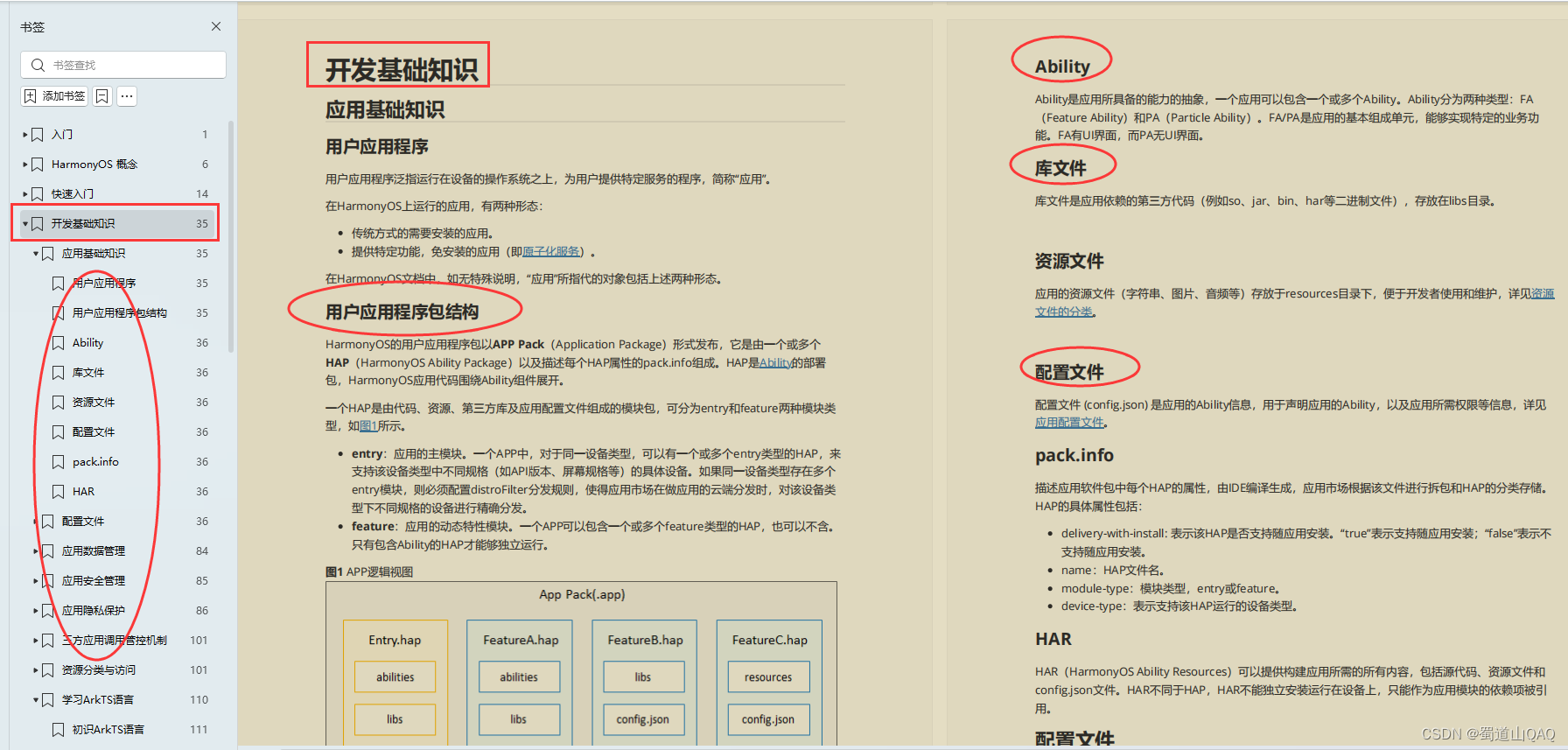
开发基础知识:
- 应用基础知识
- 配置文件
- 应用数据管理
- 应用安全管理
- 应用隐私保护
- 三方应用调用管控机制
- 资源分类与访问
- 学习ArkTS语言
- ……
基于ArkTS 开发:
- Ability开发
- UI开发
- 公共事件与通知
- 窗口管理
- 媒体
- 安全
- 网络与链接
- 电话服务
- 数据管理
- 后台任务(Background Task)管理
- 设备管理
- 设备使用信息统计
- DFX
- 国际化开发
- 折叠屏系列
- .……





 扫一扫
扫一扫


 被折叠的 条评论
为什么被折叠?
被折叠的 条评论
为什么被折叠?
 到【灌水乐园】发言





