


2.利用 xml 实现帧动画(开发中通常使用这种方法实现帧动画)
1.利用 Java 代码实现帧动画
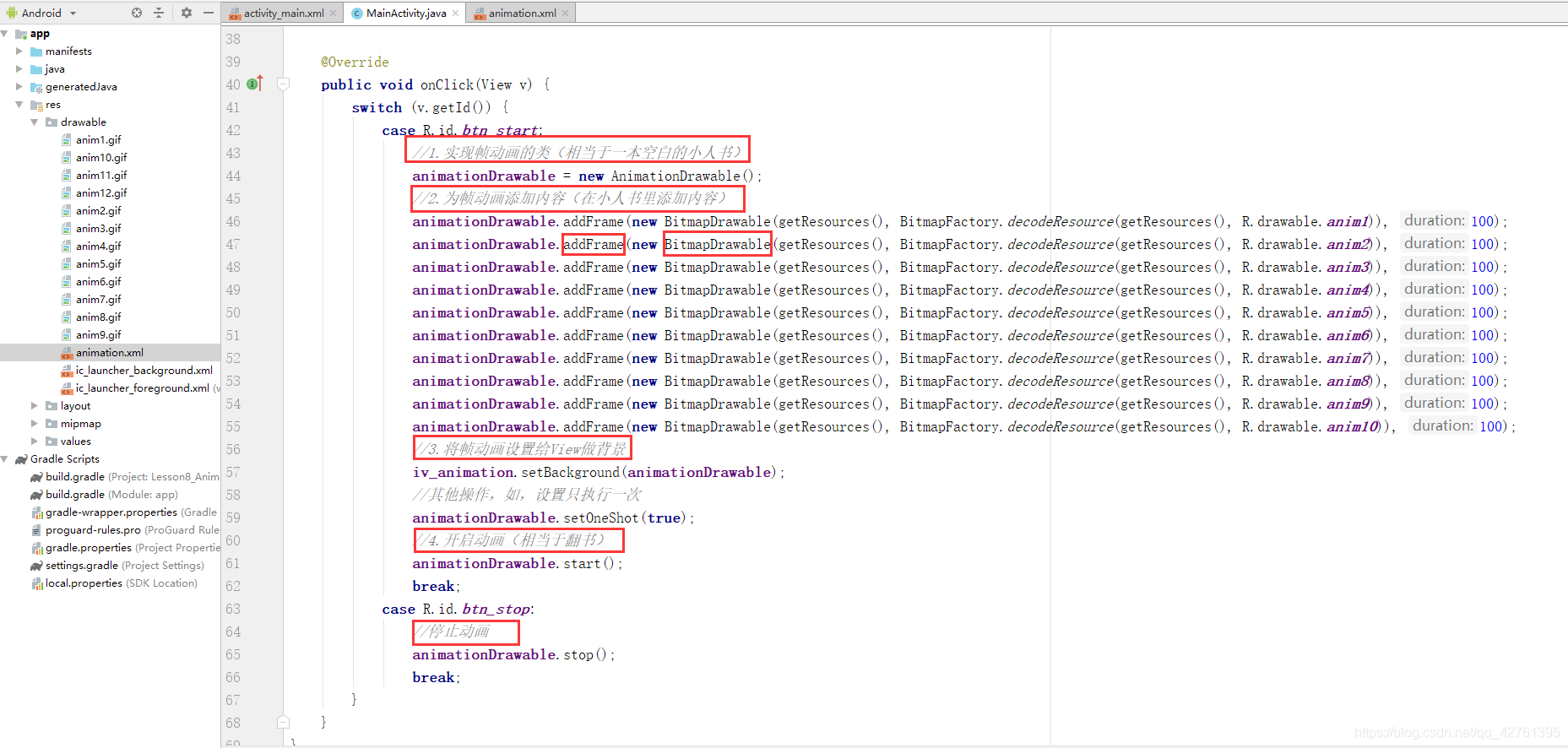
源代码如下:
activity_main.xml
<LinearLayout xmlns:android=“http://schemas.android.com/apk/res/android”
xmlns:app=“http://schemas.android.com/apk/res-auto”
xmlns:tools=“http://schemas.android.com/tools”
android:layout_width=“match_parent”
android:layout_height=“match_parent”
android:orientation=“vertical”
tools:context=“.MainActivity”>
<Button
android:id=“@+id/btn_start”
android:layout_width=“wrap_content”
android:layout_height=“wrap_content”
android:text=“开启” />
<Button
android:id=“@+id/btn_stop”
android:layout_width=“wrap_content”
android:layout_height=“wrap_content”
android:text=“停止” />
<ImageView
android:id=“@+id/iv_animation”
android:layout_width=“wrap_content”
android:layout_height=“wrap_content” />
MainActivity.java文件如下
public class MainActivity extends AppCompatActivity implements View.OnClickListener {
AnimationDrawable animationDrawable;
private Button btn_start;
private Button btn_stop;
private ImageView iv_animation;//java的形式实现
@Override
protected void onCreate(Bundle savedInstanceState) {
super.onCreate(savedInstanceState);
setContentView(R.layout.activity_main);
initView();
}
private void initView() {
btn_start = (Button) findViewById(R.id.btn_start);
btn_stop = (Button) findViewById(R.id.btn_stop);
iv_animation = (ImageView) findViewById(R.id.iv_animation);
btn_start.setOnClickListener(this);
btn_stop.setOnClickListener(this);
}
@Override
public void onClick(View v) {
switch (v.getId()) {
case R.id.btn_start:
//1.实现帧动画的类(相当于一本空白的小人书)
animationDrawable = new AnimationDrawable();
//2.为帧动画添加内容(在小人书里添加内容)
animationDrawable.addFrame(new BitmapDrawable(getResources(), BitmapFactory.decodeResource(getResources(), R.drawable.anim1)), 100);
animationDrawable.addFrame(new BitmapDrawable(getResources(), BitmapFactory.decodeResource(getResources(), R.drawable.anim2)), 100);
animationDrawable.addFrame(new BitmapDrawable(getResources(), BitmapFactory.decodeResource(getResources(), R.drawable.anim3)), 100);
animationDrawable.addFrame(new BitmapDrawable(getResources(), BitmapFactory.decodeResource(getResources(), R.drawable.anim4)), 100);
animationDrawable.addFrame(new BitmapDrawable(getResources(), BitmapFactory.decodeResource(getResources(), R.drawable.anim5)), 100);
animationDrawable.addFrame(new BitmapDrawable(getResources(), BitmapFactory.decodeResource(getResources(), R.drawable.anim6)), 100);
animationDrawable.addFrame(new BitmapDrawable(getResources(), BitmapFactory.decodeResource(getResources(), R.drawable.anim7)), 100);
animationDrawable.addFrame(new BitmapDrawable(getResources(), BitmapFactory.decodeResource(getResources(), R.drawable.anim8)), 100);
animationDrawable.addFrame(new BitmapDrawable(getResources(), BitmapFactory.decodeResource(getResources(), R.drawable.anim9)), 100);
animationDrawable.addFrame(new BitmapDrawable(getResources(), BitmapFactory.decodeResource(getResources(), R.drawable.anim10)), 100);
//3.将帧动画设置给View做背景
iv_animation.setBackground(animationDrawable);
//其他操作,如,设置只执行一次
animationDrawable.setOneShot(true);
//4.开启动画(相当于翻书)
animationDrawable.start();
break;
case R.id.btn_stop:





 扫一扫
扫一扫


 1325
1325

 被折叠的 条评论
为什么被折叠?
被折叠的 条评论
为什么被折叠?
 到【灌水乐园】发言





