


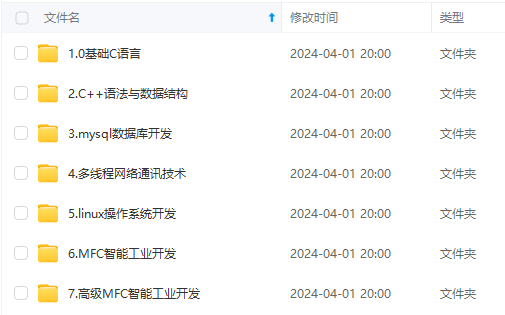
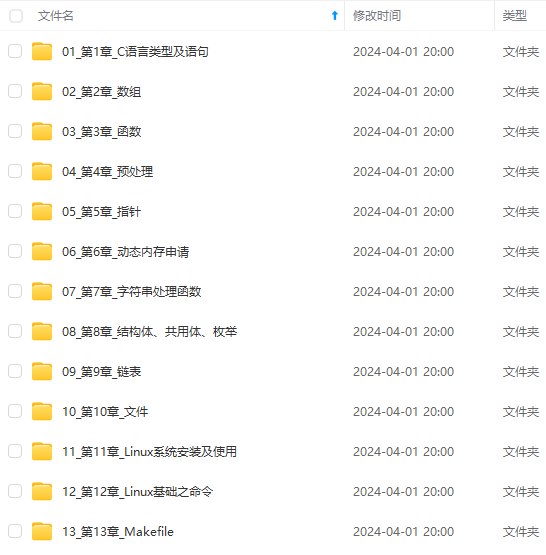
既有适合小白学习的零基础资料,也有适合3年以上经验的小伙伴深入学习提升的进阶课程,涵盖了95%以上C C++开发知识点,真正体系化!
由于文件比较多,这里只是将部分目录截图出来,全套包含大厂面经、学习笔记、源码讲义、实战项目、大纲路线、讲解视频,并且后续会持续更新
//在指定结点后插入
void SListInsertAfter(SLNode* pos, DateType x);
创建一个测试文件Test.c,在这里通过调用函数进行测试。
 以下将是我们需要看到的效果测试
#include"SList.h"
void Test1() {
SLNode *sl= NULL;
int i=1;
/*SListPushFront(sl, 1);*///测试报错断言
/*SListPushBack(sl, 1);*///测试报错断言
SListPushBack(&sl, 1);
SListPushBack(&sl, 2);
SListPushBack(&sl, 3);
SListPushBack(&sl, 4);
SListPushBack(&sl, 5);
SListPushBack(&sl, 3);
/\*SListPopBack(&sl);\*/
//SListPopBack(&sl);
//SListPopBack(&sl);
//SListPopBack(&sl);
//SListPopBack(&sl);
//SListPopBack(&sl);
//SListPopBack(&sl);


/\*SListPushFront(&sl, 1);\*/
/\*SListPushFront(&sl, 2);\*/
//SListPushFront(&sl, 3);
//SListPushFront(&sl, 4);
//SListPushFront(&sl, 5);

/\*SListPopFront(&sl);\*/

SListPrint(sl);

//查找指定元素
SLNode\*pos=SListFind(sl, 2);
while(pos)
{
	printf("第%d个%d,在%p位置\n", i++,pos->data, pos);
	pos = SListFind(pos->next, 2);
}

//插入指定元素到指定结点前
pos = SListFind(sl, 1);
while (pos)
{
	SListInsert(&sl, pos, 10);
	pos = SListFind(pos->next, 1);
}
SListPrint(sl);

//插入指定元素到指定结点后O(1)
pos = SListFind(sl, 3);
while (pos)
{
	SListInsertAfter(pos, 20);
	pos = SListFind(pos->next, 3);
}
SListPrint(sl);
//删除指定元素
pos = SListFind(sl, 1);
while (pos)
{
	SListErase(&sl, pos);
	pos = SListFind(sl, 1);
}
SListPrint(sl);
SListDestroy(&sl);
}
int main() {
Test1();//操作的测试
return 0;
}
---


##### (2)、单链表的头插、尾插与创建一个新结点


接下来的操作实现我们放在一个源文件SList.c中
 注意要包含头文件
//SList.c
#include"SList.h"
**创建一个新结点**
//SList.c
//创建新结点
SLNode* SListCreateNode(DateType x)
{
SLNode* newnode = (SLNode*)malloc(sizeof(SLNode));
if (newnode == NULL)
{
printf(“malloc fail”);
exit(-1);
}
newnode->data = x;
newnode->next = NULL;
return newnode;
}
**实现尾插**
//SList.c
void SListPushBack(SLNode** pphead, DateType x)
{
assert(pphead);
SLNode\* newnode = SListCreateNode(x);

if ((\*pphead) == NULL)
{
	(\*pphead) = newnode;
}
else
{
	SLNode\* cur = \*pphead;
	while (cur->next != NULL)
	{
		cur = cur->next;
	}
	cur->next = newnode;
}
}
**实现头插**
//链表头部插入结点
void SListPushFront(SLNode** pphead, DateType x)
{
assert(pphead);
SLNode\* newnode = SListCreateNode(x);

newnode->next = (\*pphead);
\*pphead = newnode;
}
---


##### (3)、单链表的头删、尾删与打印链表


为了防止在代码多的时候遇到报错不好处理,我们写了一点最好先测试一下。


**单链表的打印**
//SList.c
//链表的打印,在测试页中调用这个函数试试之前的函数调用有没有问题
void SListPrint(SLNode* phead)
{
while (phead)
{
printf("%d ", phead->data);
phead = phead->next;
}
printf("\n");
}
**单链表的尾删**
//SList.c
//链表删尾结点
void SListPopBack(SLNode** pphead)
{
assert(pphead && *pphead);
SLNode\* end = \*pphead;
if (end->next == NULL)
{
	free(end);
	\*pphead = NULL;
}
else
{
	while (end->next->next != NULL)
	{
		end = end->next;
	}
	free(end->next);
	end->next = NULL;
}
}
>
> 由于指针直接指向第一个结点,在处理只有一个结点和处理有两个或两个以上的删除情况不同,所以要分开讨论。
>
>
>


**单链表的头删**
//SList.c
//链表头部删除结点
void SListPopFront(SLNode** pphead)
{
assert(pphead && *pphead);
SLNode\* next = \*pphead;
\*pphead = next->next;
free(next);
next = NULL;
}
##### (4)、单链表的销毁
//SList.c
//链表的销毁
void SListDestroy(SLNode** pphead)
{
assert(pphead);
SLNode\* p = \*pphead;
SLNode\* cur = \*pphead;
while (p)
{
	p = p->next;
	free(cur);
	cur = p;
}

\*pphead = NULL;
}
---


#### 3.单链表的复杂操作实现:


>
> 这里包括单链表的查找,指定位置插入以及指定位置删除。
>
>
>


##### (1)、单链表查找指定数据并返回结点
//SList.c
//链表查找指定数据返回结点
SLNode* SListFind(SLNode* phead, DateType x)
{
while (phead)
{
	if (phead->data == x)
	{
		return phead;
	}
	phead = phead->next;
}

return NULL;
}
当然这个操作在找到指定数据一次就会返回,所以在链表中要是有多个相同数据怎么办呢。


让我们到Test.c测试源文件中
//Test.c
//查找指定元素
SLNode*pos=SListFind(sl, 2);//定义pos接收返回的结点
while(pos) //pos找到时进入循环
{
printf(“第%d个%d,在%p位置\n”, i++,pos->data, pos);
pos = SListFind(pos->next, 2);//找到前一个pos,从pos的下一个再继续找。
}
通过这样的方法,我们就可以实现找到多个相同数据,然后在之后我们还会在插入和删除操作中用到它。


---


##### (2)、指定结点的前面插入和后面插入


**指定结点前面插入新结点**
//SList.c
//指定结点前面插入新结点
void SListInsert(SLNode** pphead, SLNode* pos, DateType x)
{
assert(pphead && pos);
SLNode\* p = \*pphead;
if (\*pphead == pos)
{
	SListPushFront(pphead, x);
}

else
{
	while (p->next != pos)
	{
		p = p->next;
	}

	SLNode\* newnode = SListCreateNode(x);
	newnode->next = pos;
	p->next = newnode;
}
}
>
> 因为单链表,我们知道pos位置无法直接访问pos的前面结点,所以我们需要从链表头往下遍历。(这里也明显看出单链表的缺点了)
>  而结点的后面插入操作我们直接就可以在pos的后面插入就行。(可以和下面的对比一下)
>
>
>


让我们回到Test.c测试页中
//Test.c
//插入指定元素到指定结点前
pos = SListFind(sl, 3);
while (pos)
{
SListInsert(&sl, pos, 10);
pos = SListFind(pos->next, 3);
}
SListPrint(sl);
---


**指定结点后面插入**
//SList.c
//在指定结点后面插入
void SListInsertAfter(SLNode* pos, DateType x)
{
SLNode* newnode = SListCreateNode(x);
newnode->next = pos->next;
pos->next = newnode;
}
>
> 后插非常简单,只需要在pos位置下一个插入就行。
>
>
>


测试页和前面插入的很类似
//Test.c
//插入指定元素到指定结点后O(1)
pos = SListFind(sl, 3);
while (pos) {
SListInsertAfter(pos, 20);
pos = SListFind(pos->next, 3);
}
---
##### (3)、删除指定结点
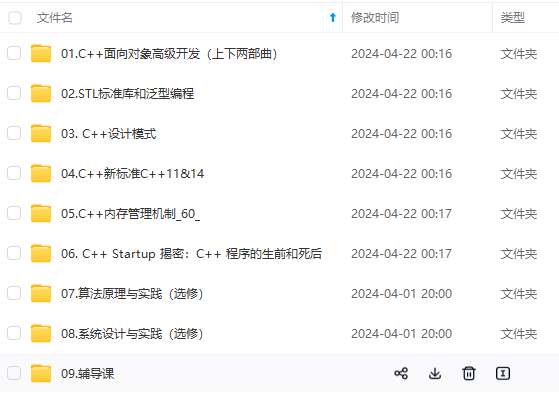
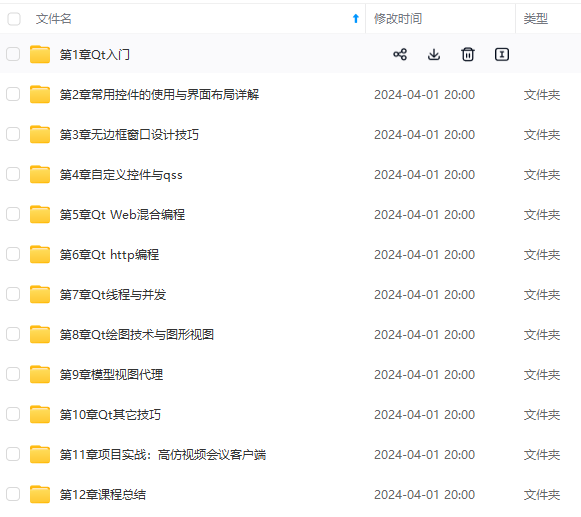
**网上学习资料一大堆,但如果学到的知识不成体系,遇到问题时只是浅尝辄止,不再深入研究,那么很难做到真正的技术提升。**
**[需要这份系统化的资料的朋友,可以添加戳这里获取](https://bbs.youkuaiyun.com/topics/618668825)**
**一个人可以走的很快,但一群人才能走的更远!不论你是正从事IT行业的老鸟或是对IT行业感兴趣的新人,都欢迎加入我们的的圈子(技术交流、学习资源、职场吐槽、大厂内推、面试辅导),让我们一起学习成长!**
//Test.c
//插入指定元素到指定结点后O(1)
pos = SListFind(sl, 3);
while (pos) {
SListInsertAfter(pos, 20);
pos = SListFind(pos->next, 3);
}
---


##### (3)、删除指定结点


[外链图片转存中...(img-3XTjmVrv-1715850587299)]
[外链图片转存中...(img-7fM4yJLv-1715850587300)]

**网上学习资料一大堆,但如果学到的知识不成体系,遇到问题时只是浅尝辄止,不再深入研究,那么很难做到真正的技术提升。**

**[需要这份系统化的资料的朋友,可以添加戳这里获取](https://bbs.youkuaiyun.com/topics/618668825)**


**一个人可以走的很快,但一群人才能走的更远!不论你是正从事IT行业的老鸟或是对IT行业感兴趣的新人,都欢迎加入我们的的圈子(技术交流、学习资源、职场吐槽、大厂内推、面试辅导),让我们一起学习成长!**





 扫一扫
扫一扫


 被折叠的 条评论
为什么被折叠?
被折叠的 条评论
为什么被折叠?
 到【灌水乐园】发言





