



先自我介绍一下,小编浙江大学毕业,去过华为、字节跳动等大厂,目前阿里P7
深知大多数程序员,想要提升技能,往往是自己摸索成长,但自己不成体系的自学效果低效又漫长,而且极易碰到天花板技术停滞不前!
因此收集整理了一份《2024年最新Android移动开发全套学习资料》,初衷也很简单,就是希望能够帮助到想自学提升又不知道该从何学起的朋友。
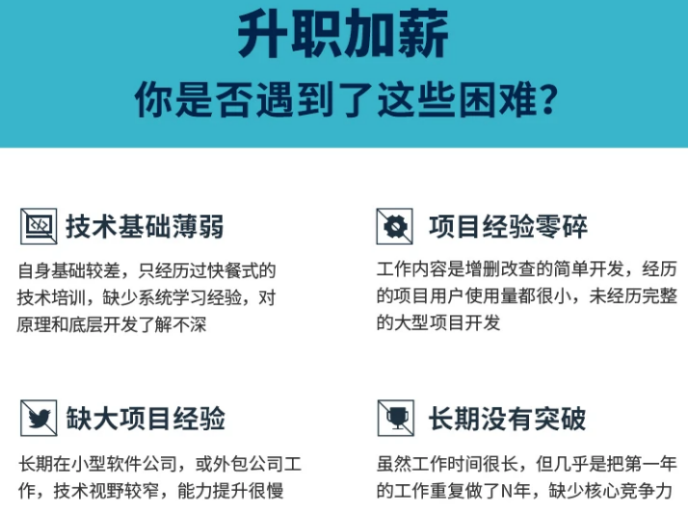

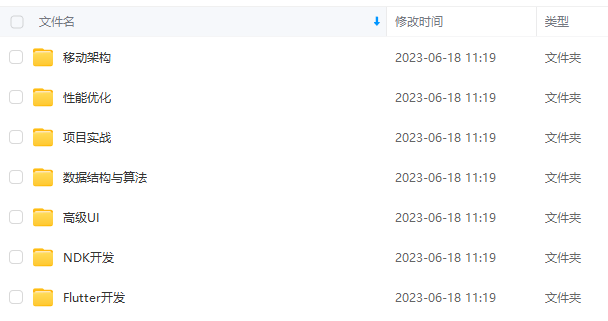




既有适合小白学习的零基础资料,也有适合3年以上经验的小伙伴深入学习提升的进阶课程,涵盖了95%以上Android开发知识点,真正体系化!
由于文件比较多,这里只是将部分目录截图出来,全套包含大厂面经、学习笔记、源码讲义、实战项目、大纲路线、讲解视频,并且后续会持续更新
如果你需要这些资料,可以添加V获取:vip204888 (备注Android)

正文
AsyncCall实现了execute方法,首先是调用getResponseWithInterceptorChain()方法获取响应,然后获取成功后,就调用回调的onReponse方法,如果失败,就调用回调的onFailure方法。最后,调用Dispatcher的finished方法。
关键代码:
responseCallback.onFailure(RealCall.this, new IOException(“Canceled”));
和
responseCallback.onResponse(RealCall.this, response);
走完这两句代码会进行回调到刚刚我们初始化Okhttp的地方,如下:
-
okHttpClient.newCall(request).enqueue(new Callback() { -
@Override -
public void onFailure(Call call, IOException e) { -
} -
@Override -
public void onResponse(Call call, Response response) throws IOException { -
} -
});
核心重点类Dispatcher线程池介绍
-
public final class Dispatcher { -
/** 最大并发请求数为64 */ -
private int maxRequests = 64; -
/** 每个主机最大请求数为5 */ -
private int maxRequestsPerHost = 5; -
/** 线程池 */ -
private ExecutorService executorService; -
/** 准备执行的请求 */ -
private final Deque<AsyncCall> readyAsyncCalls = new ArrayDeque<>(); -
/** 正在执行的异步请求,包含已经取消但未执行完的请求 */ -
private final Deque<AsyncCall> runningAsyncCalls = new ArrayDeque<>(); -
/** 正在执行的同步请求,包含已经取消单未执行完的请求 */ -
private final Deque<RealCall> runningSyncCalls = new ArrayDeque<>();
在OkHttp,使用如下构造了单例线程池
-
public synchronized ExecutorService executorService() { -
if (executorService == null) { -
executorService = new ThreadPoolExecutor(0, Integer.MAX_VALUE, 60, TimeUnit.SECONDS, -
new SynchronousQueue<Runnable>(), Util.threadFactory("OkHttp Dispatcher", false)); -
} -
return executorService; -
}
构造一个线程池ExecutorService:
-
executorService = new ThreadPoolExecutor( -
//corePoolSize 最小并发线程数,如果是0的话,空闲一段时间后所有线程将全部被销毁 -
0, -
//maximumPoolSize: 最大线程数,当任务进来时可以扩充的线程最大值,当大于了这个值就会根据丢弃处理机制来处理 -
Integer.MAX_VALUE, -
//keepAliveTime: 当线程数大于corePoolSize时,多余的空闲线程的最大存活时间 -
60, -
//单位秒 -
TimeUnit.SECONDS, -
//工作队列,先进先出 -
new SynchronousQueue<Runnable>(), -
//单个线程的工厂 -
Util.threadFactory("OkHttp Dispatcher", false));
可以看出,在Okhttp中,构建了一个核心为[0, Integer.MAX_VALUE]的线程池,它不保留任何最小线程数,随时创建更多的线程数,当线程空闲时只能活60秒,它使用了一个不存储元素的阻塞工作队列,一个叫做”OkHttp Dispatcher”的线程工厂。
也就是说,在实际运行中,当收到10个并发请求时,线程池会创建十个线程,当工作完成后,线程池会在60s后相继关闭所有线程。
-
synchronized void enqueue(AsyncCall call) { -
if (runningAsyncCalls.size() < maxRequests && runningCallsForHost(call) < maxRequestsPerHost) { -
runningAsyncCalls.add(call); -
executorService().execute(call); -
} else { -
readyAsyncCalls.add(call); -
} -
}
从上述源码分析,如果当前还能执行一个并发请求,则加入 runningAsyncCalls ,立即执行,否则加入 readyAsyncCalls 队列。
Dispatcher线程池总结
1)调度线程池Disptcher实现了高并发,低阻塞的实现 2)采用Deque作为缓存,先进先出的顺序执行 3)任务在try/finally中调用了finished函数,控制任务队列的执行顺序,而不是采用锁,减少了编码复杂性提高性能
这里是分析OkHttp源码,并不详细讲线程池原理,如对线程池不了解请参考如下链接
-
try { -
Response response = getResponseWithInterceptorChain(); -
if (retryAndFollowUpInterceptor.isCanceled()) { -
signalledCallback = true; -
responseCallback.onFailure(RealCall.this, new IOException("Canceled")); -
} else { -
signalledCallback = true; -
responseCallback.onResponse(RealCall.this, response); -
} -
} finally { -
client.dispatcher().finished(this); -
}
当任务执行完成后,无论是否有异常,finally代码段总会被执行,也就是会调用Dispatcher的finished函数
-
void finished(AsyncCall call) { -
finished(runningAsyncCalls, call, true); -
}
从上面的代码可以看出,第一个参数传入的是正在运行的异步队列,第三个参数为true,下面再看有是三个参数的finished方法:
-
private <T> void finished(Deque<T> calls, T call, boolean promoteCalls) { -
int runningCallsCount; -
Runnable idleCallback; -
synchronized (this) { -
if (!calls.remove(call)) throw new AssertionError("Call wasn't in-flight!"); -
if (promoteCalls) promoteCalls(); -
runningCallsCount = runningCallsCount(); -
idleCallback = this.idleCallback; -
} -
if (runningCallsCount == 0 && idleCallback != null) { -
idleCallback.run(); -
} -
}
打开源码,发现它将正在运行的任务Call从队列runningAsyncCalls中移除后,获取运行数量判断是否进入了Idle状态,接着执行promoteCalls()函数,下面是promoteCalls()方法:
-
private void promoteCalls() { -
if (runningAsyncCalls.size() >= maxRequests) return; // Already running max capacity. -
if (readyAsyncCalls.isEmpty()) return; // No ready calls to promote. -
for (Iterator<AsyncCall> i = readyAsyncCalls.iterator(); i.hasNext(); ) { -
AsyncCall call = i.next(); -
if (runningCallsForHost(call) < maxRequestsPerHost) { -
i.remove(); -
runningAsyncCalls.add(call); -
executorService().execute(call); -
} -
if (runningAsyncCalls.size() >= maxRequests) return; // Reached max capacity. -
} -
}
主要就是遍历等待队列,并且需要满足同一主机的请求小于maxRequestsPerHost时,就移到运行队列中并交给线程池运行。就主动的把缓存队列向前走了一步,而没有使用互斥锁等复杂编码
核心重点getResponseWithInterceptorChain方法
-
Response getResponseWithInterceptorChain() throws IOException { -
// Build a full stack of interceptors. -
List<Interceptor> interceptors = new ArrayList<>(); -
interceptors.addAll(client.interceptors()); -
interceptors.add(retryAndFollowUpInterceptor); -
interceptors.add(new BridgeInterceptor(client.cookieJar())); -
interceptors.add(new CacheInterceptor(client.internalCache())); -
interceptors.add(new ConnectInterceptor(client)); -
if (!forWebSocket) { -
interceptors.addAll(client.networkInterceptors()); -
} -
interceptors.add(new CallServerInterceptor(forWebSocket)); -
Interceptor.Chain chain = new RealInterceptorChain( -
interceptors, null, null, null, 0, originalRequest); -
return chain.proceed(originalRequest); -
}

1)在配置 OkHttpClient 时设置的 interceptors; 2)负责失败重试以及重定向的 RetryAndFollowUpInterceptor; 3)负责把用户构造的请求转换为发送到服务器的请求、把服务器返回的响应转换为用户友好的响应的 BridgeInterceptor; 4)负责读取缓存直接返回、更新缓存的 CacheInterceptor; 5)负责和服务器建立连接的 ConnectInterceptor; 6)配置 OkHttpClient 时设置的 networkInterceptors; 7)负责向服务器发送请求数据、从服务器读取响应数据的 CallServerInterceptor。
OkHttp的这种拦截器链采用的是责任链模式,这样的好处是将请求的发送和处理分开,并且可以动态添加中间的处理方实现对请求的处理、短路等操作。
从上述源码得知,不管okhttp有多少拦截器最后都会走,如下方法:
-
Interceptor.Chain chain = new RealInterceptorChain( -
interceptors, null, null, null, 0, originalRequest); -
return chain.proceed(originalRequest);
从方法名字基本可以猜到是干嘛的,调用 chain.proceed(originalRequest); 将request传递进来,从拦截器链里拿到返回结果。那么拦截器Interceptor是干嘛的,Chain是干嘛的呢?继续往下看RealInterceptorChain
RealInterceptorChain类
下面是RealInterceptorChain的定义,该类实现了Chain接口,在getResponseWithInterceptorChain调用时好几个参数都传的null。
-
public final class RealInterceptorChain implements Interceptor.Chain { -
public RealInterceptorChain(List<Interceptor> interceptors, StreamAllocation streamAllocation, -
HttpCodec httpCodec, RealConnection connection, int index, Request request) { -
this.interceptors = interceptors; -
this.connection = connection; -
this.streamAllocation = streamAllocation; -
this.httpCodec = httpCodec; -
this.index = index; -
this.request = request; -
} -
...... -
@Override -
public Response proceed(Request request) throws IOException { -
return proceed(request, streamAllocation, httpCodec, connection); -
} -
public Response proceed(Request request, StreamAllocation streamAllocation, HttpCodec httpCodec, -
RealConnection connection) throws IOException { -
if (index >= interceptors.size()) throw new AssertionError(); -
calls++; -
...... -
// Call the next interceptor in the chain. -
RealInterceptorChain next = new RealInterceptorChain( -
interceptors, streamAllocation, httpCodec, connection, index + 1, request); -
Interceptor interceptor = interceptors.get(index); -
Response response = interceptor.intercept(next); -
...... -
return response; -
} -
protected abstract void execute(); -
}
主要看proceed方法,proceed方法中判断index(此时为0)是否大于或者等于client.interceptors(List )的大小。由于httpStream为null,所以首先创建next拦截器链,主需要把索引置为index+1即可;然后获取第一个拦截器,调用其intercept方法。
Interceptor 代码如下:
-
public interface Interceptor { -
Response intercept(Chain chain) throws IOException; -
interface Chain { -
Request request(); -
Response proceed(Request request) throws IOException; -
Connection connection(); -
} -
}
BridgeInterceptor
BridgeInterceptor从用户的请求构建网络请求,然后提交给网络,最后从网络响应中提取出用户响应。从最上面的图可以看出,BridgeInterceptor实现了适配的功能。下面是其intercept方法:
-
public final class BridgeInterceptor implements Interceptor { -
...... -
@Override -
public Response intercept(Chain chain) throws IOException { -
Request userRequest = chain.request(); -
Request.Builder requestBuilder = userRequest.newBuilder(); -
RequestBody body = userRequest.body(); -
//如果存在请求主体部分,那么需要添加Content-Type、Content-Length首部 -
if (body != null) { -
MediaType contentType = body.contentType(); -
if (contentType != null) { -
requestBuilder.header("Content-Type", contentType.toString()); -
} -
long contentLength = body.contentLength(); -
if (contentLength != -1) { -
requestBuilder.header("Content-Length", Long.toString(contentLength)); -
requestBuilder.removeHeader("Transfer-Encoding"); -
} else { -
requestBuilder.header("Transfer-Encoding", "chunked"); -
requestBuilder.removeHeader("Content-Length"); -
} -
} -
if (userRequest.header("Host") == null) { -
requestBuilder.header("Host", hostHeader(userRequest.url(), false)); -
} -
if (userRequest.header("Connection") == null) { -
requestBuilder.header("Connection", "Keep-Alive"); -
} -
// If we add an "Accept-Encoding: gzip" header field we're responsible for also decompressing -
// the transfer stream. -
boolean transparentGzip = false; -
if (userRequest.header("Accept-Encoding") == null && userRequest.header("Range") == null) { -
transparentGzip = true; -
requestBuilder.header("Accept-Encoding", "gzip"); -
} -
List<Cookie> cookies = cookieJar.loadForRequest(userRequest.url()); -
if (!cookies.isEmpty()) { -
requestBuilder.header("Cookie", cookieHeader(cookies)); -
} -
if (userRequest.header("User-Agent") == null) { -
requestBuilder.header("User-Agent", Version.userAgent()); -
} -
Response networkResponse = chain.proceed(requestBuilder.build()); -
HttpHeaders.receiveHeaders(cookieJar, userRequest.url(), networkResponse.headers()); -
Response.Builder responseBuilder = networkResponse.newBuilder() -
.request(userRequest); -
if (transparentGzip -
&& "gzip".equalsIgnoreCase(networkResponse.header("Content-Encoding")) -
&& HttpHeaders.hasBody(networkResponse)) { -
GzipSource responseBody = new GzipSource(networkResponse.body().source()); -
Headers strippedHeaders = networkResponse.headers().newBuilder() -
.removeAll("Content-Encoding") -
.removeAll("Content-Length") -
.build(); -
responseBuilder.headers(strippedHeaders); -
responseBuilder.body(new RealResponseBody(strippedHeaders, Okio.buffer(responseBody))); -
} -
return responseBuilder.build(); -
} -
/** Returns a 'Cookie' HTTP request header with all cookies, like {@code a=b; c=d}. */ -
private String cookieHeader(List<Cookie> cookies) { -
StringBuilder cookieHeader = new StringBuilder(); -
for (int i = 0, size = cookies.size(); i < size; i++) { -
if (i > 0) { -
cookieHeader.append("; "); -
} -
Cookie cookie = cookies.get(i); -
cookieHeader.append(cookie.name()).append('=').append(cookie.value()); -
} -
return cookieHeader.toString(); -
} -
}
从上面的代码可以看出,首先获取原请求,然后在请求中添加头,比如Host、Connection、Accept-Encoding参数等,然后根据看是否需要填充Cookie,在对原始请求做出处理后,使用chain的procced方法得到响应,接下来对响应做处理得到用户响应,最后返回响应。接下来再看下一个拦截器ConnectInterceptor的处理。
-
public final class ConnectInterceptor implements Interceptor { -
...... -
@Override -
public Response intercept(Chain chain) throws IOException { -
RealInterceptorChain realChain = (RealInterceptorChain) chain; -
Request request = realChain.request(); -
StreamAllocation streamAllocation = realChain.streamAllocation(); -
// We need the network to satisfy this request. Possibly for validating a conditional GET. -
boolean doExtensiveHealthChecks = !request.method().equals("GET"); -
HttpCodec httpCodec = streamAllocation.newStream(client, doExtensiveHealthChecks); -
RealConnection connection = streamAllocation.connection(); -
return realChain.proceed(request, streamAllocation, httpCodec, connection); -
} -
}
实际上建立连接就是创建了一个 HttpCodec 对象,它利用 Okio 对 Socket 的读写操作进行封装,Okio 以后有机会再进行分析,现在让我们对它们保持一个简单地认识:它对 java.io 和 java.nio 进行了封装,让我们更便捷高效的进行 IO 操作。
CallServerInterceptor
CallServerInterceptor是拦截器链中最后一个拦截器,负责将网络请求提交给服务器。它的intercept方法实现如下:
-
@Override -
public Response intercept(Chain chain) throws IOException { -
RealInterceptorChain realChain = (RealInterceptorChain) chain; -
HttpCodec httpCodec = realChain.httpStream(); -
StreamAllocation streamAllocation = realChain.streamAllocation(); -
RealConnection connection = (RealConnection) realChain.connection(); -
Request request = realChain.request(); -
long sentRequestMillis = System.currentTimeMillis(); -
httpCodec.writeRequestHeaders(request); -
Response.Builder responseBuilder = null; -
if (HttpMethod.permitsRequestBody(request.method()) && request.body() != null) { -
// If there's a "Expect: 100-continue" header on the request, wait for a "HTTP/1.1 100 -
// Continue" response before transmitting the request body. If we don't get that, return what -
// we did get (such as a 4xx response) without ever transmitting the request body. -
if ("100-continue".equalsIgnoreCase(request.header("Expect"))) { -
httpCodec.flushRequest(); -
responseBuilder = httpCodec.readResponseHeaders(true); -
} -
if (responseBuilder == null) { -
// Write the request body if the "Expect: 100-continue" expectation was met. -
Sink requestBodyOut = httpCodec.createRequestBody(request, request.body().contentLength()); -
BufferedSink bufferedRequestBody = Okio.buffer(requestBodyOut); -
request.body().writeTo(bufferedRequestBody); -
bufferedRequestBody.close(); -
} else if (!connection.isMultiplexed()) { -
// If the "Expect: 100-continue" expectation wasn't met, prevent the HTTP/1 connection from -
// being reused. Otherwise we're still obligated to transmit the request body to leave the -
// connection in a consistent state. -
streamAllocation.noNewStreams(); -
} -
} -
httpCodec.finishRequest(); -
if (responseBuilder == null) { -
responseBuilder = httpCodec.readResponseHeaders(false); -
} -
Response response = responseBuilder -
.request(request)
总结
开发是面向对象。我们找工作应该更多是面向面试。哪怕进大厂真的只是去宁螺丝,但你要进去得先学会面试的时候造飞机不是么?
作者13年java转Android开发,在小厂待过,也去过华为,OPPO等,去年四月份进了阿里一直到现在。等大厂待过也面试过很多人。深知大多数初中级Android工程师,想要提升技能,往往是自己摸索成长,不成体系的学习效果低效漫长且无助。
这里附上上述的技术体系图相关的几十套腾讯、头条、阿里、美团等公司的面试题,把技术点整理成了视频和PDF(实际上比预期多花了不少精力),包含知识脉络 + 诸多细节,由于篇幅有限,这里以图片的形式给大家展示一部分。
相信它会给大家带来很多收获:
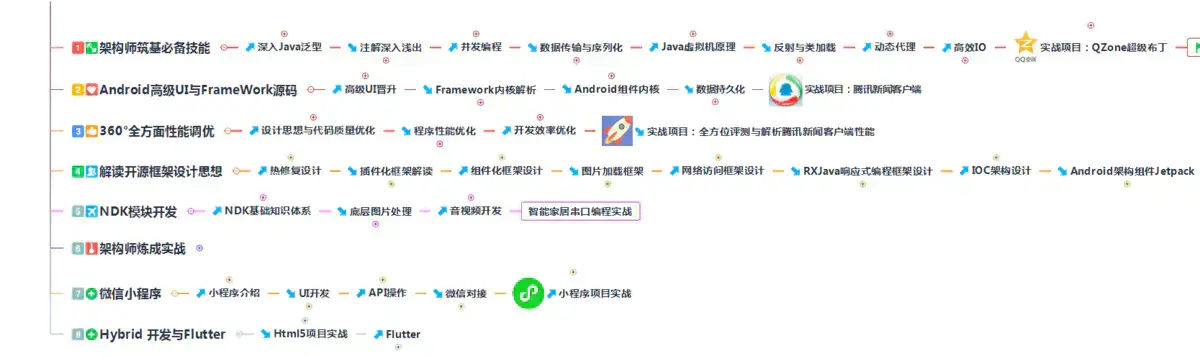
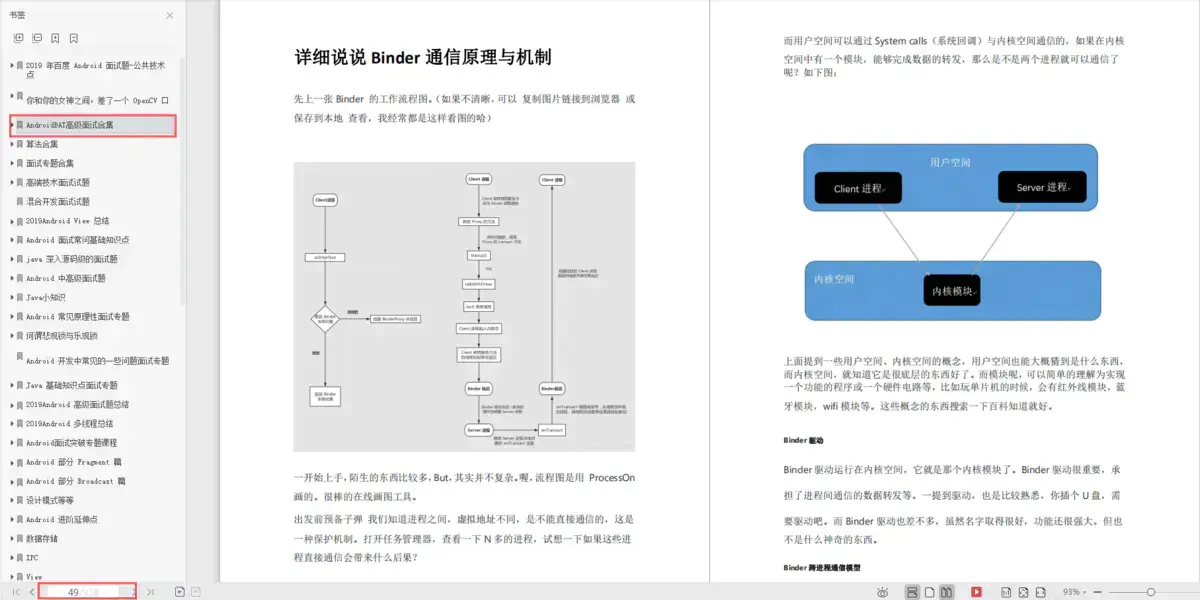
资料太多,全部展示会影响篇幅,暂时就先列举这些部分截图
当程序员容易,当一个优秀的程序员是需要不断学习的,从初级程序员到高级程序员,从初级架构师到资深架构师,或者走向管理,从技术经理到技术总监,每个阶段都需要掌握不同的能力。早早确定自己的职业方向,才能在工作和能力提升中甩开同龄人。
网上学习资料一大堆,但如果学到的知识不成体系,遇到问题时只是浅尝辄止,不再深入研究,那么很难做到真正的技术提升。
需要这份系统化的资料的朋友,可以添加V获取:vip204888 (备注Android)

一个人可以走的很快,但一群人才能走的更远!不论你是正从事IT行业的老鸟或是对IT行业感兴趣的新人,都欢迎加入我们的的圈子(技术交流、学习资源、职场吐槽、大厂内推、面试辅导),让我们一起学习成长!
nnection in a consistent state.`
-
streamAllocation.noNewStreams(); -
} -
} -
httpCodec.finishRequest(); -
if (responseBuilder == null) { -
responseBuilder = httpCodec.readResponseHeaders(false); -
} -
Response response = responseBuilder -
.request(request)
总结
开发是面向对象。我们找工作应该更多是面向面试。哪怕进大厂真的只是去宁螺丝,但你要进去得先学会面试的时候造飞机不是么?
作者13年java转Android开发,在小厂待过,也去过华为,OPPO等,去年四月份进了阿里一直到现在。等大厂待过也面试过很多人。深知大多数初中级Android工程师,想要提升技能,往往是自己摸索成长,不成体系的学习效果低效漫长且无助。
这里附上上述的技术体系图相关的几十套腾讯、头条、阿里、美团等公司的面试题,把技术点整理成了视频和PDF(实际上比预期多花了不少精力),包含知识脉络 + 诸多细节,由于篇幅有限,这里以图片的形式给大家展示一部分。
相信它会给大家带来很多收获:
[外链图片转存中…(img-3BaOtSLN-1713245661744)]
[外链图片转存中…(img-q2IrZPB0-1713245661744)]
资料太多,全部展示会影响篇幅,暂时就先列举这些部分截图
当程序员容易,当一个优秀的程序员是需要不断学习的,从初级程序员到高级程序员,从初级架构师到资深架构师,或者走向管理,从技术经理到技术总监,每个阶段都需要掌握不同的能力。早早确定自己的职业方向,才能在工作和能力提升中甩开同龄人。
网上学习资料一大堆,但如果学到的知识不成体系,遇到问题时只是浅尝辄止,不再深入研究,那么很难做到真正的技术提升。
需要这份系统化的资料的朋友,可以添加V获取:vip204888 (备注Android)
[外链图片转存中…(img-830m9QZU-1713245661744)]
一个人可以走的很快,但一群人才能走的更远!不论你是正从事IT行业的老鸟或是对IT行业感兴趣的新人,都欢迎加入我们的的圈子(技术交流、学习资源、职场吐槽、大厂内推、面试辅导),让我们一起学习成长!





 扫一扫
扫一扫


 4540
4540

 被折叠的 条评论
为什么被折叠?
被折叠的 条评论
为什么被折叠?
 到【灌水乐园】发言





