



 文章介绍了使用CSS和JavaScript创建的一个自定义游戏,包括开始/暂停功能、难度调整以及重置游戏。同时还分享了一套针对前端开发的全面学习资料,包含零基础至进阶课程,旨在帮助开发者提升技能并提供免费资源。


CSS
*{
margin: 0;
padding: 0;
}
.btn{
width: 170px;
height: 70px;
border-radius: 20px;
border: 1px solid greenyellow;
outline: medium;
background: url(…/img/background.jpg) no-repeat;
background-size:170px 70px;
float: left;
margin-left: 20px;
margin-top: 300px;
text-align: center;
/* cursor: pointer; */
/* user-select: none; */
font-weight: bold;
font-size: 30px;
color:white;
}
.btn:hover{
border: 3px solid greenyellow;
}
#box{
width: 100%;
height: 100vh;
background:url(…/img/background.jpg) no-repeat;
background-size:100% 100%;
overflow: hidden;
}
.score{
width: 250px;
height: 355px;
background: url(…/img/score.png) no-repeat;
background-size:100% 100%;
position: absolute;
right:10px;
/* bottom: -80px; */
font-size: 60px;
text-align: center;
line-height: 280px;
color: white;
cursor: pointer;
user-select: none;
margin-top: 395px;
}
.startorstop{
width: 100%;
height: 50px;
position: absolute;
bottom: 20px;
}
.reload{
width: 500px;
height: 350px;
background: url(…/img/reload.gif) no-repeat;
background-size:350px 270px;
margin: 0 auto;
position: relative;
top: -650px;
}
.squick{
width: 130px;
height: 50px;
margin-top: 280px;
margin-left: 40px;
}
.tu{
width: 130px;
height: 50px;
margin-top: -49px;
margin-left: 210px;
}
#game img{
position: absolute;
}
#music_btn{
width: 70px;
height: 70px;
position: absolute;
left: 10px;
top: 20px;
cursor: pointer;
user-select: none;
}
.play-tips{
width: 500px;
height: 400px;
margin: 0 auto;
margin-top: 150px;
border: 1px solid red;
}
#buttons1{
width: 700px;
height: 200px;
margin-bottom: 100px;
}
JavaScript
$(function(){
var chars =[‘A’,‘B’,‘C’,‘D’,‘E’,‘F’,‘G’,‘H’,‘T’,‘J’,‘K’,‘L’,‘M’,‘N’,‘O’,‘P’,‘Q’,‘R’,‘S’,‘G’,‘U’,‘V’,‘W’,‘X’,‘Y’,‘Z’];
//积分
var score = 0;
//默认游戏的状态
var flag = true;
//声明刚开始游戏的状态
var f = true;
//开始游戏的标识
var speed = 1;
var start = $(“.start”);
var createImgInterval;
var downImgInterval;
//默认游戏的状态
//点击开始游戏按钮所执行的函数
start.click(function(){
play(speed);
var music=document.getElementById(“mus”);
music.play();
flag = true;
if(f){
f = false;
}
});
//点击暂停按钮所执行的函数
$(“.stop”).click(function(){
if(flag){
flag = false;
$(this).val(“继 续 游 戏”)
var music=document.getElementById(“mus”);
music.pause();
}else{
flag = true;
$(this).val(“暂 停 游 戏”)
var music=document.getElementById(“mus”);
music.play();
}
});
//增加难度
$(“.quick”).click(function(){
if(!f){
speed += 0.5;
play(speed);
}
});
//重新开始游戏
$(“.reload”).click(function(){
$(this).animate({top:“-350px”});
$(“#game”).children().remove();
score = 0;
$(“.score”).html(score);
flag = true;
f = true;
speed = 1;
自我介绍一下,小编13年上海交大毕业,曾经在小公司待过,也去过华为、OPPO等大厂,18年进入阿里一直到现在。
深知大多数前端工程师,想要提升技能,往往是自己摸索成长或者是报班学习,但对于培训机构动则几千的学费,着实压力不小。自己不成体系的自学效果低效又漫长,而且极易碰到天花板技术停滞不前!
因此收集整理了一份《2024年Web前端开发全套学习资料》,初衷也很简单,就是希望能够帮助到想自学提升又不知道该从何学起的朋友,同时减轻大家的负担。

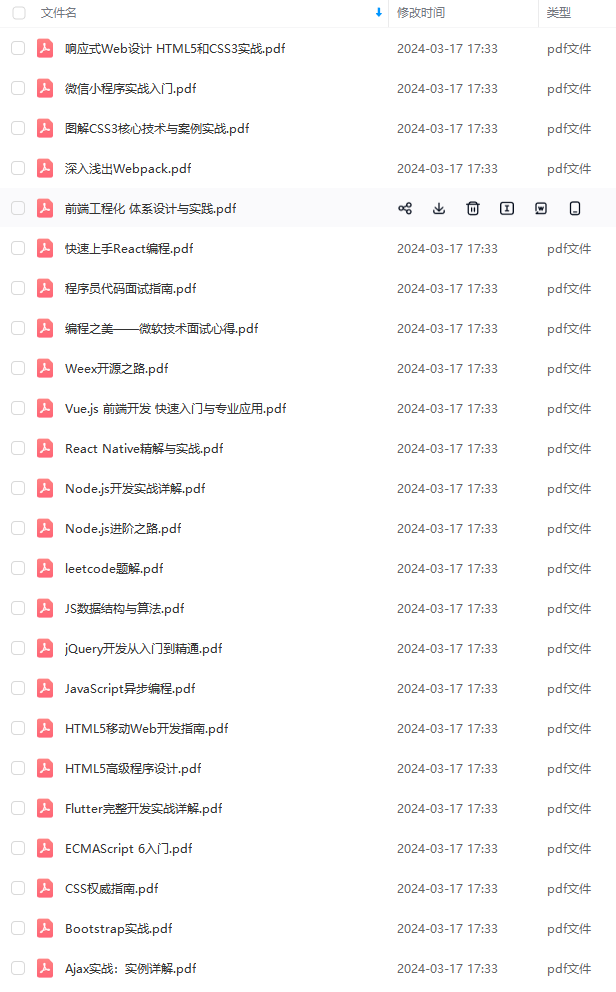
既有适合小白学习的零基础资料,也有适合3年以上经验的小伙伴深入学习提升的进阶课程,基本涵盖了95%以上前端开发知识点,真正体系化!
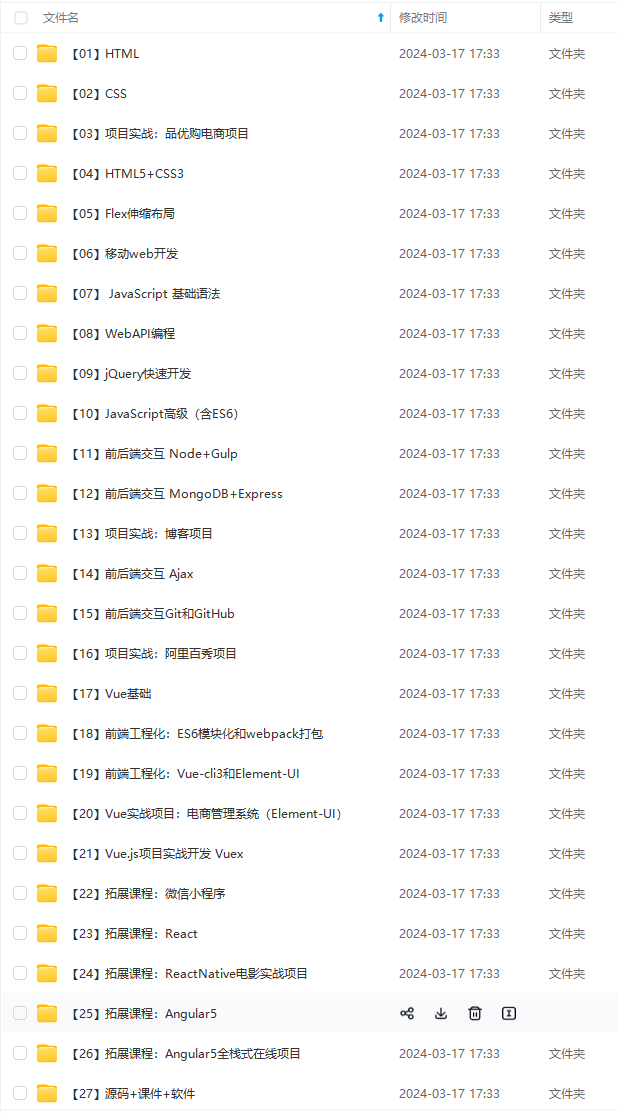
由于文件比较大,这里只是将部分目录截图出来,每个节点里面都包含大厂面经、学习笔记、源码讲义、实战项目、讲解视频,并且会持续更新!
如果你觉得这些内容对你有帮助,可以扫码获取!!(备注:前端)

最后
由于篇幅限制,pdf文档的详解资料太全面,细节内容实在太多啦,所以只把部分知识点截图出来粗略的介绍,每个小节点里面都有更细化的内容!有需要的程序猿(媛)可以帮忙点赞+点击【学习资料】即可领取!
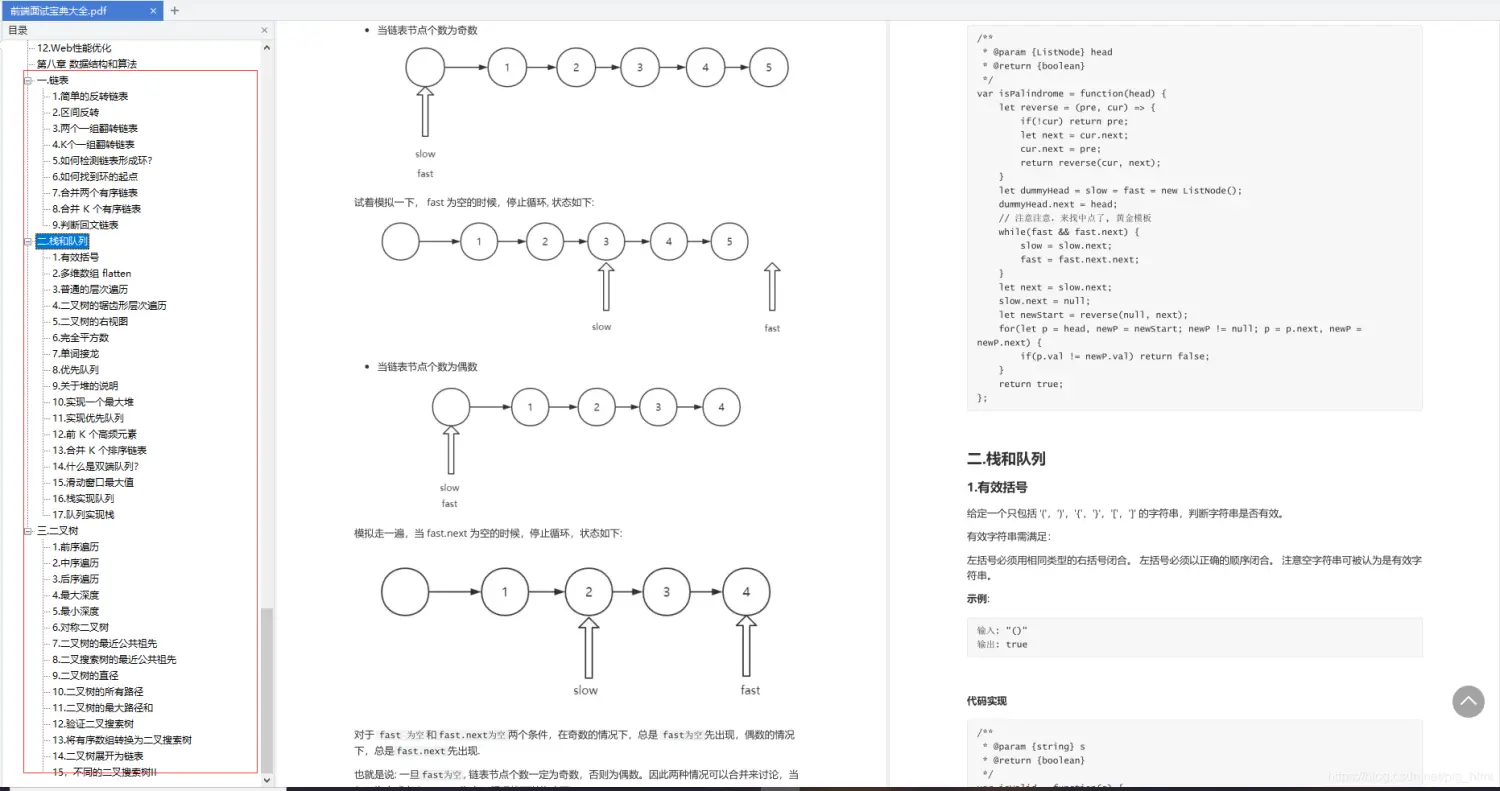
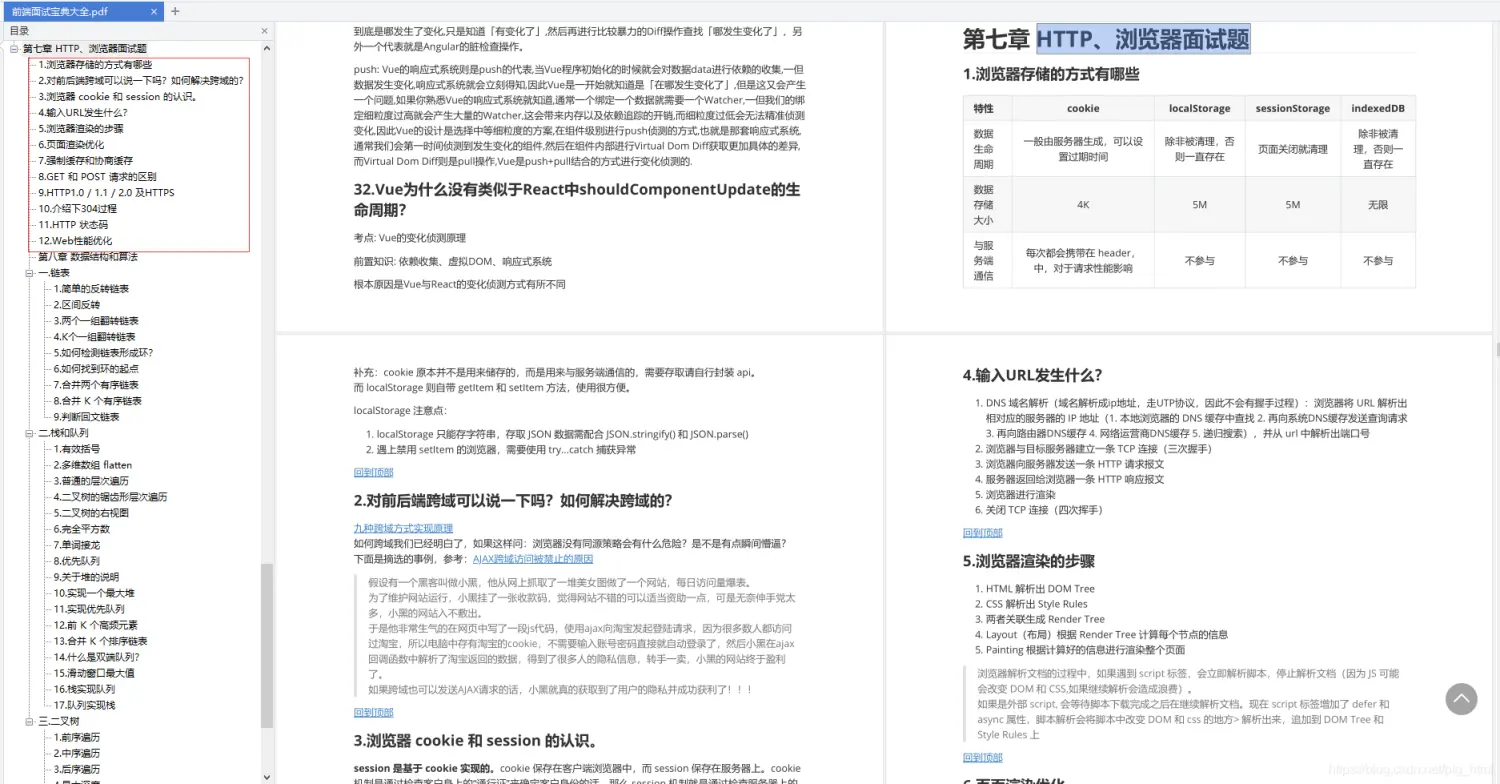
img-Hqni9J8W-1712430373891)]
由于文件比较大,这里只是将部分目录截图出来,每个节点里面都包含大厂面经、学习笔记、源码讲义、实战项目、讲解视频,并且会持续更新!
如果你觉得这些内容对你有帮助,可以扫码获取!!(备注:前端)
最后
由于篇幅限制,pdf文档的详解资料太全面,细节内容实在太多啦,所以只把部分知识点截图出来粗略的介绍,每个小节点里面都有更细化的内容!有需要的程序猿(媛)可以帮忙点赞+点击【学习资料】即可领取!
[外链图片转存中…(img-lYXr1Wb3-1712430373892)]
[外链图片转存中…(img-dKASJaOr-1712430373892)]





 扫一扫
扫一扫


 1329
1329

 被折叠的 条评论
为什么被折叠?
被折叠的 条评论
为什么被折叠?
 到【灌水乐园】发言





