


目录
3.1. 工厂创建sqlSession实例时加参数"true"
3.2. 获得连接,手动setAutoCommit为true
1. 问题前言
- 在使用 Mybatis 框架进行操作 mysql 数据库时,我们都知道这个框架是对 jdbc 的封装,在使用 jdbc 操作时,我们都会做一件事,开启事务,将自动提交事务改为手动提交事务,`connection.setAutoCommit(false)`,然后再自己手动的控制事务的提交
现在使用 Mybatis 框架,那么这个事务的提交自动的?还是手动的呢?
我就遇到了这个 bug,也不算 bug,算是一个我个人的知识盲区了,那我来讲讲 Mybatis 封装 jdbc 后,事务怎么提交,是自动提交还是手动?
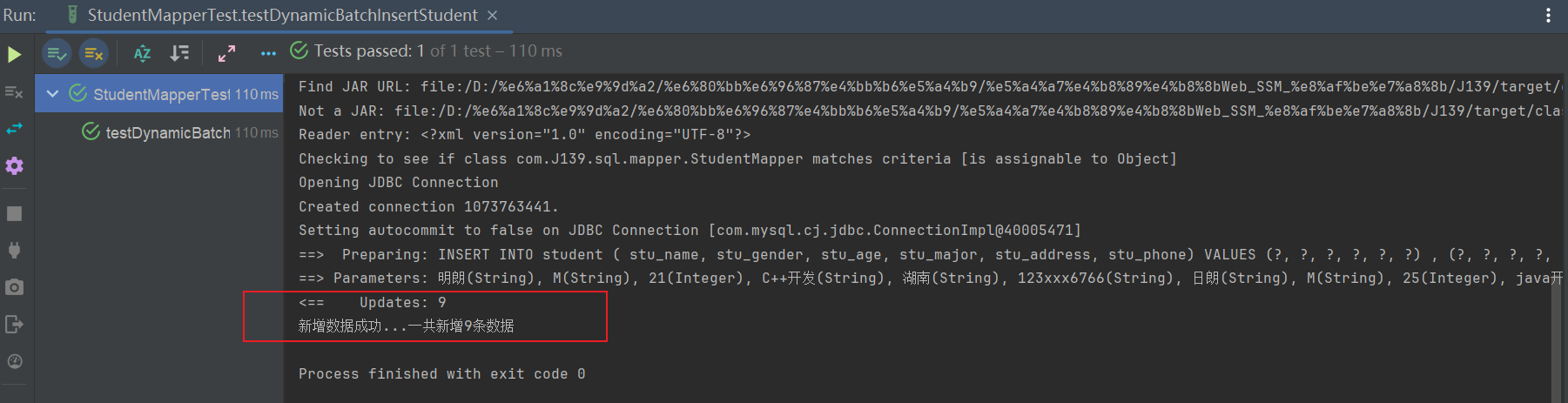
- 我们可以看到这里批量新增 insert 数据,在控制台输出成功新增 9 条数据,意味着数据新增成功了,但是我一看数据库表,发现没有插入数据
 /**
     * foreach标签实现批量插入。
     */
    @Test
    public void testDynamicBatchInsertStudent(){

        StudentMapper studentMapper = sqlSession.getMapper(StudentMapper.class);
        Student student = new Student();
        List<Student> studentList = new ArrayList<>();

        // 这里id字段设置为null的目的是因为数据库是自增的,所以在插入数据时,不需要指定id
        studentList.add(new Student(null,"明朗","M",21,"C++开发","湖南","123xxx6766"));
        studentList.add(new Student(null,"日朗","M",25,"java开发","苏州","123xxx6766"));
        studentList.add(new Student(null,"滴朗","F",21,"安卓开发","湖南","123xxx6766"));
        studentList.add(new Student(null,"五爱","M",34,"C++开发","湖南","123xxx6766"));
        studentList.add(new Student(null,"斯贝","M",21,"前端开发","北京","123xxx6766"));
        studentList.add(new Student(null,"艾克","F",57,"C++开发","湖南","123xxx6766"));
        studentList.add(new Student(null,"李贺","M",76,"UI设计师","北京","123xxx6766"));
        studentList.add(new Student(null,"四流","F",33,"C++开发","湖南","123xxx6766"));
        studentList.add(new Student(null,"萨达","M",26,"项目经理","杭州","123xxx6766"));

        Integer i = studentMapper.dynamicBatchInsertStudent(studentList);
        if (i > 0){
            System.out.println("新增数据成功...一共新增"+i+"条数据");
        }
    }
我查阅资料发现原来是 Mybatis 框架在创建 SqlSession 时,底层默认是手动提交事务
2. 问题分析
Mybatis 是通过 SqlSession 和数据库进行连接操作的,同时我的 Mybatis 配置文件中使用的 jdbc 事务管理,所以问题就出在这
<environments default="development">
  <environment id="development">
    <!--            <transactionManager type="MANAGED"/>-->
    <transactionManager type="JDBC"/>
    <dataSource type="POOLED">
      <property name="driver" value="${driver}"/>
      <property name="url" value="${url}"/>
      <property name="username" value="${username}"/>
      <property name="password" value="${password}"/>
    </dataSource>
  </environment>
- 如果在获取 SqlSession 对象时,不传入布尔值,则默认事务是手动提交,需要在执行(insert,update.delete)等方法时,手动调用 sqlSession.commit()方法来提交事务
public class MybatisUtils {

    private static SqlSessionFactory sqlSessionFactory;

    static {
        try {
            //获取sqlSessionFactory对象
            String resource = "mybatis-config.xml";
            InputStream inputStream = Resources.getResourceAsStream(resource);
            sqlSessionFactory = new SqlSessionFactoryBuilder().build(inputStream);
        } catch (IOException e) {
            e.printStackTrace();
        }
    }

    //既然有了 SqlSessionFactory,顾名思义,我们可以从中获得 SqlSession 的实例
    // SqlSession 提供了在数据库执行 SQL 命令所需的所有方法。你可以通过 SqlSession 实例来直接执行已映射的 SQL 语句
    public static SqlSession getSqlSession() throws SQLException {
        return sqlSessionFactory.openSession();
    }
}-
我查阅资料发现原来是 Mybatis 框架在创建 SqlSession 时,底层默认是手动提交事务
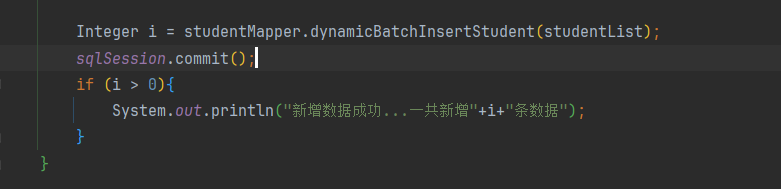
后面我手动调用了 sqlSession.commit()进行了事务的提交,数据才真正持久化到磁盘
3. 问题解决(开启mybatis自动提交事务)
3.1. 工厂创建sqlSession实例时加参数"true"
public static SqlSession getSqlSession(){
    SqlSession sqlSession = sqlSessionFactory.openSession(true);
    return sqlSession;
3.2. 获得连接,手动setAutoCommit为true
- 这个方法应该在学习JDBC事务的时候就学会了,在获取 Connection 连接后,调用 setAutoCommit(false)。
public static SqlSession getSqlSession(){
    SqlSession sqlSession = sqlSessionFactory.openSession();
    Connection connection = sqlSession.getConnection();
    try {
        connection.setAutoCommit(true);
    } catch (SQLException e) {
        e.printStackTrace();
    }
    return sqlSession;





 扫一扫
扫一扫


 4432
4432

 被折叠的 条评论
为什么被折叠?
被折叠的 条评论
为什么被折叠?
 到【灌水乐园】发言





